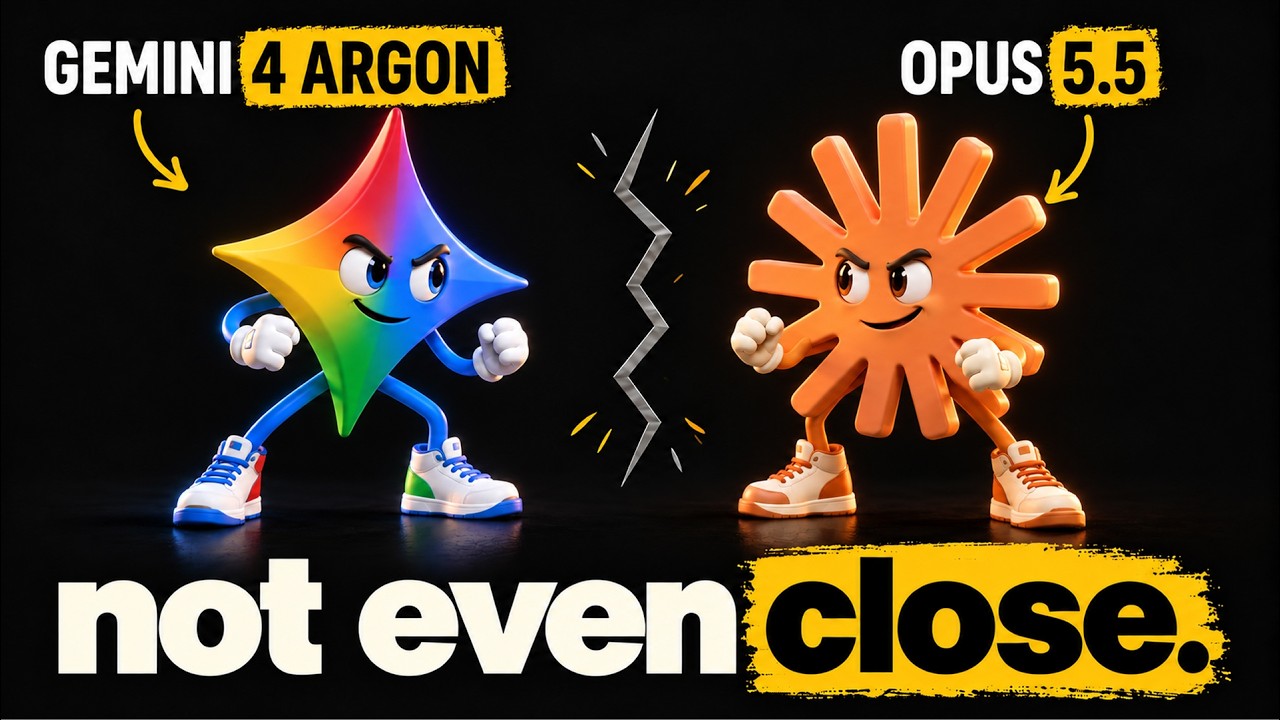
I asked Claude Fable 5.2 to create a security hardening plan for an app I’m building, including penetration testing. The system quickly switched me to Opus 4.8.
That’s the problem I keep running into with hosted AI. A model can have excellent cybersecurity capabilities, yet the surrounding service can restrict access when I ask it to do legitimate defensive work.
Security isn’t the only area affected. I asked ChatGPT to create a coloring page for my daughter with princesses in a snowy castle. It refused because the request resembled copyrighted content, without identifying what content it meant. After I explicitly said the drawing shouldn’t look like Frozen, it generated the image.
These experiences explain why I keep open and uncensored AI models available. I see them as a safety net, not an automatic replacement for hosted models. The important part is understanding which restrictions they remove and how to run them without exposing my system.
“Uncensored AI” Has Two Separate Layers
The term uncensored often bundles together two different things: the model itself and the software around it. That distinction matters because changing one doesn’t necessarily change the other.
1. Restrictions inside the model
A model’s weights contain the numerical values that shape its responses. Training and later alignment work influence what it answers, what it avoids, and when it refuses.
I tested this in LM Studio, an application for running AI models locally. With the standard Qwen 3.8 27B model loaded, I asked what happened in Tiananmen Square in June 1989. Across repeated attempts, it avoided giving a substantive answer.
Then I loaded an abliterated version of the same model. Abliteration modifies the weights to reduce refusal behavior. With the same question in a fresh chat, that version produced a much fuller account.
The difference was clear, but it needs an important qualification: a model that answers more readily isn’t necessarily more accurate. Removing refusal behavior doesn’t make its output true.
2. Restrictions around the model
The second layer sits in the application or agent system, often called the harness. It can include system instructions, safety classifiers, copyright checks, and other guardrails.
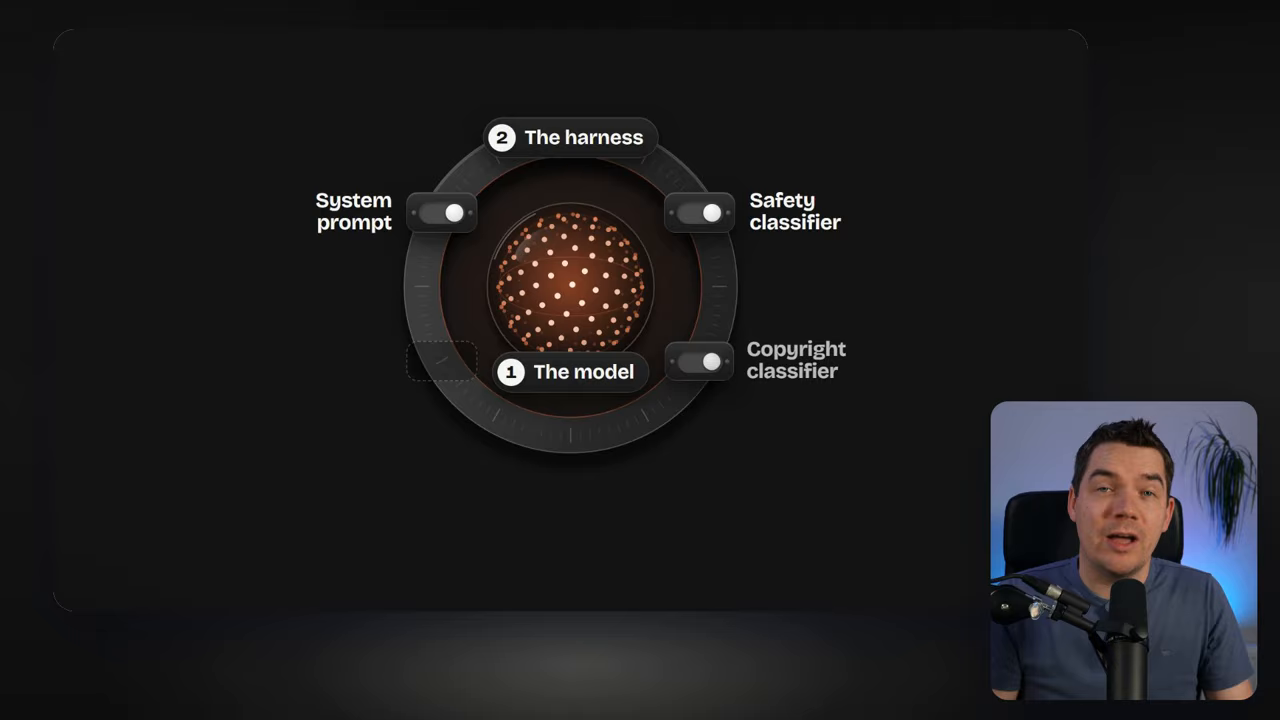
My coloring-page request likely triggered a copyright classifier. I can’t establish the exact internal cause from the response alone, but it illustrates how a surrounding filter can block an otherwise ordinary task.
Similar restrictions can affect security work and reverse engineering. Anthropic’s blocking of projects using the Reverse Engineer Anything repository raises the same concern: broad restrictions can also exclude legitimate uses.
Anthropic says Fable 5.2 reduces false positives by up to 55%. That’s useful progress. Still, fewer mistaken restrictions don’t guarantee that a particular request will succeed.
Owning the Harness Gives Me More Control
With a hosted application, the provider controls the surrounding instructions and filters. Running an open model through a harness I control changes that arrangement.
Options include Pi Agent, OpenCode, and the DeepSeek harness. These provide a way to connect models to tools and carry out practical tasks, rather than keeping everything inside a chat window.
LM Studio works well for comparing responses. For a log investigation or a coding task, I want an agent that can inspect files, use tools, and produce a report.
Hugging Face is one place to find model variants labeled uncensored or abliterated. Download counts and trending results can help identify candidates, but popularity alone doesn’t establish whether a model will handle my task well.
My Practical Test: Auditing Synthetic Web Logs
To move beyond a question-and-answer comparison, I connected the abliterated Qwen model to a coding agent through my AgenticOps setup. I gave it synthetic web logs modeled on the type of attack described in Hugging Face’s investigation.
The task was to turn those logs into a useful security report. I asked the agent to:
- Build a timeline of suspicious activity.
- Investigate individual incidents and assess their severity.
- Identify patterns that could help block further activity.
- Recommend ways to reduce the risk.
The model worked through the exercise and produced a report. This was a more useful test than simply checking whether it would answer a sensitive question. It showed whether the model could complete a legitimate defensive workflow.
I also gave the task to Fable 5.2. It completed the investigation without switching me to a lower model, and its report was considerably more comprehensive than Qwen’s.
That result matters. I’m not arguing that a smaller local model automatically outperforms a leading hosted model. My concern is reliable access to useful capabilities. Fable handled this investigation well, but it had redirected my earlier hardening request.
Why I Put the Coding Agent in a Sandbox
A coding agent can do more than generate text. It can run commands and change files. That makes containment important, especially when I reduce permission prompts so it can work without constant interruptions.
An accidental permissions change could damage important folders. Security evidence introduces another risk: logs and scripts may contain instructions planted by an attacker.
Those instructions can become a prompt-injection attempt. Instead of treating the material as evidence, the agent might interpret part of it as something it should do.
For this exercise, I used a Docker sandbox with several boundaries:
- Locked-down networking: The sandbox didn’t have unrestricted network access.
- Limited file access: I copied the evidence into the sandbox and limited its view to the task folder.
- No administrator rights: The agent ran as an ordinary user.
- Contained tool use: It could work inside that restricted environment without requesting permission at every step.
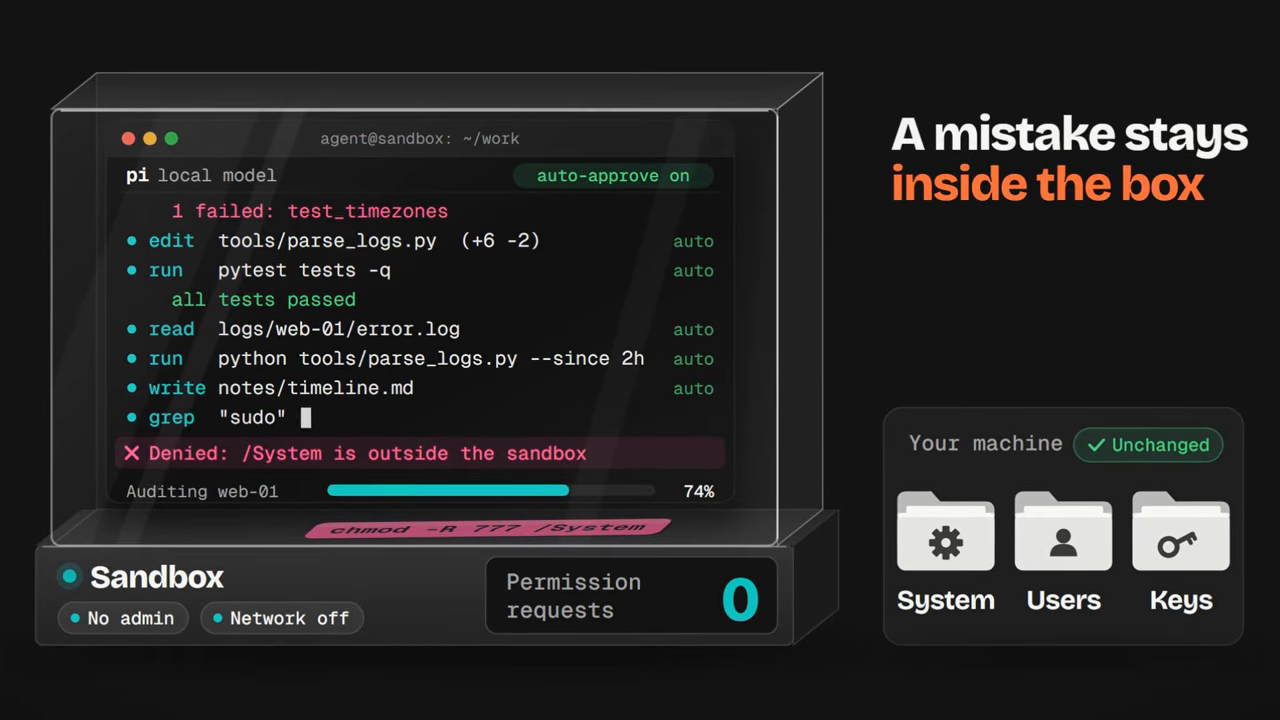
This isn’t a claim that a container makes every action safe. A separate, air-gapped machine may be more appropriate for sensitive investigations. My setup balances convenience and containment for the exercise.
The key point is that fewer model refusals shouldn’t mean unlimited system access. I want control over the AI’s restrictions and firm boundaries around its tools.
An Open Model May Be Enough
A specially modified model isn’t always necessary. For security hardening, threat analysis, or legitimate reverse engineering, a standard open model may already complete the work.
Hugging Face’s account named GLM 5.2 as a model it used after encountering problems with frontier hosted models. It didn’t establish that the model was a specifically uncensored variant.
My starting point would therefore be an ordinary open model, such as an appropriate DeepSeek or GLM model. I’d test the actual task before moving to an abliterated version.
This separates two useful benefits: controlling the deployment and reducing refusal behavior. Sometimes the first is all I need.
When Local Hardware Isn’t Enough
Local AI has a practical limit: the hardware available to run it. A 27-billion-parameter model can be useful, but larger open models may require more computing capacity than my machine provides.
Cloud GPU rental offers another route. RunPod, for example, provides on-demand GPU pods, clusters, and serverless options. Renting compute lets me run a larger model without owning the hardware.
Services such as Obliteration.ai also focus on less restricted AI for work other systems may refuse. The same distinction still applies: I need to understand both the model and the service around it.
For me, the useful fallback is a capable model, a harness I control, and an execution environment with clear limits. That gives legitimate work another path when a hosted service refuses it, while keeping responsibility for the tools and results firmly with me.