GPT-6 Astra is extremely capable, but capability alone doesn’t guarantee a good workflow. I see two common problems. Some people use Astra like a standard chatbot and leave a lot of value on the table. Others put every task on the highest effort setting, use computer control for everything, and burn through usage far faster than necessary.
The better approach is to treat Astra as a high-level operator. Give it the work that needs judgment, planning, and strong reasoning. Then build a system around it that preserves context, controls cost, and checks important work independently.
I use six principles for this: choose effort levels intentionally, explicitly request subagents, use computer control only where it fills a real gap, simplify old instruction files, delegate routine work to cheaper models, and make another model review Astra’s output.
1. Start With a Sensible Effort Level
The first setting to think about is effort level. It’s tempting to select Ultra for every request because it sounds like the best possible option. In practice, that can be a costly habit with little benefit.
Higher effort levels give Astra more room to reason through a task. That can help on difficult planning, complex coding, multi-step research, or uncertain decisions. However, each increase also consumes more tokens and usage. The gains also tend to shrink as you move higher.
In other words, the jump from low to medium effort may make a meaningful difference. The jump from high to Ultra may use substantially more resources while improving the answer only slightly for many tasks.
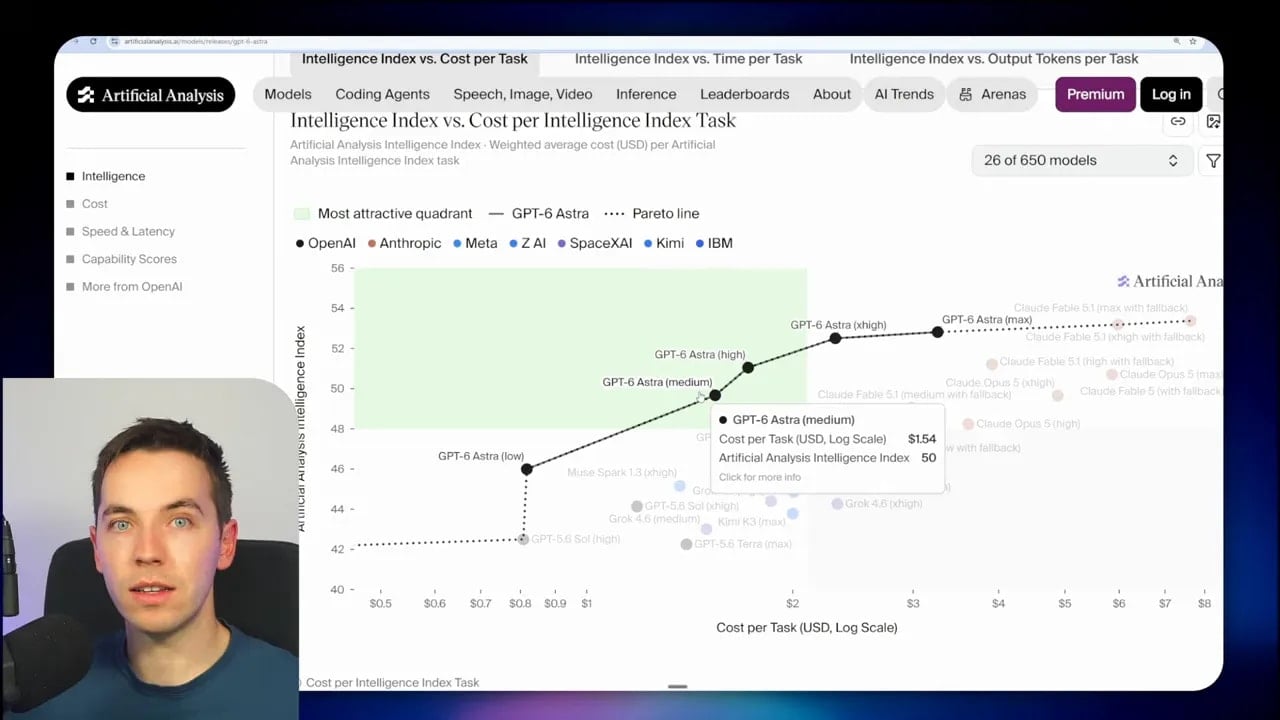
I generally start at medium effort. It’s a practical middle ground. Astra gets enough room to think without treating every request like a major architecture project.
Increase the effort level when the task clearly earns it. Good candidates include:
- Planning a complicated feature that touches many areas of a codebase.
- Investigating a difficult bug with several possible causes.
- Making a decision with important business or technical constraints.
- Working through an unfamiliar system where mistakes could create rework.
- Creating an implementation plan before a larger build.
Lower effort is often enough for small edits, simple landing-page changes, formatting work, basic content updates, or well-defined tasks with an obvious path. The model doesn’t need extended reasoning if the work is straightforward.
A useful question is: Would extra thinking materially change the result? If the answer is no, don’t pay for it. This one habit can make Astra feel far more sustainable for day-to-day work.
2. Explicitly Ask Astra to Use Subagents
My second tip is one of the most useful: explicitly tell Astra to use subagents when the work can be broken into separate pieces.
A subagent is a separate agent with its own isolated context window. The main agent can ask it to investigate an area, complete a one-off task, compare options, or conduct research. The subagent returns its findings, and the main agent uses those findings to continue the larger task.
This matters because the main context window is valuable. If Astra does every exploratory task itself, it fills that context with details that may not matter once the research is done. A subagent can handle the exploration separately, then return the key conclusions.
For example, imagine asking Astra to understand two separate areas of a codebase before proposing a change. Without a specific instruction, it may inspect both areas inside the main agent’s context. If you add a short instruction such as “use separate subagents to inspect each area and synthesize the findings,” Astra can divide the work and keep the central task cleaner.
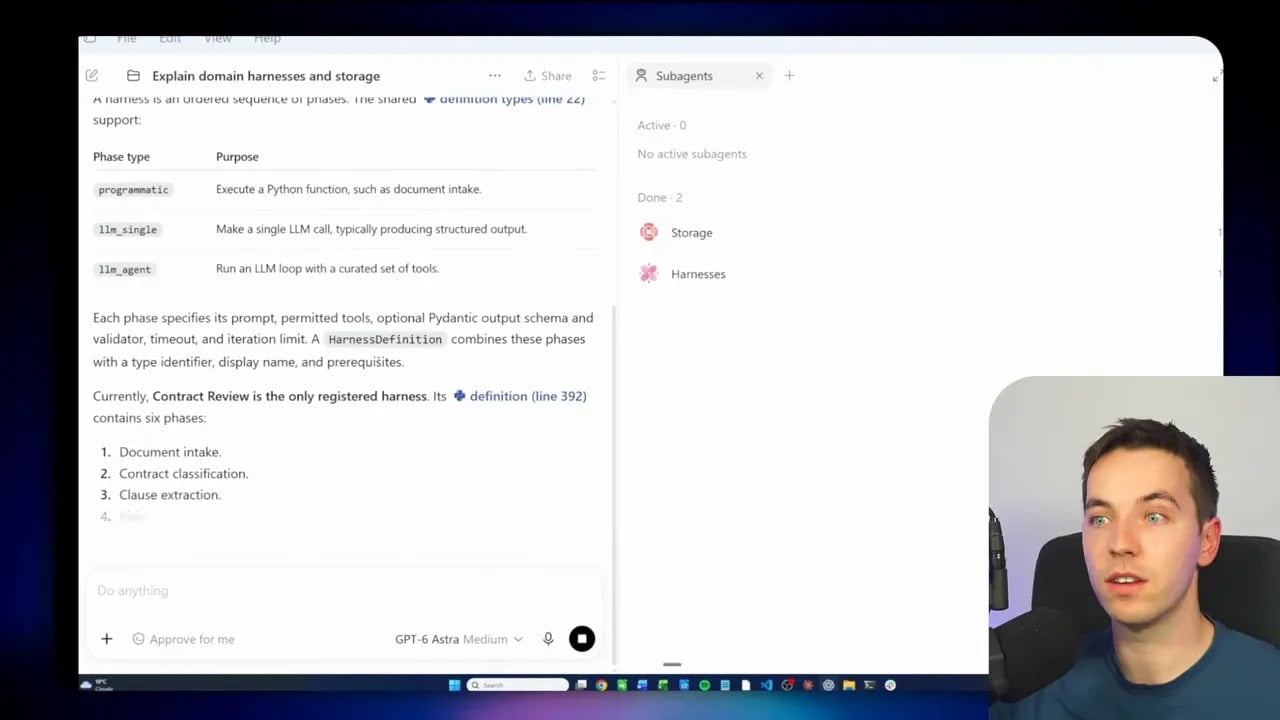
I’ve found that Codex and Astra don’t always create subagents automatically just because a task has multiple parts. That differs from what some people expect if they have experience with other coding agents. If you want isolated research or parallel investigation, say so directly.
What to Delegate to a Subagent
Subagents are especially useful for tasks that are self-contained. Examples include:
- Inspecting a specific folder or module in a project.
- Researching a library, API, or external service.
- Comparing implementation approaches.
- Finding all references to a feature or function.
- Reviewing a set of files for a defined concern.
- Collecting information before a planning task.
A good instruction gives each subagent a clear scope and expected output. Ask it to report findings, relevant files, risks, unanswered questions, and recommended next steps. The main agent can then combine those reports into a plan.
Use Cheaper Models Inside Subagents
There’s a second advantage here. A subagent doesn’t always need Astra. Research, file discovery, basic analysis, and structured extraction can often run on a cheaper model.
I can ask Astra to create a research subagent using GPT-5.16 Sol Light, or an even less expensive model where the work allows it. Astra remains responsible for the higher-value part: planning, judging the evidence, and deciding what happens next.
That gives you a useful pattern:
- Use Astra to understand the main objective and assign the work.
- Use lower-cost models for isolated discovery or routine analysis.
- Bring the results back to Astra for synthesis and decisions.
If a task can happen in another context window, and especially if it can run on a cheaper model, it’s a strong candidate for delegation.
3. Use Computer and Browser Control Selectively
Computer use and browser use are some of Astra’s most impressive capabilities. They can make an agent useful in systems that don’t offer clean programmatic access. Still, that doesn’t mean computer control should become the default way to interact with every tool.
There are two unhelpful extremes. One is barely using computer control at all. The other is using it for every workflow, even when a better connection already exists.
I recommend using computer control to fill gaps. It’s best for work that genuinely requires interaction with a graphical interface, a website without an API, or a process that can’t be handled through a direct integration.
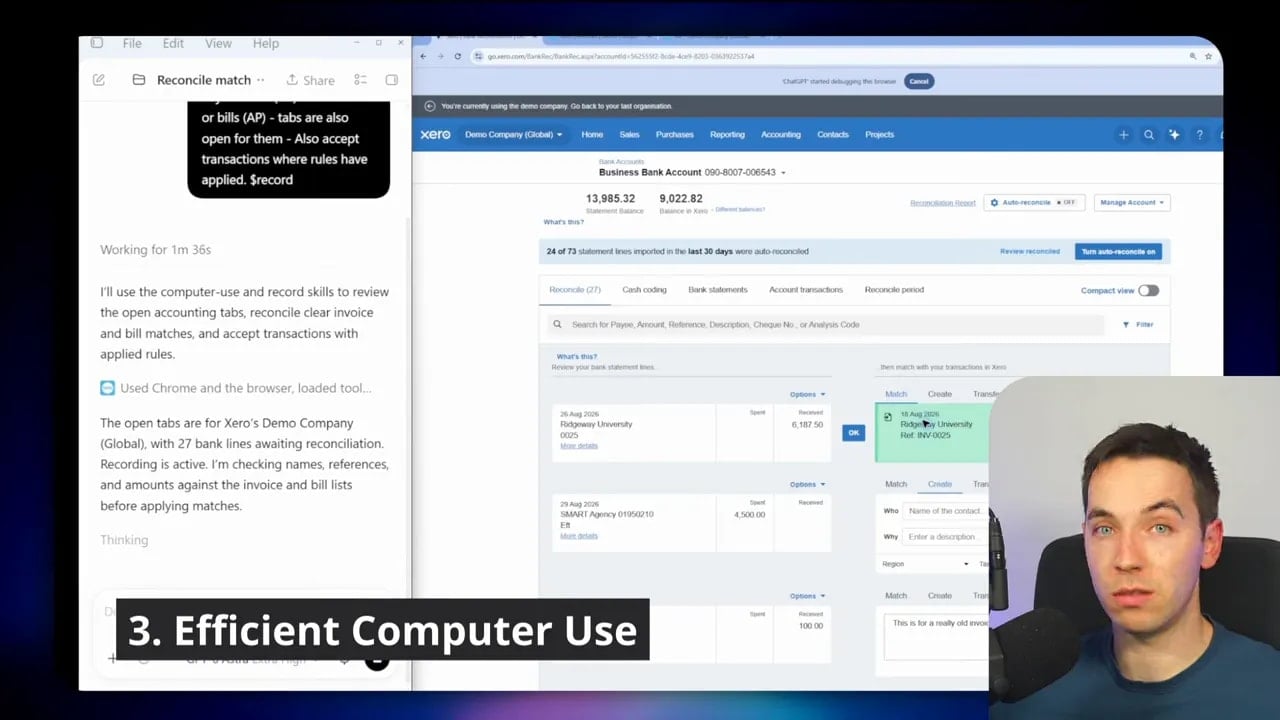
Before asking Astra to click through an application, check whether the application already has a more direct route:
- An MCP server.
- A command-line interface.
- An API.
- A built-in ChatGPT or Codex connector.
- A reliable native integration.
If one of those options exists, use it first. Programmatic connections are usually faster, easier to repeat, and less demanding on tokens. They also avoid the fragility of a graphical workflow, where a changed layout or unexpected pop-up can interrupt the process.
Computer use becomes valuable when no direct connection exists, or when the task depends on understanding what’s on screen. It can bridge older systems, internal portals, visual tools, and web processes that would otherwise require manual work.
Turn Successful Computer Workflows Into Skills
The key step that many people miss is what happens after Astra successfully completes a browser or computer task.
Once Astra has figured out the process, ask it to create a skill for that workflow. The skill can capture the steps, business context, and constraints needed to repeat the job.
That means Astra does the hard discovery once. A cheaper and less capable model can then call the documented skill in the future and complete the same process without needing Astra-level reasoning every time.
Think about an accounting workflow. Astra may need to inspect an unfamiliar portal, work out where invoices live, identify required fields, and learn the order of operations. Once it has done that, a skill can preserve the method. Future runs can follow the playbook rather than rediscovering it.
This is a practical way to turn one expensive agent session into an asset. It also creates more consistent execution as the workflow becomes repeatable.
4. Audit Your Skills and AGENTS.md Files
As models improve, old prompting habits can become a liability. It’s common to accumulate large skills files, long AGENTS.md files, and stacks of instructions intended to force earlier models into reliable behavior.
Some of those instructions remain essential. Others may be unnecessary, too broad, or actively restrictive for a model with stronger judgment.
OpenAI’s guidance on rethinking skills and prompts for GPT-6 Astra makes this point clearly. More capable models often need less handholding. A large layer of scaffolding can reduce flexibility, add token overhead, and make the agent follow rules that no longer serve the task.
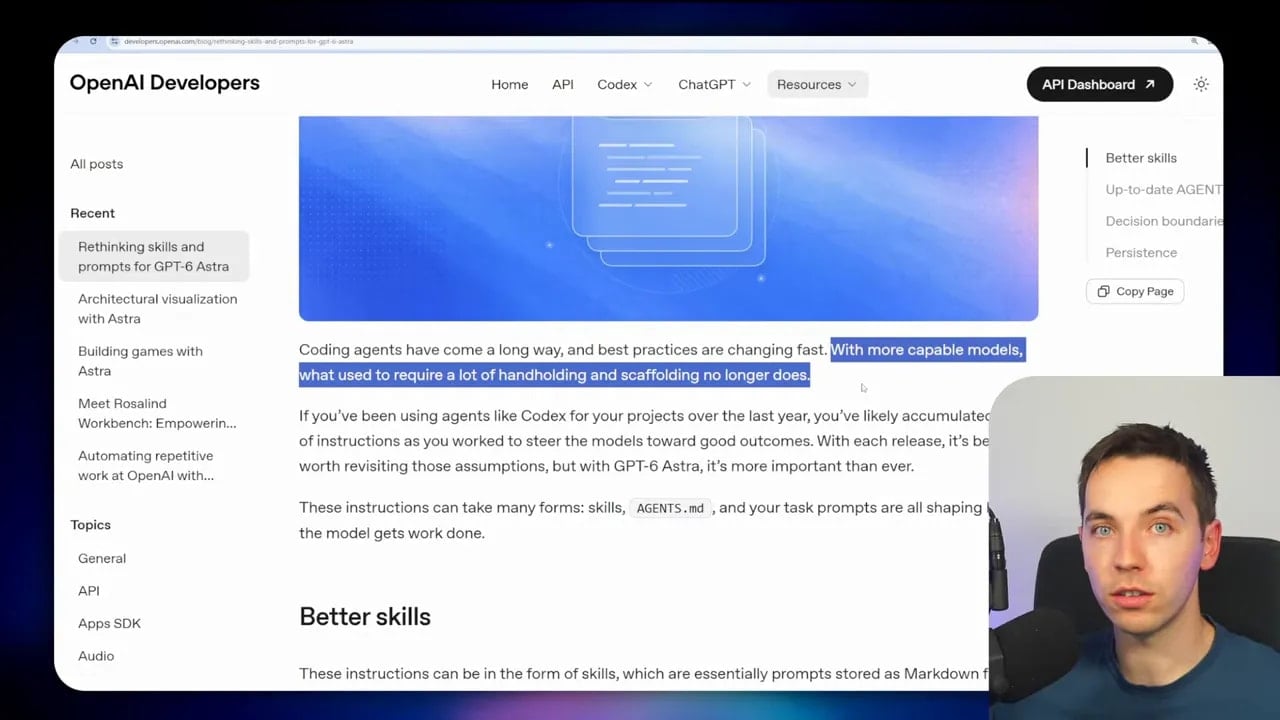
That doesn’t mean you should delete every instruction file and hope for the best. An ablation test can be useful, where you remove a set of instructions temporarily and compare the result. Yet deleting everything is often too extreme for an active project.
I prefer an audit. Ask Astra to inspect your current skills and AGENTS.md files in light of the newer guidance. Have it identify redundant rules, vague catch-all instructions, unclear triggers, and language that may constrain useful judgment.
What to Look for During an Audit
Focus on instructions that answer these questions:
- When should this skill run? A skill needs a clear trigger. Broad rules can cause unnecessary tool use or token consumption.
- What is the actual decision boundary? Define what the agent must never do, what it may decide itself, and when it should ask for more information.
- Is this instruction specific to this project? Domain context, architecture conventions, compliance rules, and business constraints often remain valuable.
- Is the instruction still needed? A rule created to compensate for an older model may now add friction without improving results.
- Does it apply to every session? Always-on instructions can waste context if they are relevant only to a small subset of tasks.
Strong models can make better decisions when you give them room to reason. Overly forceful language can cause the agent to follow an old rule even when the situation clearly calls for a different approach.
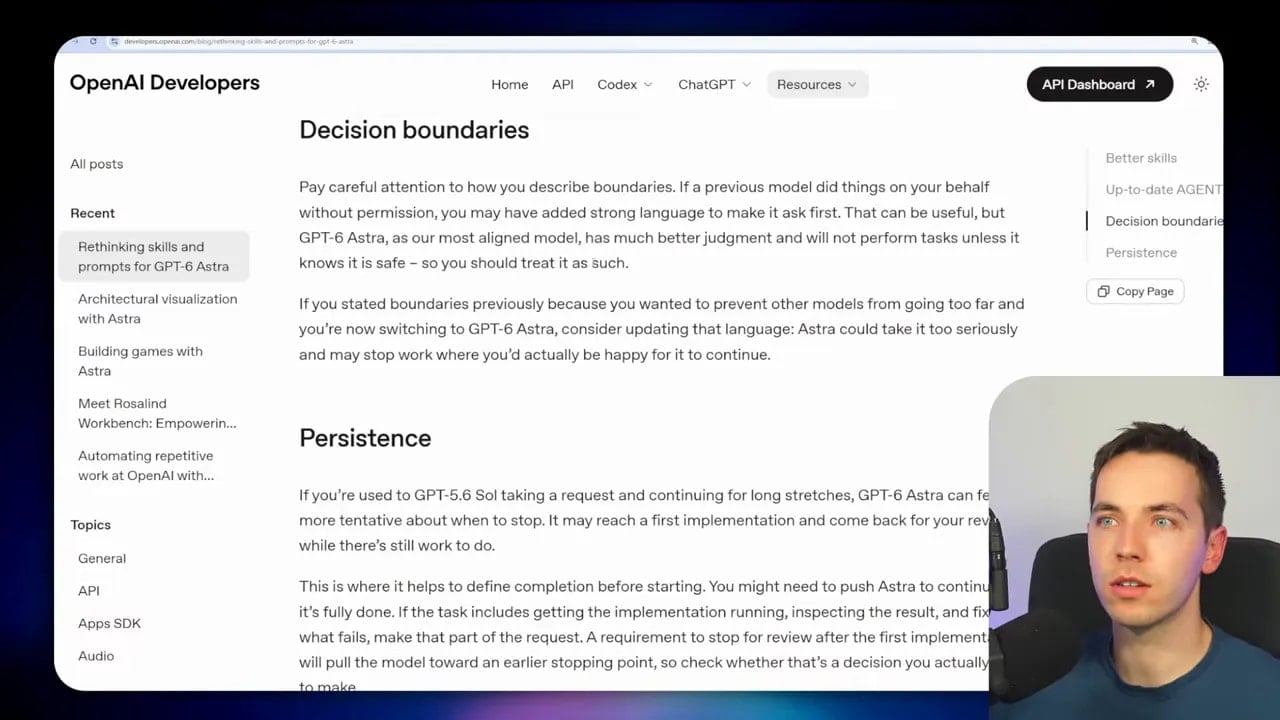
At the same time, don’t confuse simplification with removing business knowledge. I still create skills for important workflows, even when using the best models. A model may infer a process from a broad prompt, but it can’t know your internal conventions, priorities, or exceptions unless you provide them.
For example, an agent could complete an automated accounting task from a vague request. I would still want a skill that explains how my business categorizes transactions, which actions require approval, and which cases should never be automated. The objective is fewer unnecessary instructions, not less useful context.
5. Let Astra Orchestrate, Then Delegate to Other Models
Astra can be efficient if you manage effort levels well, but it is still a premium model. Using it for every task will consume usage quickly, especially at scale.
The solution is to separate high-judgment work from routine work. Use Astra for planning, orchestration, difficult decisions, unfamiliar problems, and complex implementation. Let other models handle the jobs that don’t require its full capability.
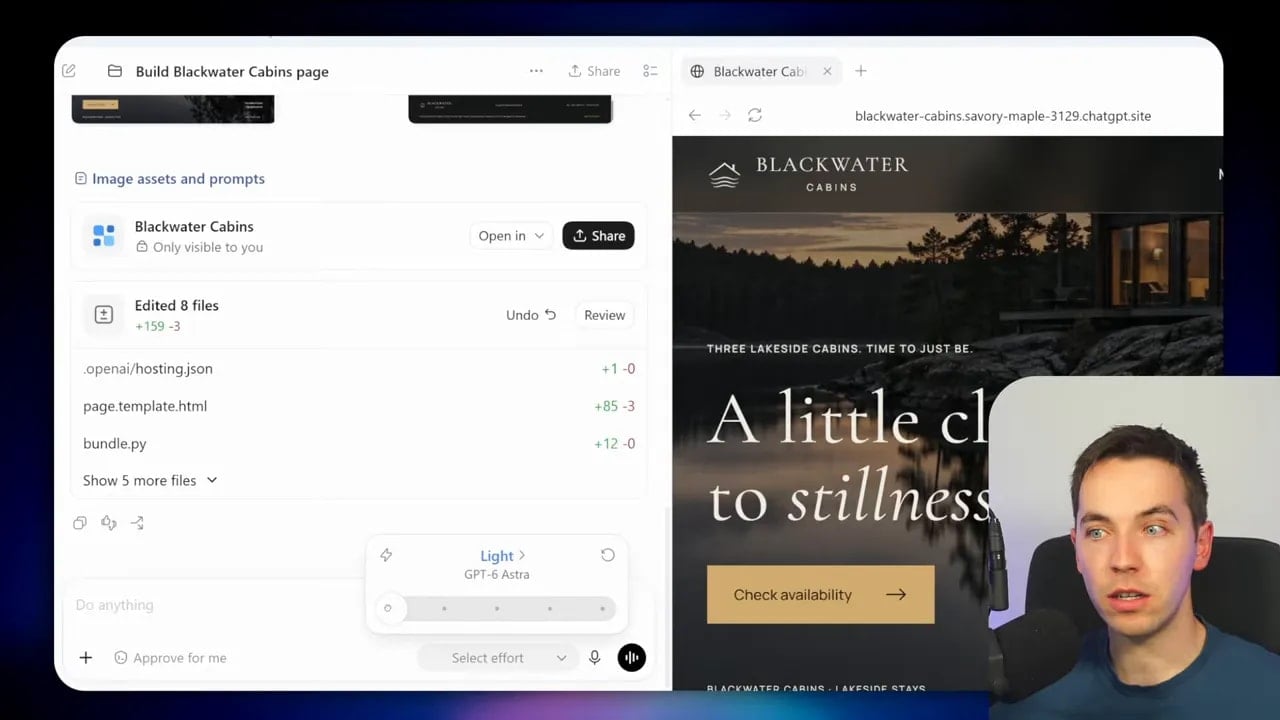
A simple update to a landing page is a good example. Changing a heading, adjusting basic copy, or making a small UI edit often doesn’t need Astra. You can hand that task to a cheaper OpenAI model such as GPT-5.6 Sol or Terra if it fits the job.
You can also connect Codex with external services such as OpenRouter, which gives access to a large set of models. Other providers, including DeepSeek in the right situation, may offer lower-cost inference for work that doesn’t demand Astra’s reasoning.
What matters is that you choose the model based on the task, rather than treating model choice as a permanent setting.
Astra as the Manager of a Model System
The useful pattern is to let Astra manage the workflow. Astra can decide what needs to happen, create scripts, call external services, and route tasks to other models. It doesn’t have to personally perform every step.
At scale, this becomes very powerful. Astra can create an application or automation that assigns specific jobs to different models. A lower-cost model can classify requests. Another can extract structured data. Another can draft routine content. Astra can step in only for complex planning, ambiguity, exception handling, or final decisions.
This approach gives you three benefits:
- Lower cost: Premium reasoning is reserved for the work that needs it.
- More throughput: Separate tasks can be handled in parallel.
- Better system design: Each model has a defined job instead of competing to do everything.
The important point is that delegation isn’t a downgrade. It’s a form of orchestration. Astra remains the high-level planner while cheaper models handle repeatable execution.
6. Use Adversarial Review Instead of Letting Astra Mark Its Own Work
The final principle is one of the most important for reliability: don’t let a model mark its own homework.
Astra can build impressive systems and create strong implementation plans. It can also miss edge cases, make incorrect assumptions, or become attached to the path it chose. That is normal model behavior. It’s also why independent review matters.
After Astra creates a plan, writes code, changes a workflow, or proposes an architecture, ask another capable model to review it. Ideally, use a model from a different family. A different model can bring a different set of strengths and a different failure pattern.
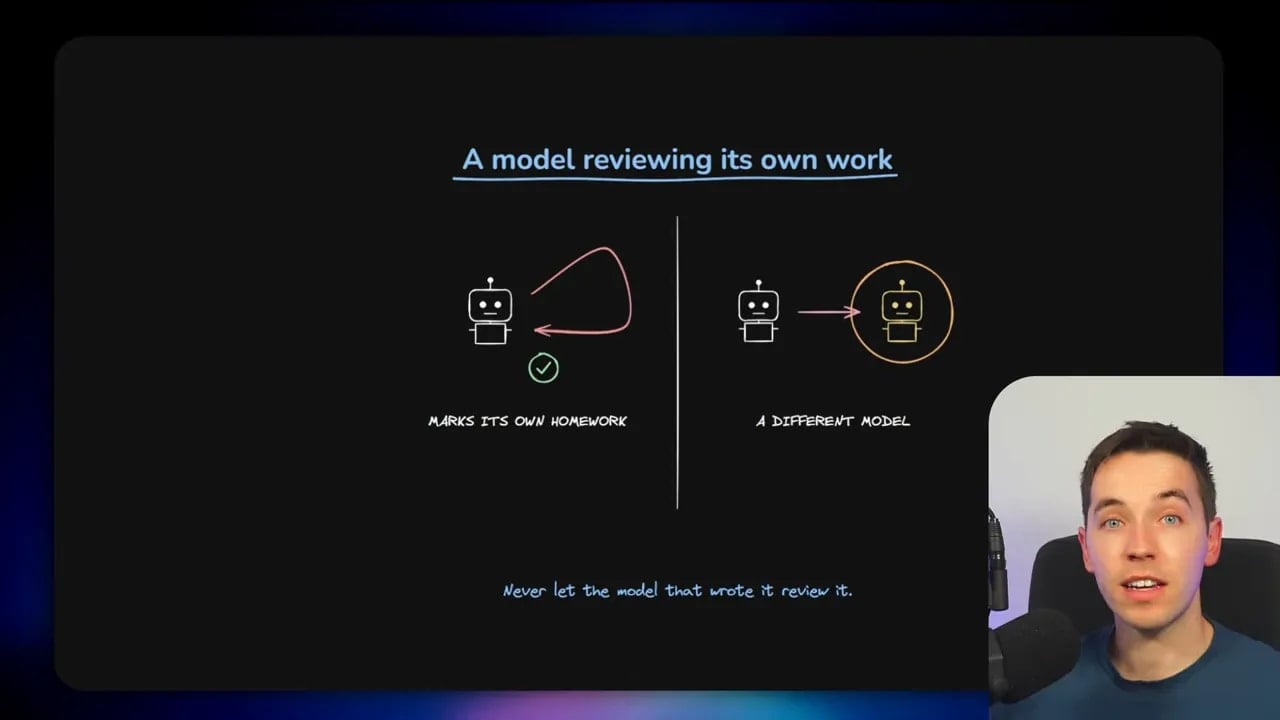
Claude Fable 5.1 is a strong option for this kind of review. The aim isn’t to create a vague second opinion. The aim is to make the second model act as an adversarial reviewer.
Give the reviewer a focused role. Ask it to find flaws, missing requirements, security issues, untested assumptions, poor architecture decisions, regressions, and simpler alternatives. Tell it to challenge the proposal rather than summarize it.
Start With a Two-Agent Setup
The simplest setup uses two separate agents:
- Builder: Astra plans and implements the solution.
- Reviewer: Another model inspects the plan, code, or output and reports issues.
This works well for one-off tasks and non-code tasks. The builder creates a result. The reviewer checks that result against the requirements. You then send the findings back to the builder for fixes.
Even this basic separation is much better than asking the same model whether its own answer is correct.
Make Review Part of the Workflow
For ongoing development, I prefer a more integrated process. If Codex and Claude command-line tools are installed locally, one can call the other. Codex can use Claude for adversarial review during the build process rather than waiting until the end.
Plugins and skills can reduce the setup work further. The key is to give both models fixed roles. One builds. One reviews. Don’t let the same agent alternate between defending its implementation and judging it.
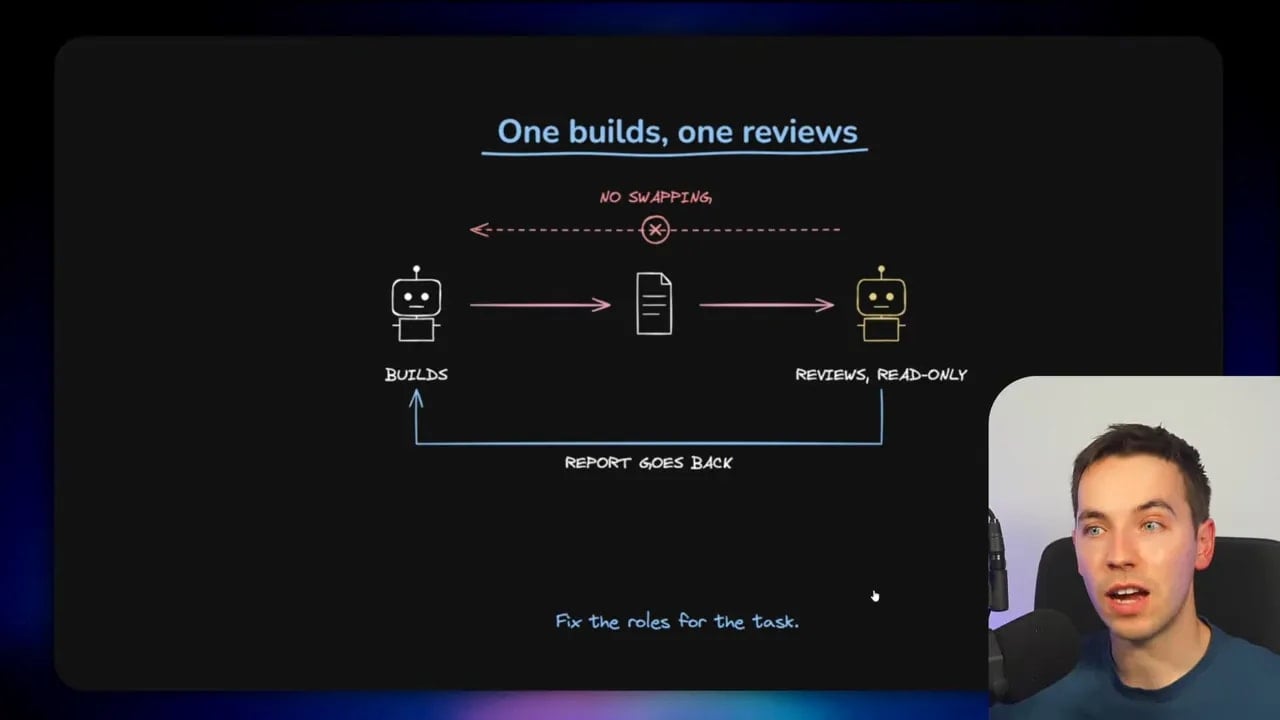
You can also make review more deterministic by adding it to hooks. A hook can trigger a review step at a defined event, such as before a commit, after a tool call, or before an agent marks work complete. This is useful because it turns quality control from an optional habit into a required stage.
For larger projects, run comprehensive adversarial review on pull requests in GitHub. That gives the reviewer a stable unit of work and creates a clear checkpoint before changes enter the main codebase.
What a Good Adversarial Review Should Check
A useful review prompt should ask the reviewer to inspect more than code style. It should examine:
- Whether the implementation meets the original requirements.
- Incorrect assumptions or missing context.
- Edge cases and failure modes.
- Security, privacy, and permission concerns.
- Unnecessary complexity.
- Regressions in related areas of the codebase.
- Tests that should exist but do not.
- Potentially better implementation paths.
A reviewer should provide concrete findings, explain why each issue matters, and rank issues by severity. That creates an actionable feedback loop for the builder.
Build an Astra Workflow That Scales
These six practices work best together. Medium effort prevents avoidable usage. Subagents protect the main context and isolate research. Selective computer use fills gaps without replacing better integrations. Audited skills retain useful knowledge without creating instruction bloat. Model delegation controls cost. Independent review improves reliability.
The result is a more mature way to use GPT-6 Astra. Instead of asking one premium model to do everything at maximum effort, I use it as the intelligent coordinator of a broader system.
That system can plan difficult work, send contained jobs to subagents, use lower-cost models for routine tasks, preserve successful processes as skills, and challenge important output through adversarial review. Astra stays focused on the parts where its capability makes the biggest difference.
For model comparisons and release information, I also use the GPT-6 Astra model release overview as a reference point. The goal is always the same: apply the right level of reasoning, model capability, and process control to the task in front of you.