
In 2026, a lot of people expect AI to finally deliver real work and real business value. Not “AI wrote a blog post.” Not “AI drafted a few social messages.” I’m talking about AI systems that can run complex, multi-stage workflows that normally involve humans, spreadsheets, approvals, and a lot of domain knowledge.
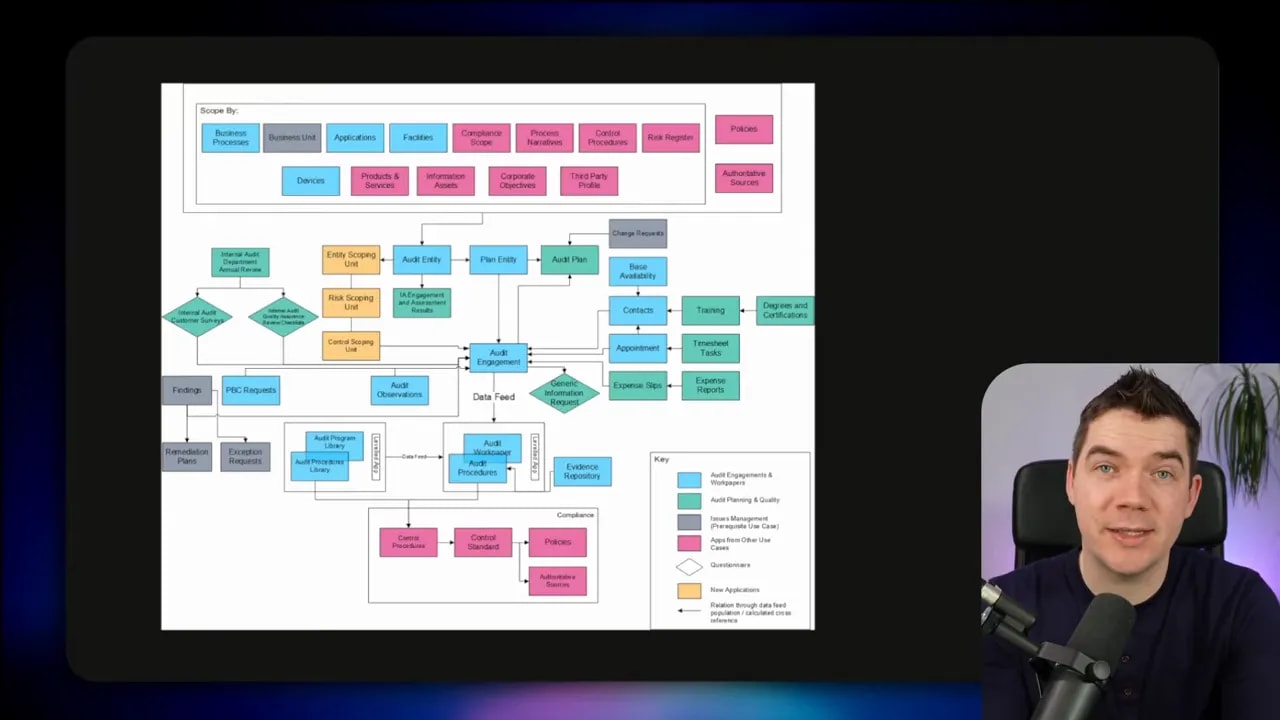
Examples include compliance audits, risk analysis, financial reporting, and impact assessments. These are multi-step processes. They use large amounts of data. And in practice, they have one enormous requirement that almost everyone underestimates at first: reliability.
Reliability is the bottleneck, not capability
LLMs can be impressive at the task level. But business workflows care about the task chain, not the single-step demo. One failure in the wrong place can invalidate the whole run, create manual cleanup, or delay a regulated process.
Andrej Karpathy famously described this as the March of Nines. The idea is simple. You can hit 90% reliability with a strong build and a decent demo. But each extra “nine” requires roughly comparable engineering effort. And the real problem gets worse when you run multiple steps that each have their own chance to fail.
Agentic workflows compound failure. If you have a 10-step workflow, and each step succeeds 90% of the time, you will see more than six failures per day if you run it ten times daily.
If you boost per-step success to 99%, you get down to around one failure per day. At 99.9% per step, you’re closer to one failure every 10 days. That’s the difference between a system you can experiment with and a system you can actually run at scale.
Some workflows include human-in-the-loop checkpoints. Others have non-agentic steps. Still, most real deployments face the same math. Even one fragile link can break the chain.
Agent skills help, but prompting alone won’t reach production-grade reliability
A lot of teams start with a concept I’m very sympathetic to: agent skills. Agent skills are portable, self-contained units of domain knowledge plus procedural logic. Sometimes they also include supporting files that help the model execute the task.
I’ve built skills into automations in the past. A skill can describe a process like customer onboarding in a structured way. The model reads a step-by-step procedure and follows it to produce an outcome.
Anthropic’s “plugins” approach took this idea and packaged skills into domain bundles like legal, finance, or HR. Even though these “plugins” are essentially markdown-based instructions, the market reaction was intense because it looked like a path toward systems that behave more consistently than plain prompting.
That said, agent skills are still fundamentally prompts. You’re baking your process into a message and hoping the model follows it perfectly every time. You also hope it does not hallucinate. You hope it doesn’t quit early. You hope it doesn’t skip steps.
There’s evidence that skills improve results. SkillsBench evaluated 84 popular skills across multiple models. Adding skills definitely helped pass rates. But the overall success rate still fell short of what businesses need to reliably run workflows without human intervention.
You can improve performance with evals and refinement. You can tune the wording, tighten schemas, and expand tests. Still, prompting alone hits a ceiling. You cannot reliably jump from “sometimes correct” to “consistently correct” just by rewriting instructions.
The real solution: put agents on deterministic rails with harness engineering
The shift that changes everything is harness engineering.
Instead of asking an LLM to “try to follow steps,” I build a software layer that forces the workflow to follow an order. That harness validates outputs at each stage. It manages state. It controls tools. It saves intermediate results. In other words, it turns an agent from a probabilistic text generator into a controlled execution system.
One useful way to think about it: skills help you define what “should happen.” Harnesses help you guarantee what “does happen.”
Stripe’s minions: the blueprint for “guaranteed” execution
Stripe introduced the concept of minions, which I think of as one of the clearest examples of harness thinking. They built scaffolding around generated code so changes would get automatically validated against a subset of their massive test suite.
They didn’t just prompt the model to run tests. They baked validation into the process so failing changes wouldn’t sail through.
That approach enabled high throughput. They merged about 1,300 pull requests per week, which tells you something important: the system was reliable enough to operate like traditional software engineering.
Specialized harnesses beat general-purpose harnesses for multi-stage workflows
Harness engineering is an evolving discipline. There are many designs.
Some systems are general-purpose harnesses that help you get started quickly. Others are specialized for long-running multi-stage tasks where you need tight control at each phase.
I leaned into specialized harnesses for this reason. When the workflow gets complex, “good enough” orchestration stops working. You need stage gating, validation, and predictable outputs.
You can also choose different harness architectures:
- Autonomous harnesses that react to events, like OpenClaw-style flows.
- Hierarchical and multi-agent harnesses that coordinate multiple agents.
- DAG harnesses that map work onto a graph with branching and parallel execution.
- General-purpose harnesses that support many use cases through flexible orchestration.
The common theme stays the same. I don’t leave critical structure up to the LLM. I codify it in a deterministic system.
A contract review harness: a concrete example of deterministic execution
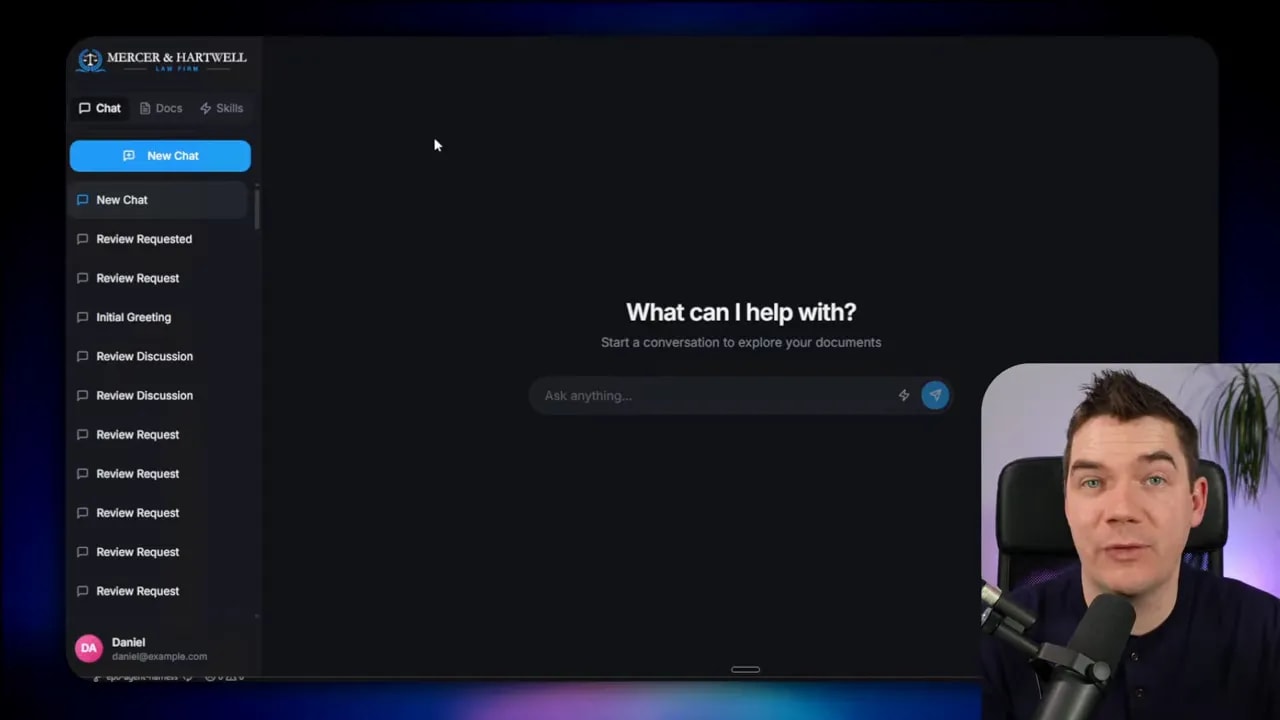
To make these ideas tangible, I built a specialized harness inside the Python and React app I’m working on as part of my AI Builder series. I took inspiration from Anthropic’s legal plugin and their contract review skill. Then I codified the process into a more comprehensive and reliable system.
I used a contract review workflow because it’s a perfect “scale test.” A small pilot might work even if the system fails sometimes. But a law firm that reviews contracts repeatedly needs consistency. Otherwise, humans end up doing cleanup constantly, and the cost savings disappear.
This harness runs an eight-phase process. Each phase has a specific responsibility. The harness tracks progress. It stores files as it goes. If something breaks, I can restart without losing everything.
1) Select the mode and start with the file system
The UI explicitly triggers contract review as a mode. That matters. In skills, the AI often decides whether to pull in a skill. In a harness, the system triggers the workflow with intent.
I upload a sample agreement, then run the harness. Behind the scenes, the harness uses a virtual file system tied to the workspace. That workspace is scoped to the run.
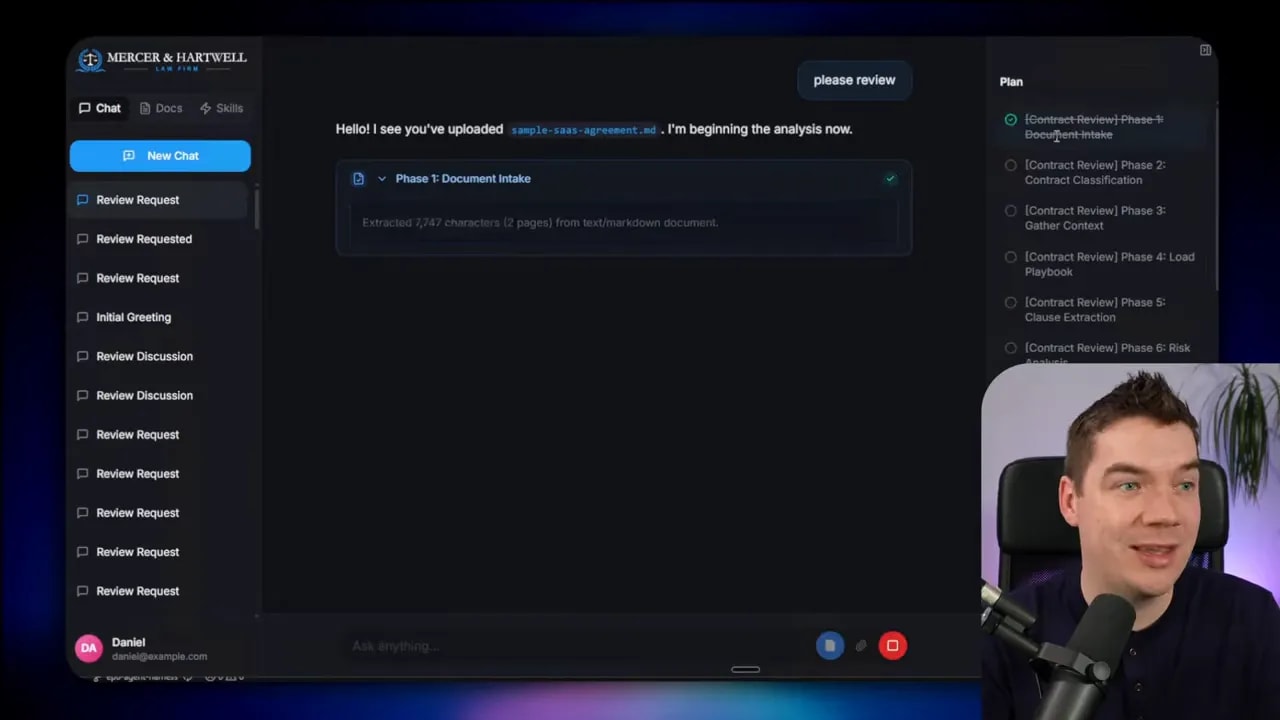
You see a plan appear with to-dos getting checked off. This is the harness executing a defined process, not the model improvising.
2) Phase one: extract text and verify requirements
Phase one extracts text from the document. Next, the harness verifies the extraction has what it needs before moving on.
This stage gating is one of the core harness patterns. I don’t want “garbled text” to become the foundation of the rest of the analysis.
3) Phase two: classify the contract using structured outputs
Phase two uses an LLM call with a structured, validated schema. The model must fill a defined structure to classify the contract.
This is where deterministic rails start to matter. If the output can’t match the schema, the harness can handle it. The process doesn’t silently continue with wrong assumptions.
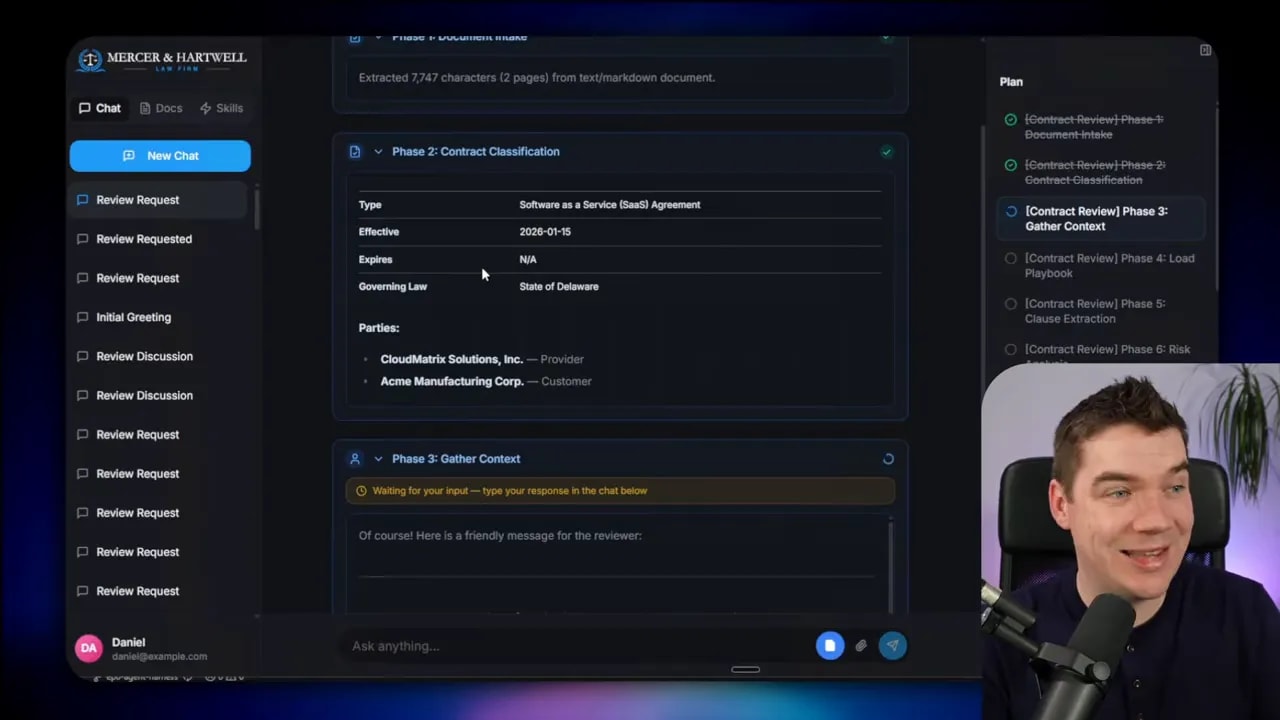
4) Phase three: human in the loop for critical context
Phase three asks clarifying questions. This is human-in-the-loop, but used deliberately. For example, it asks which side the firm represents. In the demo, “customer” was selected and a deadline was provided.
Human input here prevents a common failure mode. Without this, the model might generate advice that fits the wrong negotiating posture, which then poisons clause recommendations later.
5) Phase four: load the playbook via RAG
Phase four loads the playbook. The playbook includes standard operating procedures, precedents, and internal policies.
This is where RAG enters. The harness retrieves the relevant documents from the knowledge base so the model isn’t guessing in the dark.
6) Clause extraction with chunking for large documents
Then the harness performs clause extraction. For very large contracts, the harness can use chunking so it does not rely on a single shot that might break due to context window limits.
In the example run, the system extracted 34 clauses.
Chunking is another deterministic rail. It prevents the “it worked once” problem where the model succeeds for small inputs and fails for larger ones.
7) Phase seven: clause-by-clause risk analysis using sub-agents
The interesting part starts here. For every clause, the harness spins up a dedicated LLM task to research and perform risk analysis.
You can see tool calls per clause. Each clause analysis loads both the playbook and any other knowledge available to the law firm.
This is a key harness concept: sub-agents with isolated context.
The sub-agents do not pollute the main agent’s context window. They run with clean, dedicated context. That reduces context rot and improves consistency.
Also, running clause analyses independently allows scale. The harness triggers many sub-agents as separate tasks.
8) Phase: redline generation and template-based output
After risk analysis, the harness generates redlines. Again, sub-agents handle the detailed work in isolated context.
In this example, the harness produced 22 redlines. Next it generates an executive summary, and it writes the final Word document.
Here’s one reliability trick I care about a lot: the Word document is generated from a template programmatically within the harness.
If I left Word formatting to the LLM directly, it would vary from run to run. Some runs would format correctly. Others would fail or generate inconsistent structures. A harness can guarantee the output structure by filling in a known template.
The document includes the executive summary, the yellow and red line changes, original and proposed text, and rationales. Those sections come from logic baked into the harness.
Why harnesses reduce cost while increasing scale
Reliability does not have to mean “use the most expensive model for everything.” I built the harness so different tasks can use different models.
The main orchestrator uses a stronger model (in this example, Gemini 2.5 Pro via Open Router). Sub-agents that perform narrow tasks use a cheaper model (Gemini 2.5 Flash in the example).
The result: accuracy stays high where it matters, and cost stays under control where it can.
In the demo, the main agent used around 7,000 tokens. Meanwhile, the full thread across sub-agents reached about 323,000 tokens. That sounds like a lot, but the harness makes it feasible by distributing work across cheaper model calls for narrow tasks.
Harnesses also solve context rot
Context rot is one of those issues that makes agent demos feel magical and then makes real systems fail quietly.
As an agent conversation grows, the “useful part” of the context can get drowned out by intermediate chatter, tool outputs, and earlier mistakes. The system starts generating garbled or incoherent results even if the model is capable.
Harnesses reduce context rot in two ways:
- Protected context windows for the main supervisor agent by offloading detailed work to sub-agents.
- Controlled data flow using a file system and summaries instead of stuffing huge tool output back into prompts.
Instead of feeding everything back into the model every time, the harness stores outputs and provides only the relevant summaries or references.
What makes a harness a harness: 12 design principles
If you want to build an agent harness that can operate reliably, I treat it like engineering. I focus on architecture, planning, isolation, validation, and state.
Here are 12 things I consider essential.
1) Harness architecture
Start with the design pattern that matches your workload. A multi-stage workflow often needs a specialized approach. General-purpose harnesses can help, but they may not give you the strict stage gating you need.
I used a single-threaded supervisor style in the contract review harness, because the steps are deterministic and repeatable.
2) Planning: fixed vs dynamic
Planning matters because tool usage grows with time. If the agent loses grounding, it can drift off the original request.
Many popular agent systems include planning. Plans can be fixed or dynamic.
- Fixed plans work when you know the steps ahead of time. Contract review has the same phases each run.
- Dynamic plans let the model generate its own steps. That can work for flexible activities, like planning a birthday party.
In my contract review harness, dynamic plans would be too risky. I need the system reinined on deterministic rails.
3) File system as the source of truth
All harnesses use some form of file system. In some designs, this is a CLI app with access to the code directory. In others, like mine, it’s a virtual file system tied to the workspace.
Either way, the key benefit stays the same. I can store intermediate results, read them later, and restart phases if needed.
4) Delegation and context isolation
If you don’t delegate tasks, you’re often stuck with a single LLM call plus tool calling. Delegation lets each sub-agent run with a fresh context window.
That isolation gives you control. It also makes parallel processing possible.
5) Parallel processing for independent tasks
Sub-agents often have natural independence. Clause-by-clause analysis is a perfect example.
When tasks have no dependencies, I run them in parallel in batches. This is how you scale without turning the process into a slow chain of serial calls.
6) Tool calling plus guardrails
Tool calling is essential for real workflows. The harness must control which tools the model can call, and under what conditions.
Guardrails can also include human approvals. If I integrate contract review into a legal system, the harness can require a manual approval step before submitting changes.
7) Memory: short-term and long-term
Memory in harnesses often comes in two flavors.
- Short-term memory might live as markdown files inside the workspace and get loaded into prompts.
- Long-term memory persists outside the single run. It can be markdown, but it can also be a knowledge graph or temporal graph.
Event-driven systems like OpenClaw use memory to decide what to do next when triggers happen.
8) State machines for specialized workflows
Specialized harnesses behave like state machines. My contract review harness uses a sequential eight-phase process.
The critical part is state tracking. I store the current phase and run status in a database so the harness can resume safely.
This is how I avoid “restart and lose everything” failures.
9) Code execution in sandboxes
Agents need to run code. Modern agents often interact with a sandboxed CLI so they can safely read and write files.
I use an LLM sandbox approach. It spins up isolated environments, which makes it practical to execute programmatic steps while reducing security risk.
10) Context management and prompt engineering
Context management is central. I want to avoid context rot, keep the main supervisor prompt lean, and summarize or store tool outputs instead of dumping everything back into the context window.
A practical tactic: if a tool call generates thousands of tokens, store the raw output in a file. Provide a summary to the agent. Let the agent use file navigation tools to retrieve details only when needed.
11) Human in the loop
Even deterministic harnesses sometimes need human touch points. Clarifying questions can prevent major downstream mistakes.
Human approvals can also appear at tool boundaries. That’s not a weakness. It’s a reliability technique.
12) Validation loops (and where they differ from code generation)
Validation loops are where many agent systems still fall short. Code-based agents can generate code, run tests, and iterate until tests pass. That works well because you can get deterministic feedback from the compiler or test suite.
Contract review is different. There isn’t always a clean “test.” Still, you can validate:
- Fact checking against the playbook.
- Checking whether each clause’s proposed changes align with policy constraints.
- Detecting when a redline conflicts with a precedent.
Once you can detect mismatches, you can run a loop that asks the system to correct itself.
In my current system, validation loops are an area where there’s room to improve. The important point remains: validation has to become part of the harness, not an afterthought.
Skills still matter, but they play a different role inside harnesses
Even with harnesses, agent skills still have value.
If something must happen every single time with exact procedural steps, codify it as a skill. Skills are great at capturing repeatable “what to do next” logic.
Harnesses take over for workflow execution. They gate stages, manage state, control context, and validate outputs. In other words, skills define tasks. Harnesses define reliability.
I still use skills where they fit. Then I wrap them in deterministic rails so they operate like production systems instead of “good experiments.”
What “99.9% reliability” actually means in practice
It’s tempting to treat “99.9%” like a brag number. The harness perspective changes what that number represents.
To get close to that kind of reliability, you need:
- Stage gating so invalid intermediate outputs stop the workflow.
- Deterministic planning so the model follows a known sequence.
- Isolation so detailed sub-tasks don’t contaminate the main context.
- Template-based outputs so formatting doesn’t vary unpredictably.
- State management so restarts resume from known checkpoints.
- Observability so you can inspect token usage, tool calls, and phase behavior.
Agent skills can improve correctness. Harness engineering makes correctness dependable.
That’s the gap between an AI that impresses in a demo and an AI that runs real business workflows day after day without burning human time.
