
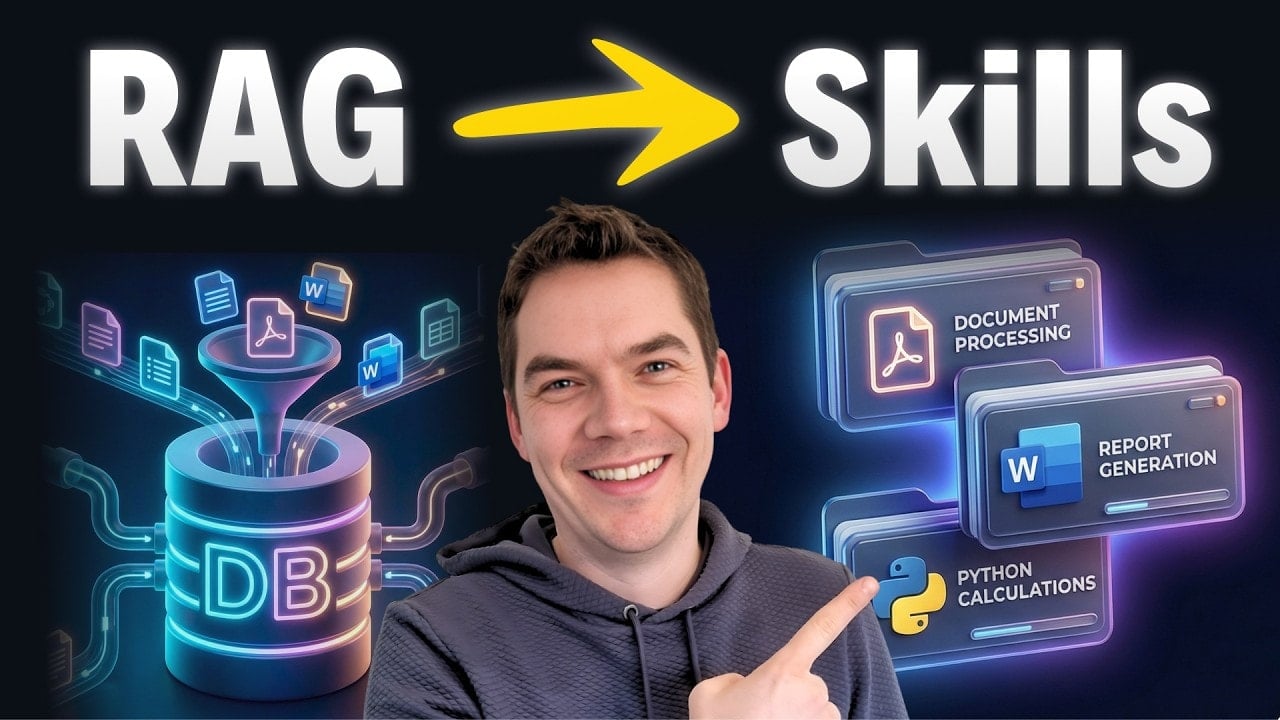
Agent skills have become one of the most useful design patterns for building practical AI agents. I created an automation that combines agent skills with code execution sandboxes inside a custom Python and React agent. The result is an agent that can not only answer questions but follow step-by-step workflows, execute code safely, and produce deterministic outputs like Word documents and reports.
Why skills matter
Large language models are generalists. They know a lot, but they rarely know the exact processes or procedures used at your company. Retrieval augmented generation helps by providing knowledge from your documents, but it doesn’t teach the model how to execute a workflow reliably.
Skills solve that gap. They capture procedural knowledge — the exact sequence of steps needed to complete a task — and they provide a mechanism for the agent to execute those steps. Think of skills as expertise packaged in a folder. The folder contains instructions, example artifacts, scripts, and any reference files the agent needs to carry out the task.
With skills, an agent becomes a collection of specialists. It can behave like a customer service analyst one moment, then switch to document generation, then to file management, all within a single conversation. The model discovers capabilities on demand and runs the required tools only when needed.
What an agent skill looks like
At its simplest, a skill is a folder with one mandatory file: skill.md. That file contains instructions, metadata, and the step-by-step workflow the model should follow when the skill is triggered. The skill folder can also include scripts, example outputs, branding guidelines, templates, and other assets.
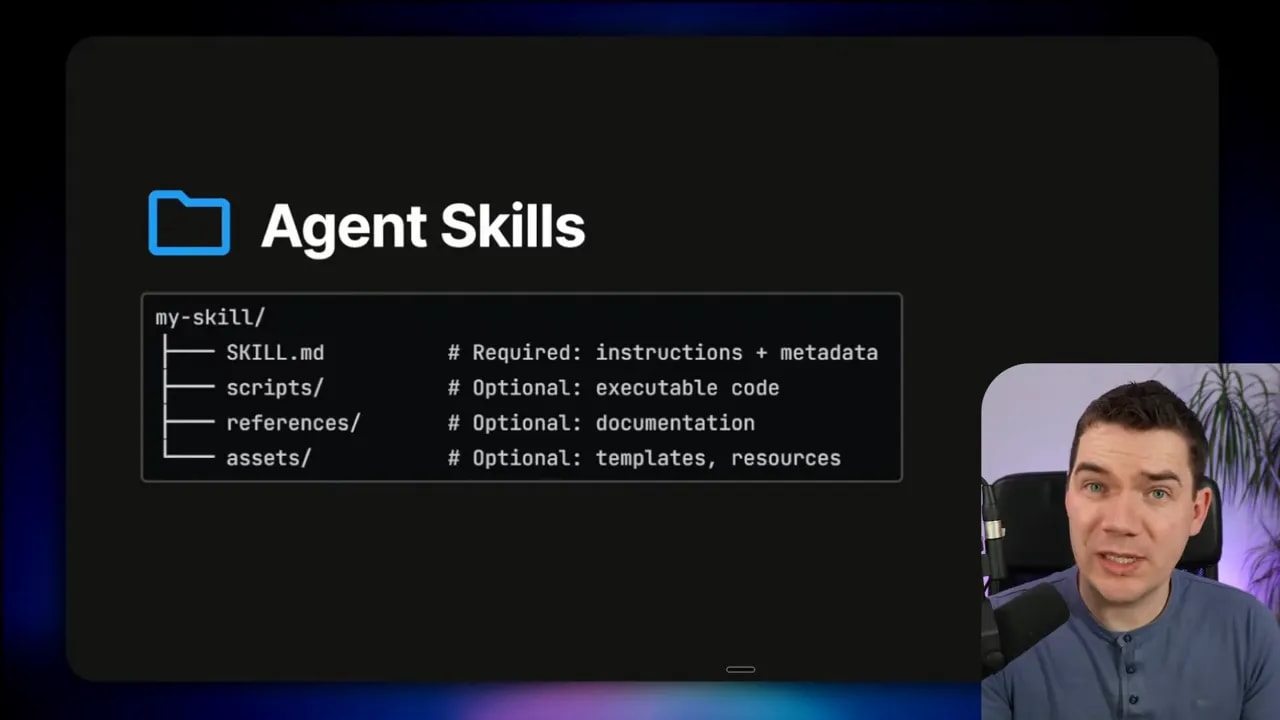
The metadata at the top of the skill.md file — usually YAML front matter — is intentionally concise. During discovery, only that short snippet of information is injected into the agent’s context. If the agent decides the skill is relevant, it loads the full skill.md and follows the workflow described there.
---
name: "customer-service-monthly-report"
description: "Generate a Word monthly report from weekly customer service reports. Extract ticket volumes, escalations, top issues, and trends."
triggers:
  - "generate monthly report"
  - "customer service monthly report"
version: "0.1.0"
author: "team-data"
The example above shows the minimal, discoverable metadata. The remainder of the skill.md contains the detailed steps the agent must follow and pointers to scripts or example artifacts inside the folder.
Progressive disclosure: protecting the context window
Progressive disclosure is the most important design principle for skills. Agents have limited context windows. If you load dozens of full skill descriptions into the system prompt, you’ll quickly run out of useful context and introduce confusion.
The discovery phase adds only the metadata snippets to the agent’s context. When a match occurs, the agent loads the full skill.md file. Even then, it avoids loading every reference file immediately. The agent fetches referenced files only when a specific step requires them.

This approach keeps the main agent’s context streamlined while still letting complex workflows run deterministically when needed.
Skills meet sandboxes: executing real work
A skill becomes powerful only when the agent can execute actions. That’s where code execution sandboxes come in. I integrated an LLM sandbox that runs generated code in isolated containers. The agent uses the sandbox to calculate metrics, run extraction scripts, and generate final artifacts such as Word or PowerPoint files.
Using an executable environment prevents the model from guessing or hallucinating numeric aggregations or other precise outputs. Instead of asking the model to “estimate totals,” I send the extracted raw data to a sandboxed Python runtime. The code computes the totals and returns exact values.
Demo: generating a customer service monthly report
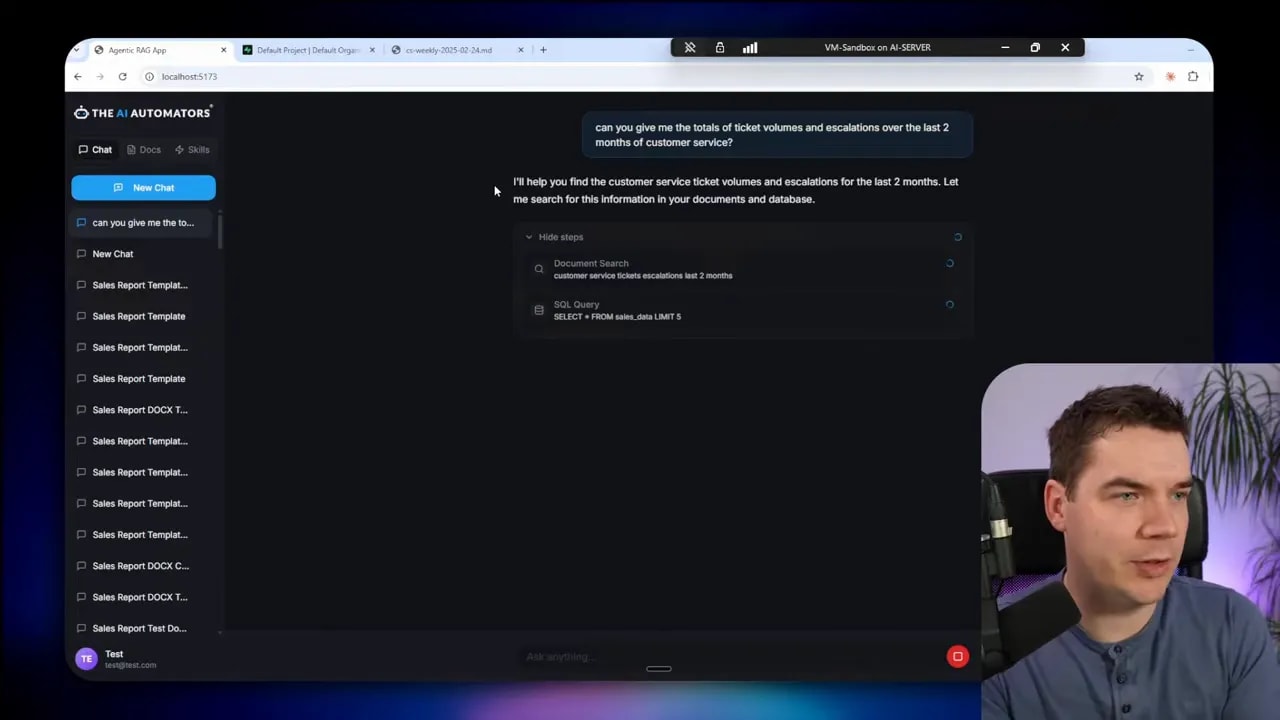
I uploaded a set of weekly customer service reports and asked the agent to give me the totals for ticket volumes and escalations over the last two months. Initially, the agent used semantic search and returned a partial summary based on snippets.
That approach was fast but unreliable. The agent only loaded a few weekly reports from vector search and produced a summary that likely came from individual chunks rather than a full aggregation.
I created a skill called customer-service-monthly-report and defined a clear workflow:
- Locate weekly reports for the requested month inside a known folder.
- Open each weekly report in an isolated subagent to extract raw metrics (ticket volume, escalations, top issues).
- Send the extracted data to the Python sandbox for deterministic calculations.
- Generate a professionally formatted Word document using a document-generation skill.
- Return the Word file and list the data sources used.
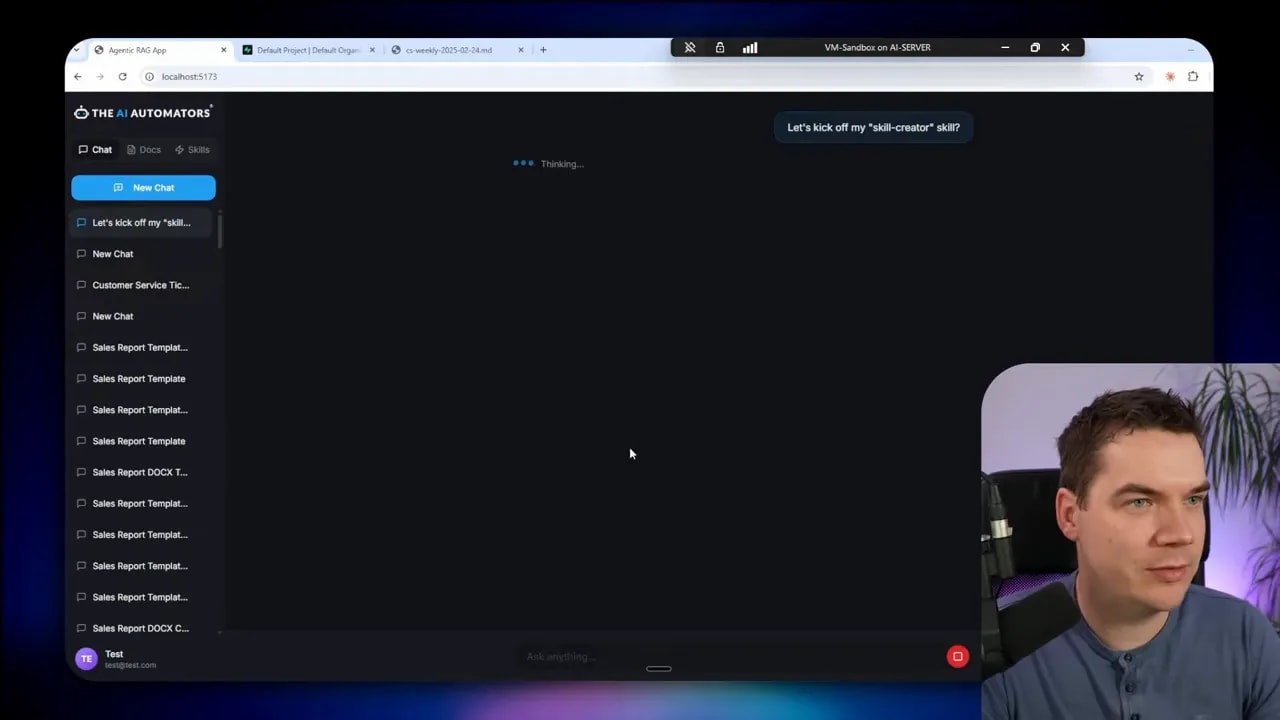
When triggered, the agent used a tree tool to find the reports. It then delegated the document reading to a dedicated document analysis subagent. Each subagent ran in its own isolated context so the main agent’s window stayed clean. Those subagents returned only the extracted metrics to the main agent.
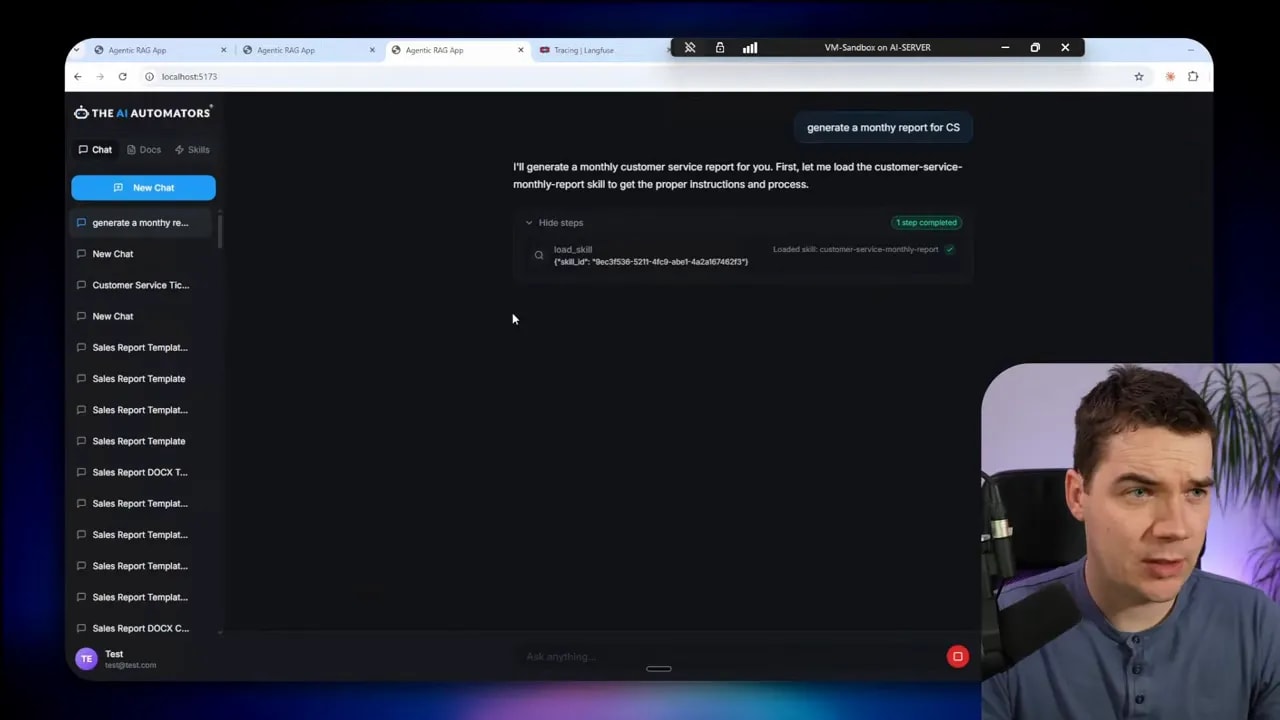
The main agent aggregated the raw numbers in Python. The sandbox produced exact totals and weekly breakdowns. Finally, the agent loaded a separate skill for producing a Word document and used the sandbox to generate the file. The Word document included weekly totals, escalations, trends, and a list of data sources.
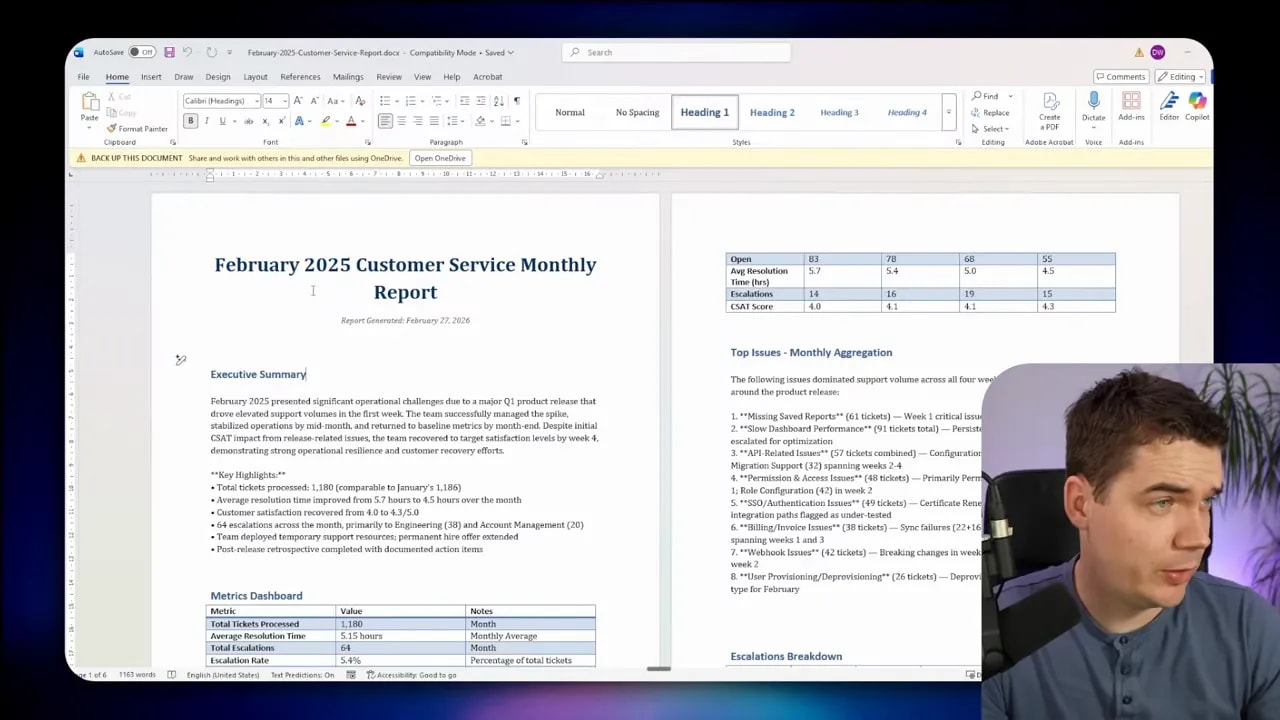
That workflow shows why skills plus a sandbox are far more reliable than semantic search alone. The agent follows a deterministic set of steps. It delegates heavy-lift tasks to sandboxed code. And it creates outputs that you can trust because calculations were executed by code, not inferred by a language model.
How to structure a skill folder
Designing skill folders is simple and flexible. You only need to follow a few guidelines so the agent can discover and run the skill reliably.
- skill.md — Required. Contains the YAML front matter and the step-by-step instructions for the workflow.
- examples — Optional. Example outputs that show the expected format and tone, such as a sample newsletter or an example report.
- scripts — Optional. Scripts to run in the sandbox, like Python extraction or formatting scripts.
- references — Optional. Reference files such as brand guidelines, templates, or policy documents.
- assets — Optional. Images, templates, and other static files required to build outputs.
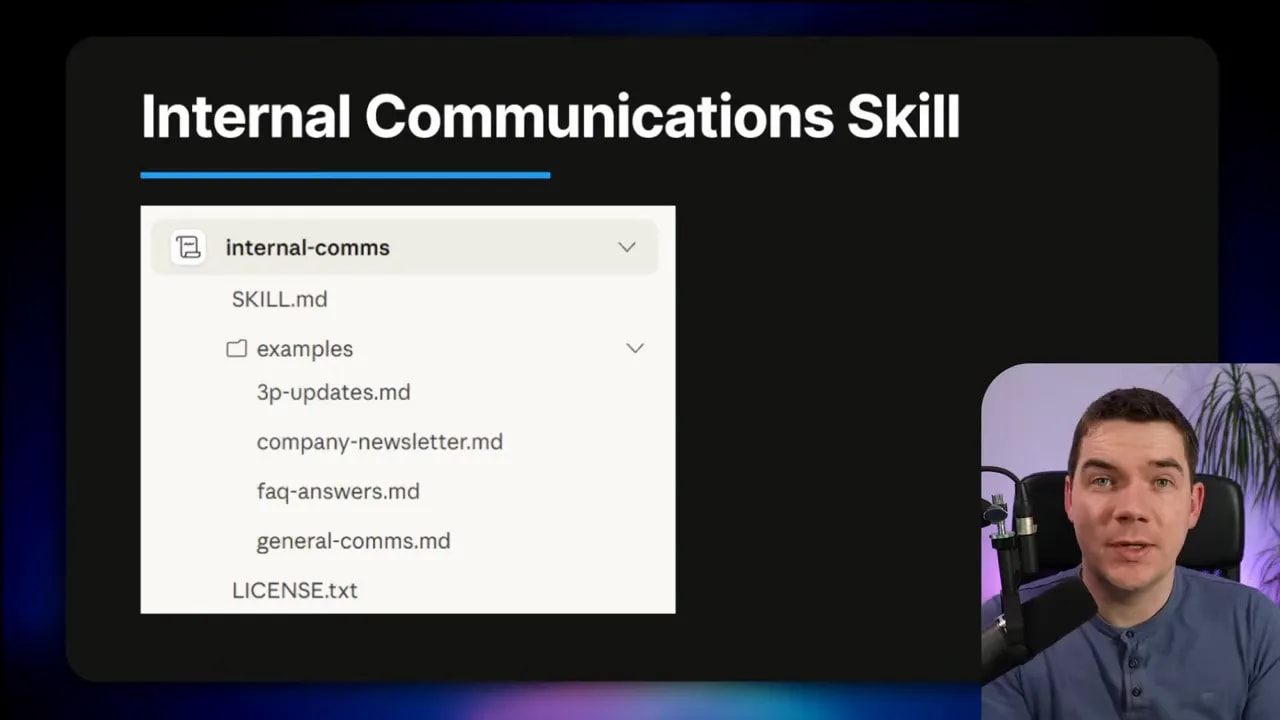
The skill.md should describe the folder layout and explain which scripts or files the step-by-step workflow will call. This keeps the skill self-describing and portable. If you want interoperability, follow the open standard so the folder can be imported into other agent platforms.
# Example skill.md structure (conceptual)
---
name: "pdf-processing"
description: "Extract structured text and tables from uploaded PDFs and output a CSV summary."
triggers:
  - "process pdf"
  - "extract from pdf"
steps:
  - "list files in /reports/pdf_inbox"
  - "for each file: run scripts/extract_table.py  -> /temp/extracted.json"
  - "validate extracted data using scripts/validate.py"
  - "save final CSV to /reports/processed and notify channel"
references:
  - "scripts/extract_table.py"
  - "examples/sample_output.csv"
The metadata and steps above are clear about what files the skill uses and what the agent must do. That clarity reduces ambiguity when the agent interprets the skill and decides whether to activate it.
Common skill patterns
Skills map well to a handful of recurring patterns. Designing skills around these patterns makes them easier to reason about and reuse.
Sequential workflow orchestration
Use this when a process requires a fixed sequence of actions. Typical example: onboarding a new customer.
- Create the customer via an API call.
- Set up payment and subscriptions.
- Provision accounts or services.
- Send a welcome email and add a follow-up task.
Skills provide a natural way to represent the sequence while still allowing the agent to retry steps, report errors, or ask for clarification if a call fails.
Multi-tool coordination
When a task touches multiple tools or MCPs, a skill coordinates calls across those systems. For example:
- Export design assets from Figma.
- Upload assets to Google Drive.
- Create tasks in a project tracker.
- Notify stakeholders on Slack.
The skill defines the desired outcome and the sequence of tool interactions. The agent determines how to handle partial failures or rate limits.
Iterative refinement
Many outputs need multiple passes. An initial draft is created, a validation script checks quality or facts, and the agent loops until the output reaches an acceptable threshold. Skills can include explicit validation steps and reference scripts that automate checks.
Context-aware tool selection
Some decisions depend on business logic. A file storage skill can contain rules for where to save files depending on size, type, or user permissions. The agent consults this logic dynamically to decide the right tool or destination.
Domain-specific intelligence
For tasks like payments or compliance, skills can include audit trails, switch logic, and compliance checks. Non-technical team members can document procedures in plain language, and the skill encodes those steps so the agent follows them precisely.
Integrating skills into a custom agent
Two common approaches exist for integrating skills into a custom agent: a file system-based approach and a tool-based approach.
In the file system-based approach, the agent reads a folder of skills stored locally or in a shared repository. The discovery process loads the metadata snippets into the agent and points to the local skill files when activation occurs. This approach is simple and works well for local or self-hosted agents.
In the tool-based approach, skills are exposed as tools or endpoints that the agent can call. Each tool corresponds to a skill and returns structured prompts, outputs, or status updates. This approach works well when you want to centralize access control or track usage across many agents.
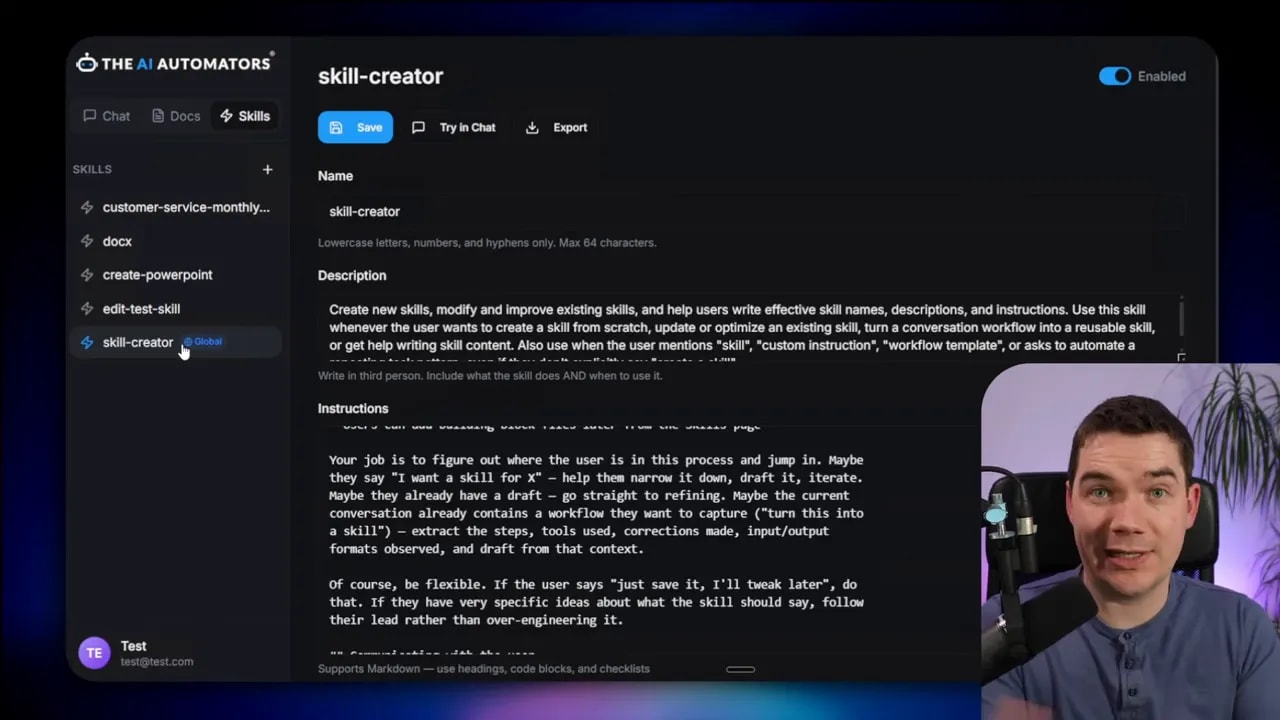
I recommend aligning with the open standard at agentskills.io. Aligning to the standard gives you interoperability. You can import skills from other platforms, and others can reuse your skill folders. I used Anthropic’s skill creator as inspiration when building my own skill creation interface. That helper makes it easier for non-technical colleagues to create trigger phrases and clear step-by-step instructions.
If you plan to accept exported skill archives from other platforms, build an import mechanism that validates the skill.md and checks for malicious scripts. Always treat uploaded scripts as untrusted until you validate them in a sandboxed environment.
Running code safely: sandboxes and security
To make skills truly actionable, the agent needs a safe environment to run arbitrary code. I evaluated multiple sandbox options and settled on an LLM sandbox that can spin up containerized runtimes on demand.
Docker is a practical backend for these sandboxes, but containers share the host kernel and therefore have a weaker isolation boundary than a virtual machine. If you need stronger guarantees, add an extra security layer such as gVisor. gVisor sits between the container and the host kernel and helps stop container escape attempts.
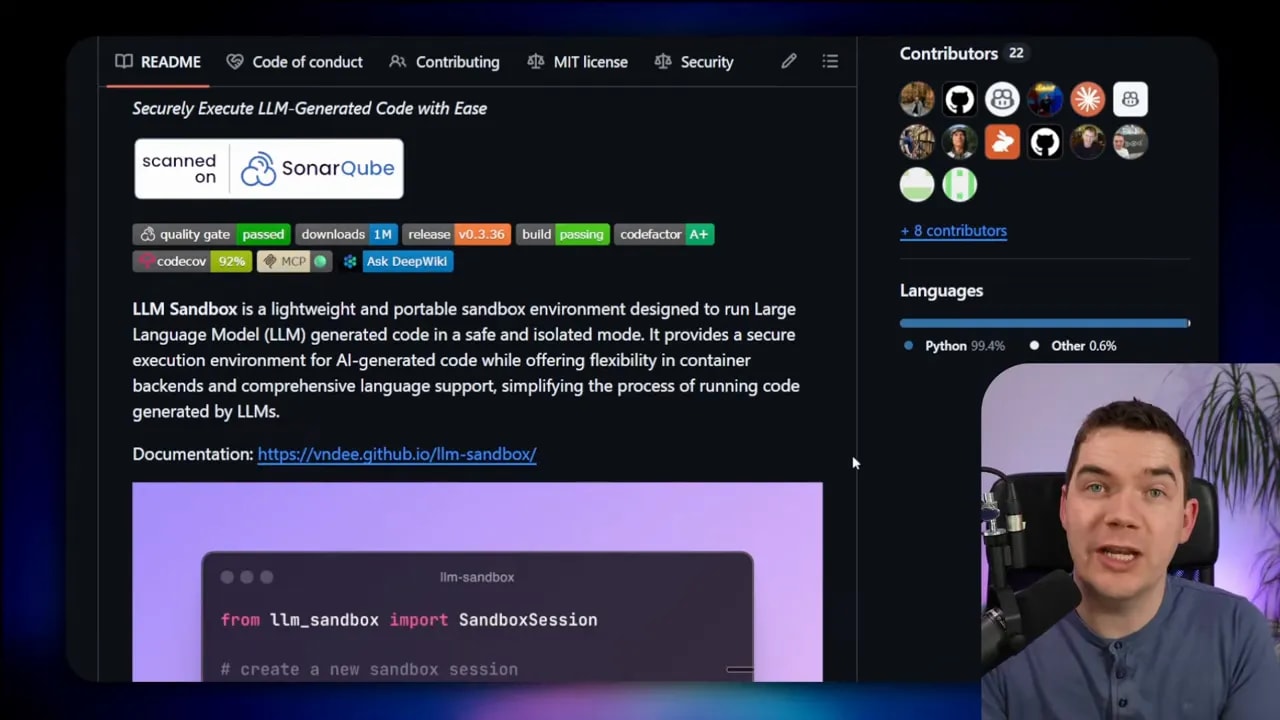
Key sandbox capabilities I use:
- Support for multiple container backends (Docker, Podman, Kubernetes)
- Ability to specify custom images filled with required libraries
- Pre-warming containers to reduce cold-start latency
- Per-task timeouts, CPU and memory limits
- File system restrictions so code can only access designated directories
My implementation limited runtime support to Python containers because the bulk of the data extraction and calculations happened in Python. However, the sandbox supports multiple runtimes for teams that need Node, Ruby, or others.
# Conceptual example: aggregate extracted metrics inside a sandbox
import json
from pathlib import Path

def aggregate_metrics(extracted_files):
    totals = {"tickets": 0, "escalations": 0}
    weekly_breakdown = []
    for file in extracted_files:
        data = json.loads(Path(file).read_text())
        weekly_breakdown.append(data)
        totals["tickets"] += data.get("ticket_volume", 0)
        totals["escalations"] += data.get("escalations", 0)
    return {"totals": totals, "weekly": weekly_breakdown}
That Python snippet is the kind of deterministic computation I run inside the sandbox. The agent calls the script, the sandbox executes it, and the computed results are returned to the agent and embedded in the final document.
Testing, validation, and observability
Skills must be tested. A well-written skill can still fail because of a script error, an API outage, unexpected input format, or incorrect trigger phrases. I recommend building several safety nets into every skill.
- Validation scripts: Run checks after extraction to ensure data types and ranges match expectations.
- Retry and fallback logic: If a step fails, allow the agent to retry or use a fallback plan. This could mean asking for clarification or switching to another tool.
- Logging and audit trails: Record every skill activation, scripts run, sandbox outputs, and final artifacts. These logs help debug failed runs and provide a compliance record.
- Unit tests for scripts: Treat script files as small code projects and add unit tests. Run test suites in the sandbox during CI before deploying new skills.
- Human-in-the-loop checks: For high-risk workflows, insert mandatory approvals before executing destructive operations.
Observability also helps you tune triggers. If a skill is firing too often or not at all, logs will show why. You can adjust the triggers or rewrite parts of the skill.md to make intent clearer to the agent.
Interoperability and community standards
Because agent skills are an open pattern, a growing ecosystem has emerged. The Vercel skills directory already hosts tens of thousands of published skills. The open standard at agentskills.io documents the skill.md schema and the progressive disclosure model. If you align with the standard, your skills can be imported into other systems with minimal changes.
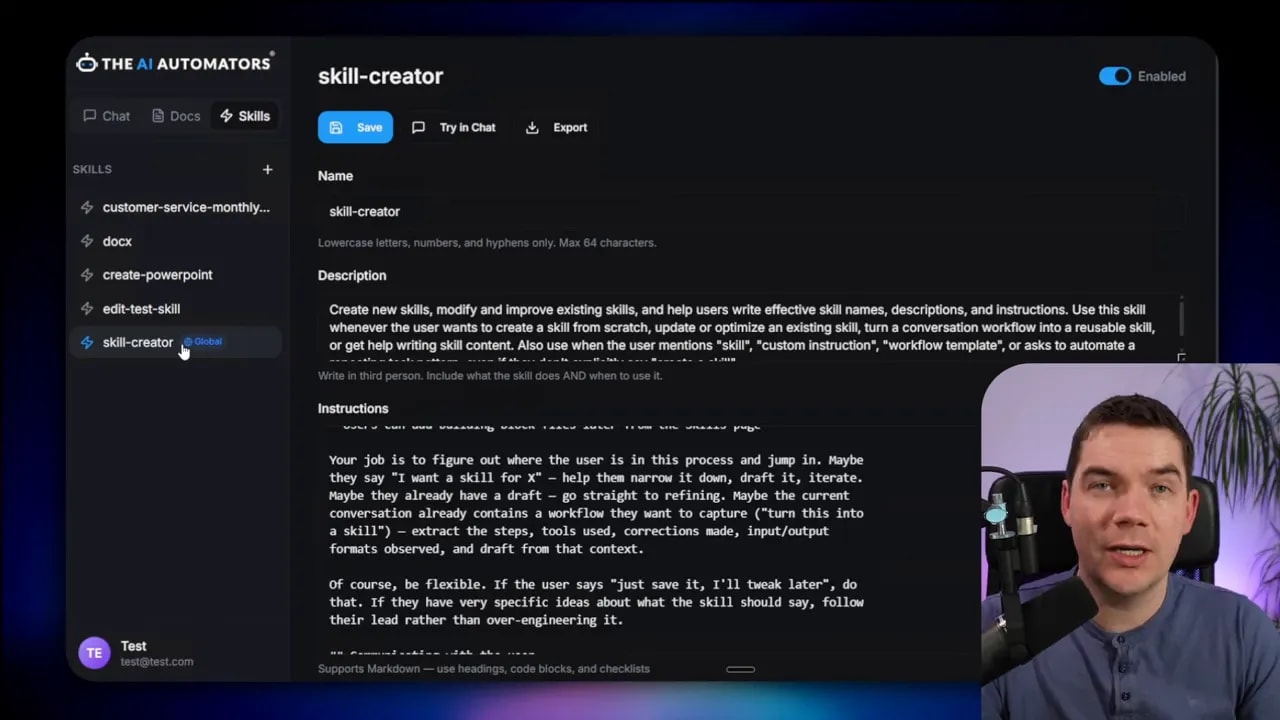
That interoperability matters for teams that want to share templates or reuse community-built skills for common tasks like document generation or code helpers. It also reduces duplicated effort; once a good skill exists, other teams can adapt it rather than rebuild from scratch.
Best practices for creating reliable skills
- Write clear triggers: Use several trigger phrases that match how people naturally ask for the task. Be explicit about naming conventions and typical language. Avoid being overly vague.
- Keep metadata short: The discoverable metadata should be concise. Save the heavy details for the full skill.md that loads only when needed.
- Use examples: Add example inputs and expected outputs to the examples folder. Examples help both the agent and human reviewers understand intent.
- Delegate heavy work to sandboxes: If reasoning over large documents or exact calculations is required, run scripts in a sandbox instead of relying on the LLM to compute.
- Protect sensitive data: Redact or anonymize any sensitive information before it goes to cloud LLM providers. Treat uploaded skill scripts as untrusted until validated in a sandbox.
- Version skills: Track versions in the skill metadata and in your repository so you can roll back if an update introduces an issue.
- Pre-warm containers: If latency matters, keep a pool of warmed containers so first-time runs don’t suffer from cold starts.
- Log everything: Record each activation, sandbox execution, and generated artifact to troubleshoot and audit behavior.
When to use skills instead of building code-first orchestrations
If your team needs repeatable outcomes and non-technical contributors must document procedures, skills are usually the faster path. They let subject matter experts describe steps in plain language. The agent interprets those steps and executes them via sandboxes and integrations.
For complex systems that require tight control, you might still build code-first orchestrations. However, skills dramatically reduce the amount of custom orchestration code you must write. The agent can chain skills together and handle edge cases probabilistically, which simplifies many common automation scenarios.
Example: simple PDF processing skill
Here’s a compact example of how a PDF processing skill might look in practice, explained in plain terms:
- Discovery metadata lists triggers like “process PDF” and points to scripts/extract.py.
- When triggered, the agent loads the full skill.md and runs a pre-check to list PDFs in a folder.
- The agent asks the sandbox to run extract.py for each file and saves JSON outputs in a temp directory.
- A validation script runs to confirm the extracted fields are present and within expected ranges.
- If validation passes, a summary CSV is generated and uploaded to the drive. If not, the agent flags the document for human review.
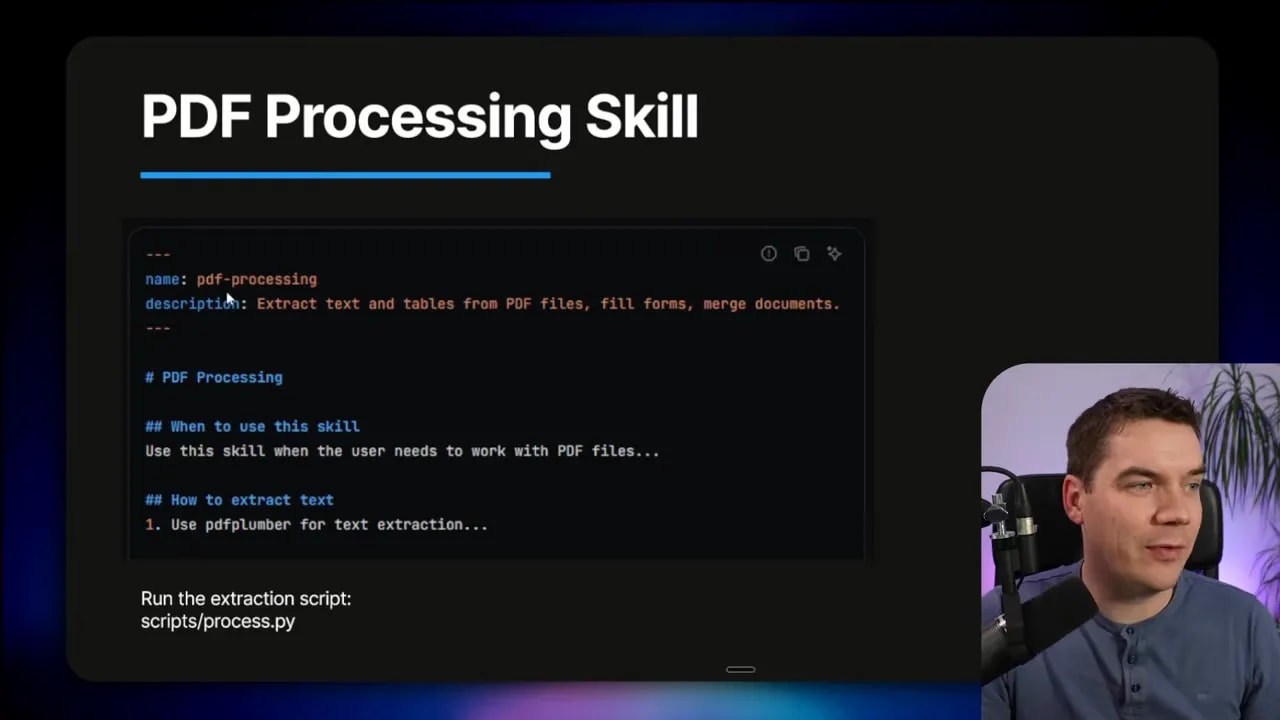
This pattern keeps the agent’s main context clean, relies on sandboxed code for heavy lifting, and inserts validation to catch errors early.
What I built and how you can replicate it
I built a Python backend and React frontend agent that loads skill folders from a local repository. The system reads the YAML metadata during startup and injects only the metadata snippets into the agent’s prompt. When the agent decides to activate a skill, it loads the full skill.md, spawns subagents for document analysis if needed, and runs sandboxed code for deterministic operations.
The sandbox uses Docker images I prebuilt with the Python libraries required for my workflows. I pre-warm a small pool of containers so typical operations feel responsive. For teams that need more hardened isolation, I recommend adding gVisor between the container and the host kernel.
For interoperability, I follow the standard skill.md schema. That lets me import example skills from community repositories and adapt them quickly. I also built a skill creator interface so non-technical teammates can create skills without hand-editing markdown or YAML. The skill creator guides them through writing descriptive triggers, adding example outputs, and attaching scripts or templates.
Final notes on security and data handling
Connecting agents to cloud LLMs introduces data privacy considerations. I redact or anonymize sensitive fields before sending data to third-party LLMs whenever possible. That includes removing PII and company internal secrets. If a task requires unredacted data, consider running the LLM locally or using a self-hosted model to retain data control.
Remote code execution is powerful but risky. Treat any script uploaded to a skill repository as untrusted until reviewed. Execute untrusted scripts in tightly constrained sandboxes with strict resource limits, limited network access, and no host mounts except for an approved working directory.
Skills and sandboxes together let agents behave like dependable specialists. They bring repeatability, deterministic computations, and real-world outputs to LLM-driven systems. By designing skills with clear metadata, concise steps, and sandboxed scripts, you can build agents that perform accurate work rather than offering plausible-sounding answers.
