
I created an automation that dramatically reduces unnecessary LLM context and lets the model orchestrate complex workflows with real code. The two design patterns at play are simple in concept but powerful in practice: tool search and programmatic tool calling. Both solve problems that crop up as agents grow: tool definitions bloating the context window, intermediate tool outputs accumulating inside the conversation, and model confusion when picking the right tool among many.
I implemented these patterns in a custom Python and React app and tested them against both a cloud model and Qwen 3.5 27B running locally. The results are practical: reduced token waste, fewer round trips for repetitive work, and a clear architecture for secure code execution.
Why traditional tool calling breaks down
Early tool calling approaches treated each tool like a fully described API that must be loaded into the agent’s context up front. That approach creates three problems.
- Tool definitions quickly consume context tokens. Large MCPs and detailed tool schemas are expensive to include in every session.
- When an agent chains several tools, the intermediate outputs pile up inside the conversation history. That bloats the context and slows or confuses the model.
- As the number of available tools grows, the model struggles to choose the right one without extra help. The selection problem becomes noisy and costly.
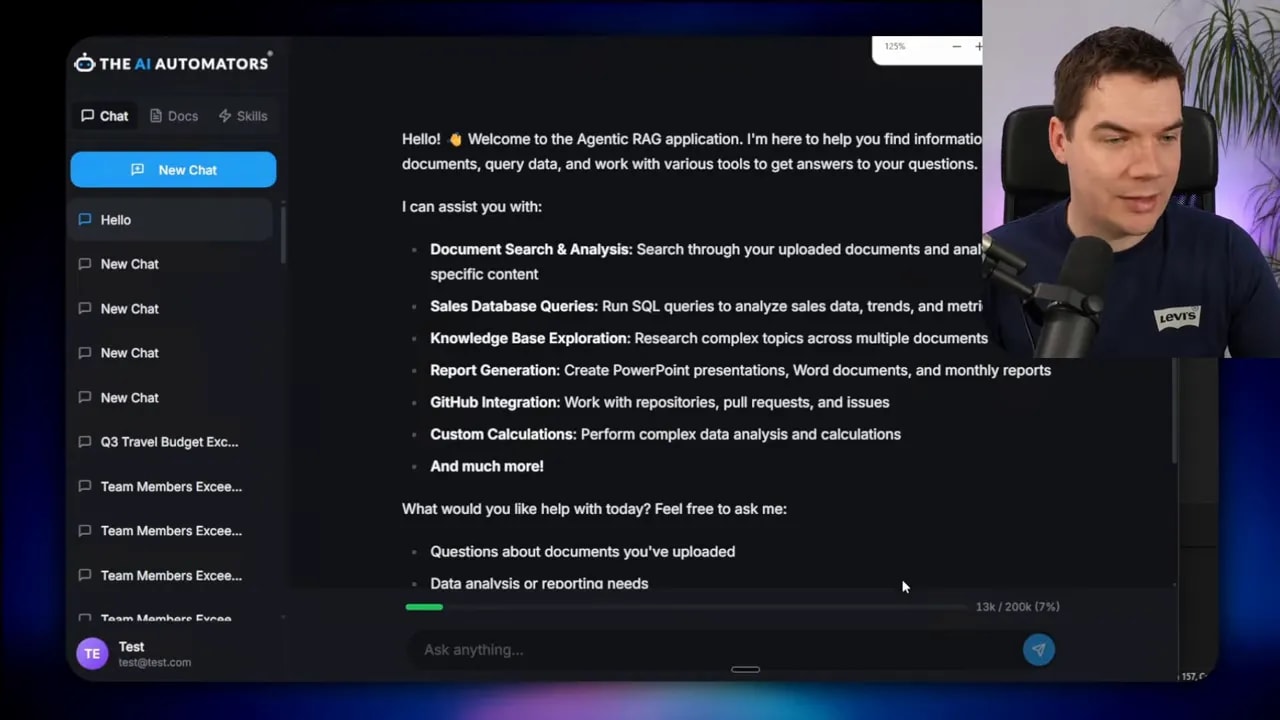
I measured this in my app. On an initial greeting, the session had already consumed more than 13,000 tokens because multiple MCPs were loaded into context. The trace showed sixty tools were in scope even though I only needed a couple for my task. That scale of upfront cost is unsustainable for systems that need to stay responsive and affordable.
Tool search: load tools on demand
Tool search addresses the first issue by deferring tool loading. Instead of injecting every tool definition into the model at session start, the agent gets a lightweight registry tool that can be queried when the model determines a tool is required.
The workflow is straightforward. I mark large MCPs as deferred. The agent starts with a compact set of commonly used tools and a single tool search entry point. If the agent needs something outside that set, it calls tool search with a keyword or a tool name. The registry returns the schema for the requested tool, which is then injected into context only when it matters.
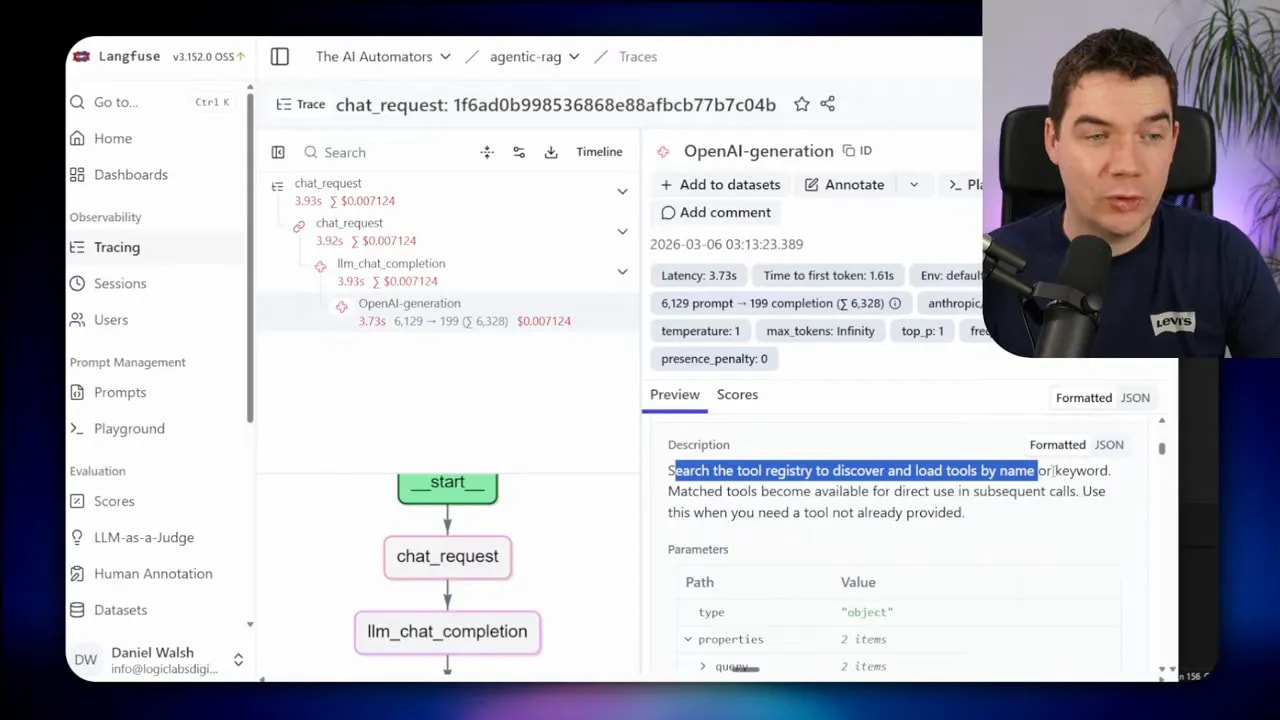
The effect is immediate. After deferring the big MCPs, the same hello prompt dropped my initial token usage from roughly 13,000 to around 6,300. The context trace then showed only a dozen tools were loaded and the tool search tool itself was among them.
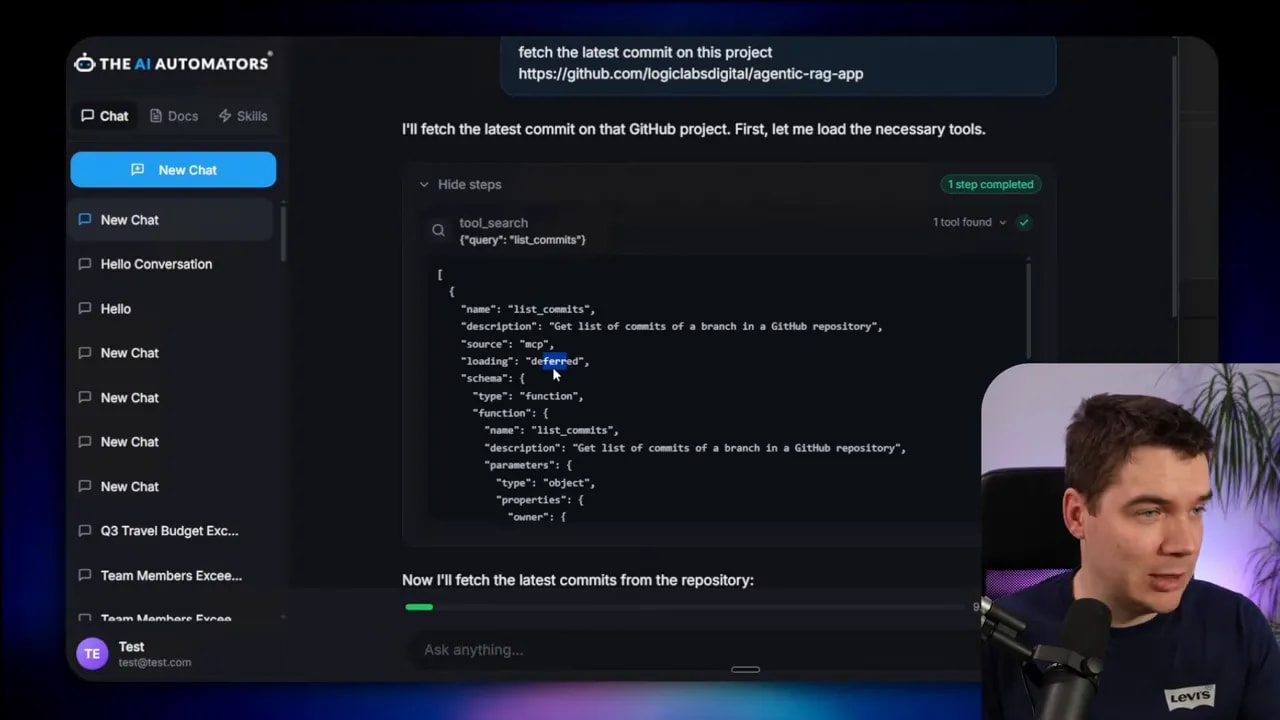
Tool search also lets your agent discover tools in a human-like way. I asked it to fetch the latest commit from a private repository. The agent triggered the tool search, found the list_commits tool, pulled the full schema into context, and executed it. That tool remained available for the rest of the conversation, so follow-ups didn’t require another search.
What tool search buys you
- Lower up-front token cost. You only load what you need.
- Better tool discovery. The model can look up tools by keyword rather than scanning a huge list.
- Stateful availability. Once a tool is loaded, it stays available for that session.
Limitations to keep in mind
- Tool search adds an extra step. Some simple queries may incur a small latency cost for the lookup.
- If the agent repeatedly needs many distinct tools in a single session, deferred loading won’t save you from eventual bloat.
- Designing a clear registry and searchable tool metadata is important. Poor tool names or missing keywords reduce the effectiveness.
Programmatic tool calling: let the model write and run code
The second pattern is more dramatic. Instead of asking the LLM to call tools one by one and return intermediate outputs into context, the LLM generates a script that executes many tool calls in a sandbox. That script runs outside the LLM and returns the consolidated result.
This approach removes repetitive, verbose interactions from the conversation. The model still reasons about what to do, but it delegates the heavy lifting—loops, aggregation, filtering—to real code executed in an isolated environment.
Real example: budget compliance check
I built a simple budget compliance task to compare the traditional vs programmatic approaches. The question was: Which team members exceeded their Q3 travel budget? Three tools were available:
- get_team_members
- get_expenses
- get_budget_by_level
In the traditional style, the model queries each tool in sequence and returns the intermediate data into the conversation. That means one round trip per member in a naive approach. For this test I generated dummy cloud data and disabled the sandbox to let the agent use the classic tool-calling flow.

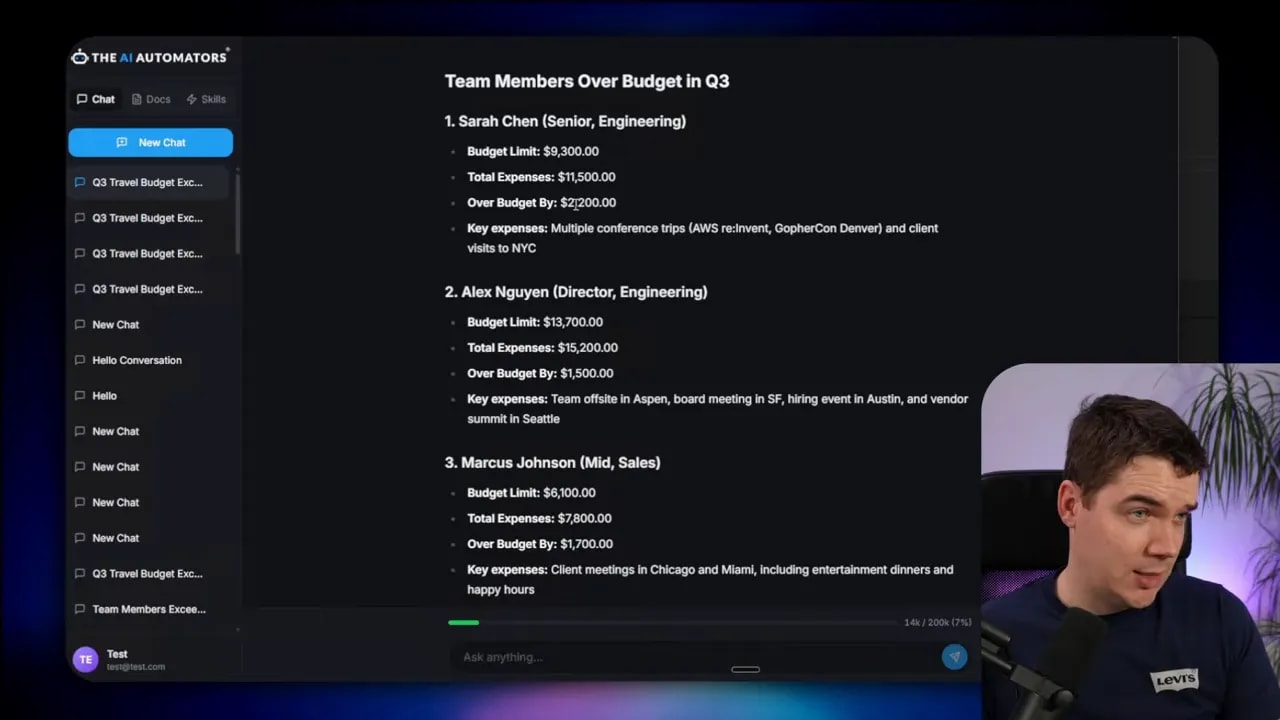
The traditional run performed 56 tool calls and consumed about 76,000 tokens. It produced a summary that missed an overage. In short, lots of token burn and an incomplete answer.
I then enabled the sandbox and let the model generate code to orchestrate the same job. The agent used the tool search to discover the three relevant tools. It entered code mode, drafted a script that looped over team members, fetched budgets and expenses, calculated overages, and returned a single consolidated result.
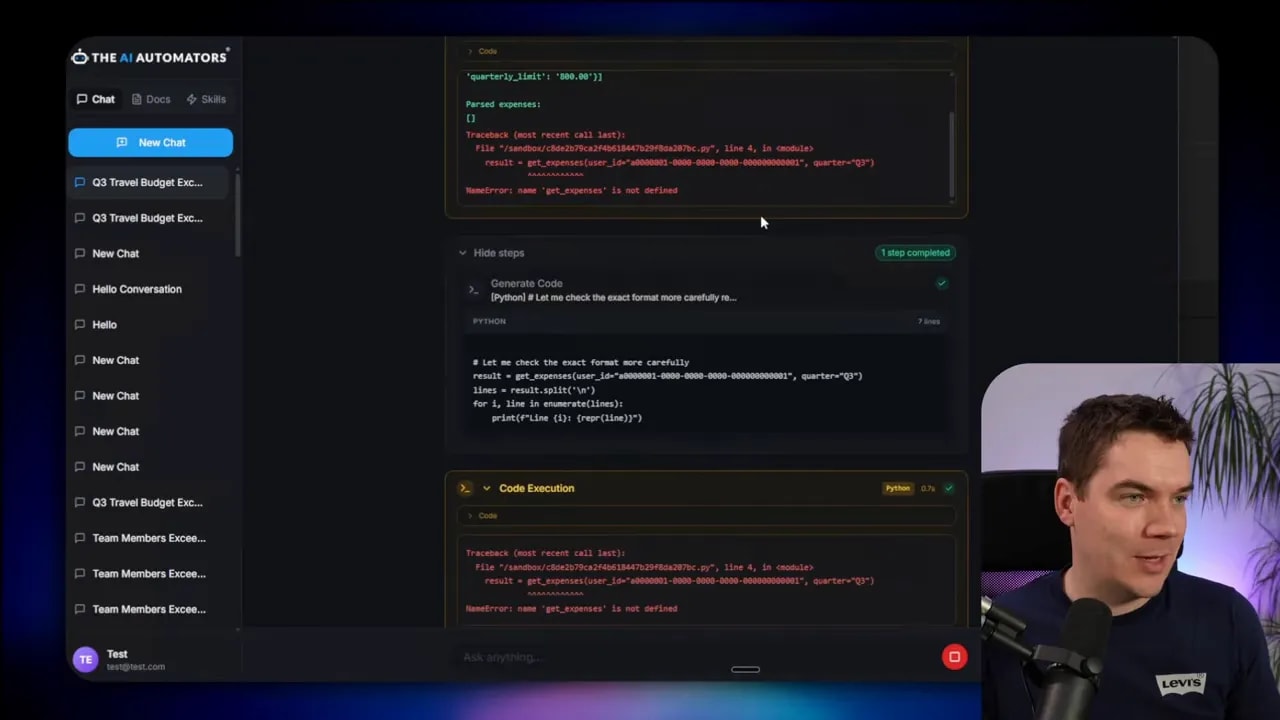
In practice, the process was iterative. The model didn’t always “one shot” the correct script. It generated code, executed it, hit errors because it didn’t fully know the tools’ output shapes, and then refined the code. After a few iterations the sandbox returned accurate results. The final summary listed the exact team members who exceeded budgets.
I ran the same task again under a different model (Qwen 3.5 27B) locally and saw fewer tokens and fewer tool calls. On that run the agent produced the correct result in fewer iterations and only four tool calls, totaling around 45,000 tokens consumed during the reasoning rounds.
Why programmatic calling helps
- Fewer LLM round trips. You replace dozens or thousands of repetitive calls with one script execution.
- Smaller context footprint. Intermediate results don’t pollute the conversation because they never enter it.
- Deterministic logic. Aggregations and loops run in code, so results are reproducible and debuggable.
When it’s not the right choice
- For very small datasets or single simple lookups, programmatic calling adds complexity without big gains.
- If the agent needs to decide dynamically after each intermediate step using the LLM’s judgment, a pure script may be too rigid.
- If the tools expose complex, undocumented data shapes, the initial iterations will likely hit errors until the model adapts.
How the sandbox and tool bridge work
Sandboxes are the heart of programmatic calling. The idea is to let the LLM generate code, then run that code in a tightly controlled environment that can still call back to the real tools.
I used an open LLM sandbox project to spin up isolated Docker containers that run the generated Python. When the LLM outputs a tool invocation sequence, the backend spins a container, passes the auto-generated Python code and a session ID into it, and executes the script.

The sandbox itself has no direct internet access. Instead, any time the code inside needs to call an external tool or API, it uses a secure tool bridge back to my Python backend. The bridge accepts requests from the sandbox, authenticates them using the session ID, routes them to the real service, and returns results. That keeps API keys and credentials out of the sandbox.

The sandbox receives a set of tool stubs when it starts. Those stubs are tiny Python functions with the same signatures as the real tools but which proxy calls back over the bridge. The LLM writes standard Python that calls those stubs. Because the code is vanilla Python, models tend to generate it reliably.
Security considerations
- Sandbox containers share the host kernel when run with Docker by default. For production, stronger isolation is recommended. I suggest using a hardened runtime like gVisor to reduce risk.
- Never provide API credentials or secrets directly to the sandbox. Keep all secrets on the backend and marshal access through the bridge.
- Use strict tool schemas and route definitions on the bridge so the sandbox can only call permitted endpoints with validated arguments.
Operational tips
- Pre-warm containers for frequent tasks to avoid cold-start delays.
- Use custom container images with required libraries to reduce install time inside the sandbox.
- Limit CPU, memory, and filesystem access for each sandbox container.
- Log and trace all bridge calls for observability and debugging; I used Langfuse to track tokens and tool usage.
Tool design: efficient MCPs and stubs
A lot of wasted tokens come from poorly constructed MCPs that dump verbose schemas into the model. Efficient tool design reduces the need for heavy mitigation later.
Keep these points in mind when designing tool catalogs:
- Trim unnecessary fields. Only include parameters the agent truly needs.
- Group related operations. Instead of exposing dozens of micro-tools, consider a single tool that accepts an operation type and concise parameters.
- Prefer concise descriptions. Short natural language descriptions work better than long technical docs inside the schema.
- Use deferred loading. Mark large or rarely used tools as deferred and let the agent fetch them via the tool registry.
For example, Anthropic’s post complained that the GitHub MCP contained 35 tools and consumed 26,000 tokens. GitHub itself later released a slimmer MCP that reduced that to about 4,000 tokens. That reduction alone makes a big difference to how useful the agent is in practice.
Tool use examples: guide the model with examples
JSON schemas define structure but not usage patterns. Agents often fail when a parameter’s format is ambiguous. Tool use examples solve that by showing the model exactly how you expect fields to be filled.
A common case is date formats. If a tool expects a due date as a string, the model might supply many formats. If you provide an example such as 2025-09-17 or explicitly state YYYY-MM-DD, the model is far more likely to comply.
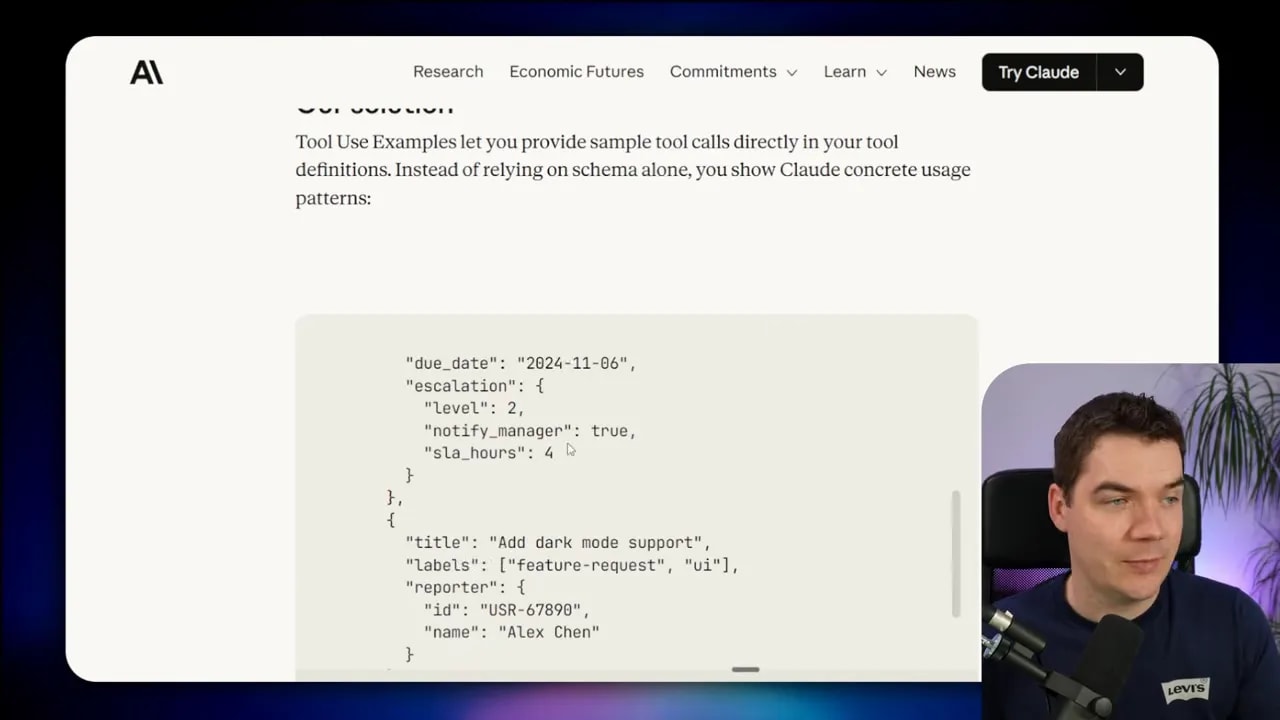
Internal testing showed accuracy jumps when examples are present. In one set of trials, accuracy rose from 72% to 90% on tricky parameter handling by simply adding targeted examples.
You can deliver these examples in multiple ways:
- Attach them to tool definitions as example usages that the agent can read when the tool is loaded.
- Provide them in a skills file that the agent loads when it needs a capability.
- Use a short multi-shot prompt that shows the desired input and output format before the tool call.
TypeScript vs Python stubs: what models handle best
Cloudflare published results that agents handle complex tools better when presented as a TypeScript API instead of an MCP schema. That aligns with what I’ve seen. Models are trained heavily on standard Python and JavaScript code, so giving them a simple API to call in code mode often produces better results.
In practice you can convert MCP schemas into language-specific stubs. For my sandbox I generated Python stubs so the model produced Python code that called those functions. Others convert the same schemas into TypeScript stubs—Cloudflare calls that approach Code Mode—and let the model output TypeScript to trigger the MCP.
Choose the language that matches your model’s strengths and your engineering stack. For LLMs with strong JavaScript exposure, TypeScript stubs may produce cleaner invocations. For LLMs with pythonic tendencies, stick with Python.
Practical comparisons and what I measured
I compared runs across two models and two calling styles. Here are the highlights from the budget compliance example using 20 team members:
- Traditional tool calling (cloud model): 56 tool calls, ~76,000 tokens, missed one overage.
- Programmatic calling (cloud model): Iterative code generation, final correct answer, ~58,000 tokens over multiple rounds.
- Programmatic calling (Qwen 3.5 local): Fewer iterations, ~45,000 tokens, only four tool calls, accurate answer.
These numbers show the context. Programmatic calling doesn’t always produce the dramatic 85% token savings reported in some posts. The gain depends heavily on the task size and shape. With only 20 members, the savings are moderate. If the dataset grows to thousands of members, programmatic calling becomes essential because the alternative requires the LLM to perform thousands of per-row tool calls, which is impractical.
The other takeaway is model variability. A locally-run Qwen 3.5 benefited from a large context window and produced a tighter execution path than the cloud model in my tests. Hardware and model architecture matter.
Decision guide: which pattern should you use?
The patterns are complementary. Choose based on the problem you’re solving:
- Tool search — Use when you have many tool definitions and want to keep initial context small.
- Programmatic tool calling — Use when tasks involve repeated similar operations, large data sets, or when intermediate results would bloat the conversation.
- Sandbox with a tool bridge — Use when code needs to run securely without exposing secrets and when complex orchestration is required.
- Tool use examples — Use when parameter formats are ambiguous or the model repeatedly supplies incorrect values.
- Server-side endpoints — Use when heavy processing or sensitive operations should never involve the model directly and should be executed as tested back-end logic.
Implementation checklist
When I built this system, the following steps helped keep development smooth and secure. Use this checklist as a starting point.
- Design concise MCPs and mark large ones as deferred.
- Provide a searchable tool registry with good keywords and short descriptions.
- Implement tool use examples for ambiguous fields.
- Generate language-specific tool stubs for the sandbox (Python or TypeScript).
- Set up a sandbox runtime with container isolation and pre-warming.
- Build a secure tool bridge that validates calls and never passes secrets into the sandbox.
- Instrument traces and token usage with an observability tool like Langfuse.
- Consider runtime hardening such as gVisor for production sandboxes.
Hardware and tooling notes
I ran Qwen 3.5 27B locally using Ollama on a machine with an RTX 5090 and 32 GB of VRAM. That setup allowed a 100,000 token context in my experiments. If you plan local deployment, factor GPU memory into model selection, and keep the sandbox resource limits conservative.
The main open-source pieces I used include the LLM Sandbox project for containerized code execution and Langfuse for trace-level observability. Both sped development and helped me measure token usage reliably.
Final notes on agent responsibility and design
Letting the model generate code is powerful, but it also changes how you validate behavior. Tests and guardrails matter. I treat generated scripts as units to instrument and audit. Every sandbox run should produce logs, and the bridge should reject malformed or out-of-scope calls.
Consider these practices:
- Run generated code in an isolated environment and capture stdout and stderr.
- Return structured, validated results back to the model for final synthesis.
- Limit the scope of stub functions and strictly control the surface area the sandbox can call.
- Keep a set of well-tested skills or server-side endpoints for tasks that must be deterministic.
These measures let the model handle reasoning and orchestration while the system retains safety, auditability, and predictable resource use.
I’ve built this into my agent stack and used it across many tasks. Tool search and programmatic tool calling are not exclusive to any vendor or model. They are agent design patterns you can implement with a cloud LLM or a local model, and they scale far better than the naive tool-per-call approach.
If you build an agent, design tools with minimal schemas, defer heavy definitions, provide clear examples, and prefer running heavy data processing as code in a sandbox or on the server. You’ll end up with a system that uses fewer tokens, returns more accurate results, and remains manageable as it scales.
