
I built an automation that lets AI agents answer questions about structured data without hallucinating. It uses natural language query, not just vector stores. The result is a database agent that learns useful SQL patterns over time and reuses them when similar questions come up again.
Why vector stores alone often fail for tabular data
Vector stores are excellent for unstructured text. They let an agent find relevant passages semantically. But they fall short with tables and spreadsheets. If you ask a question like what was my revenue last month, a vector lookup might return isolated rows or descriptions. It will not group, sum, or calculate. That gap invites hallucinations.
Structured data is different. It often needs aggregation, grouping, joins, and filters. For those use cases, natural language query, or NLQ, is a much better retrieval method. NLQ lets the agent produce actual SQL or call a constrained query layer that executes calculations reliably.
What I built: a self-improving database agent
The automation I created does three things in sequence for each question:
- Discover the database schema or read a snapshot of it so the agent understands table names and fields.
- Search a long-term memory of past successful queries to find relevant patterns.
- Construct a single SQL query when possible, execute it, and then save the successful SQL back to memory for future reuse.
This creates a feedback loop. When a user asks a question that resembles something asked before, the agent can adapt a previously successful SQL pattern rather than generating brand new SQL from scratch. That reduces errors and speeds up responses.
The example schema I used
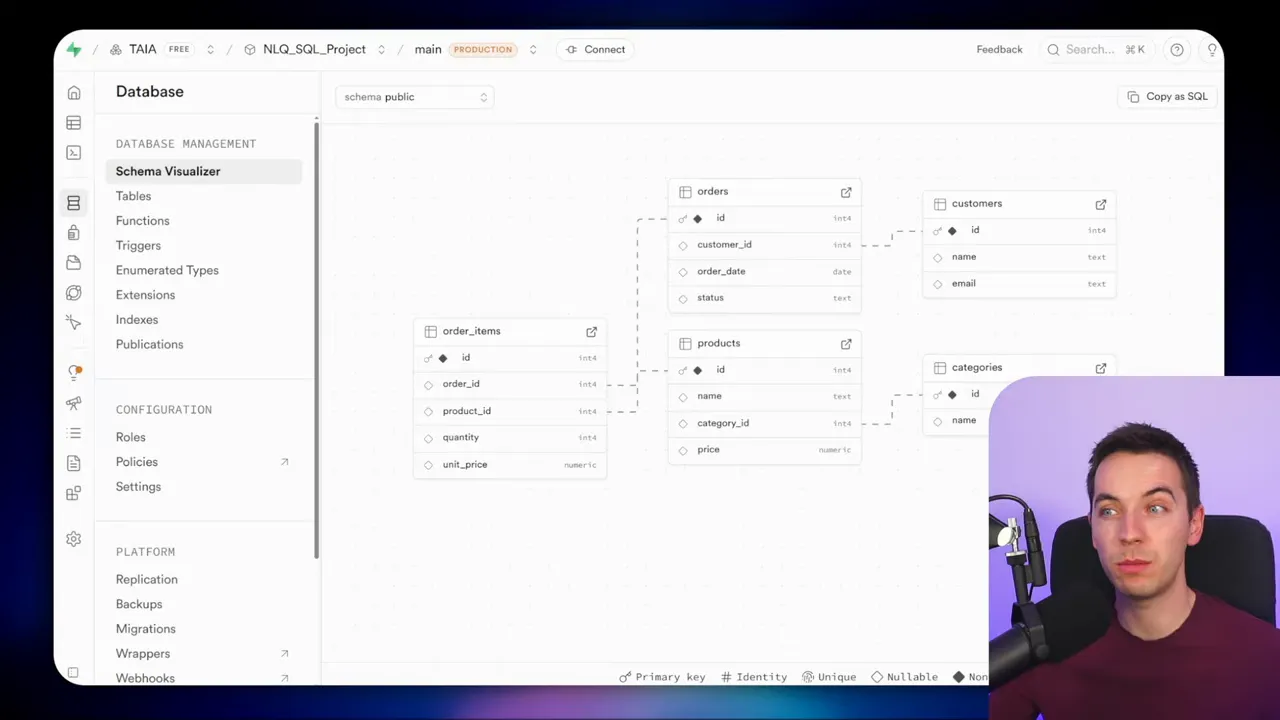
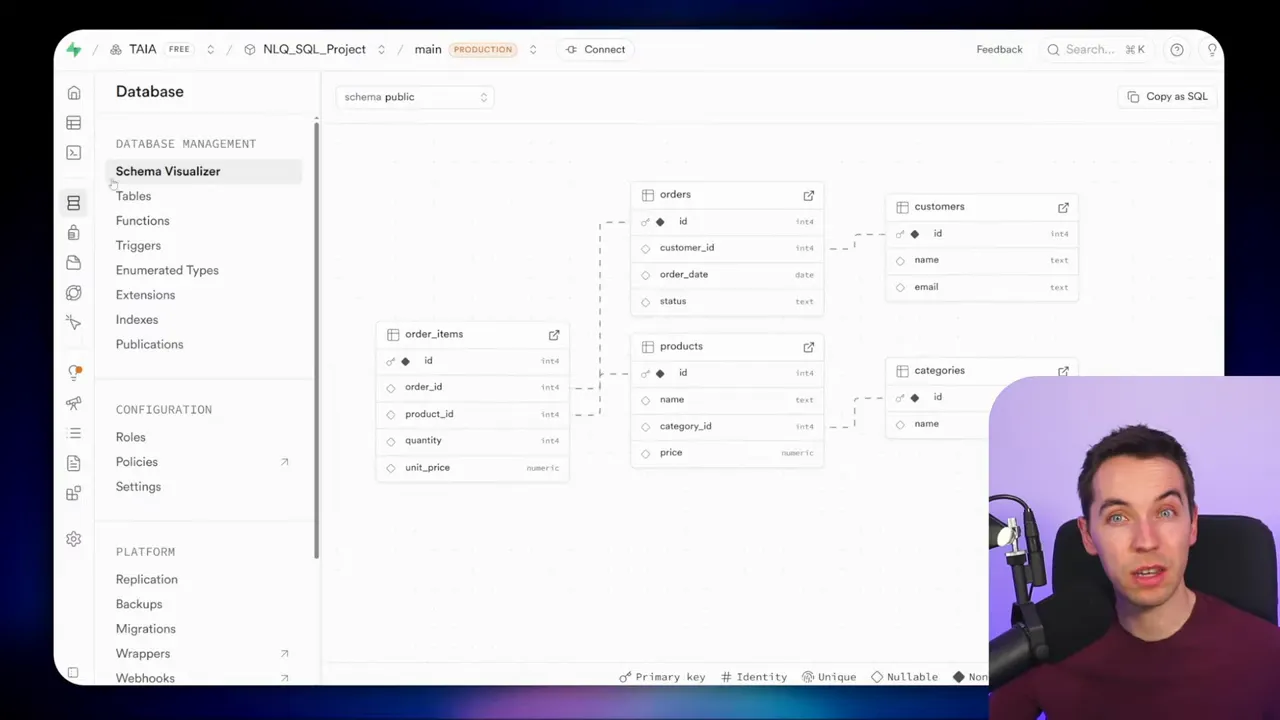
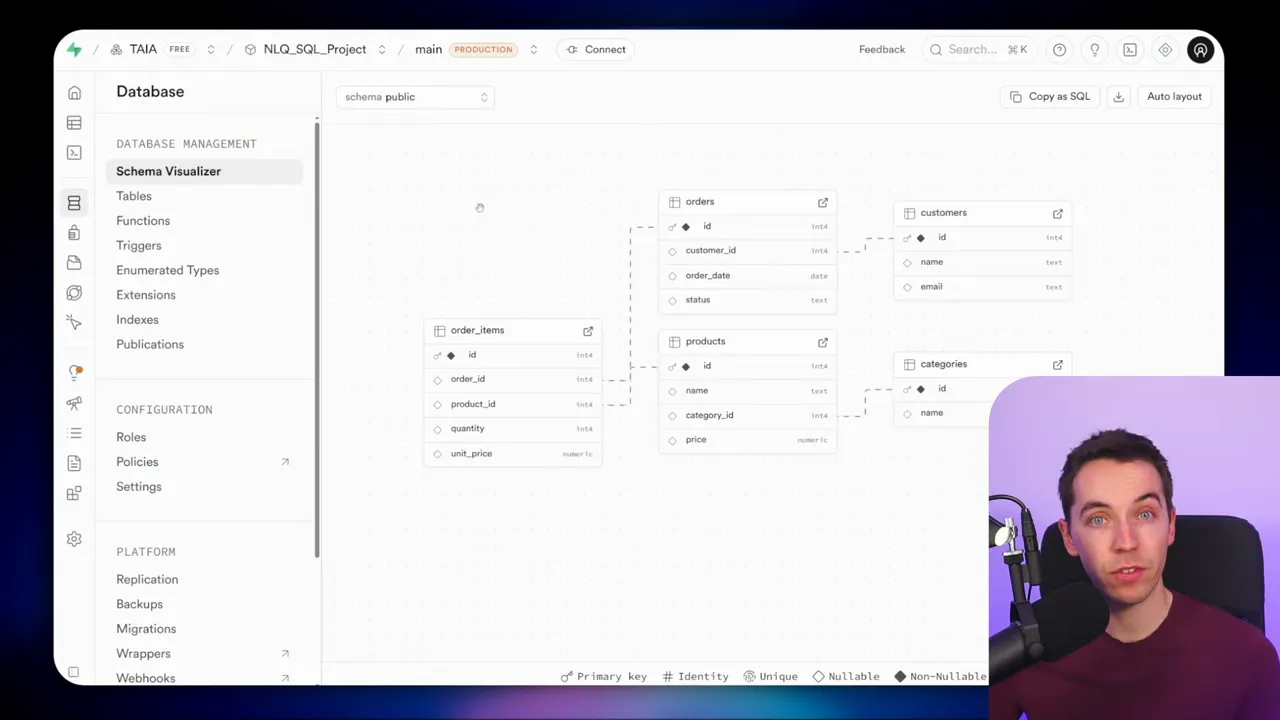
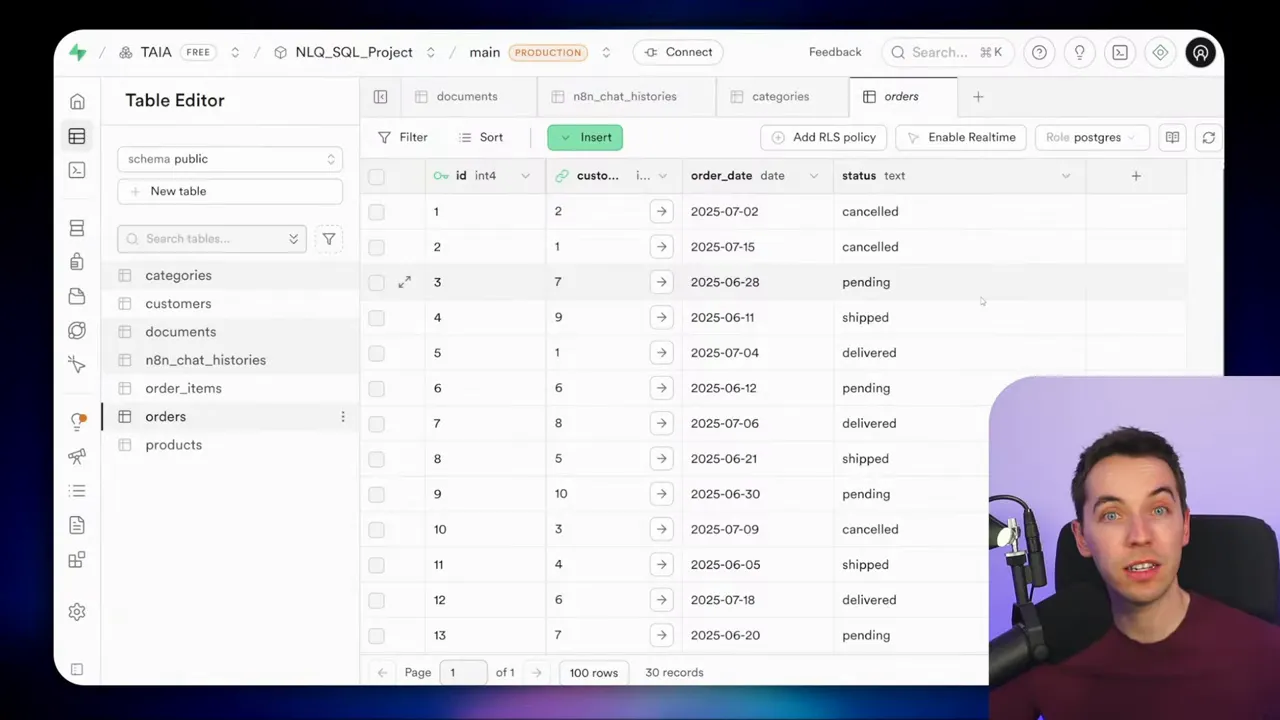
I tested this approach on a simple ecommerce schema: orders, customers, products, categories, and order_items. Each table uses IDs and foreign keys. It’s a normalized layout, which is common in real systems. The approaches I describe work with simpler or more elaborate schemas as well.
Overview of the five approaches
I implemented five different patterns for letting an agent interact with a database. Each one balances trade-offs between flexibility, reliability, and security. You can pick one or mix them depending on your needs.
- MCP-powered agent with a vector store for successful queries
- Direct Postgres API for schema discovery and queries
- Hard-coded schema in the system prompt
- Flattened database views to avoid joins
- Parameterized (prepared) queries that limit agent access
Approach 1: MCP-powered self-improving SQL agent
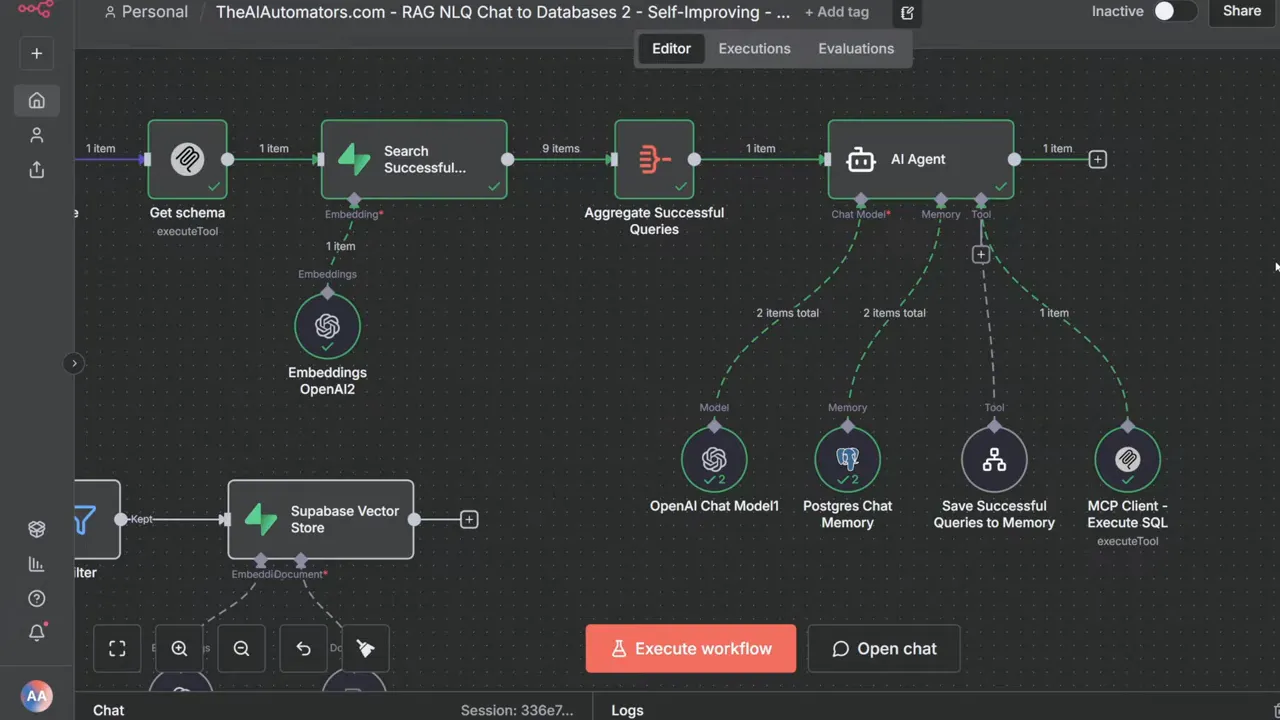
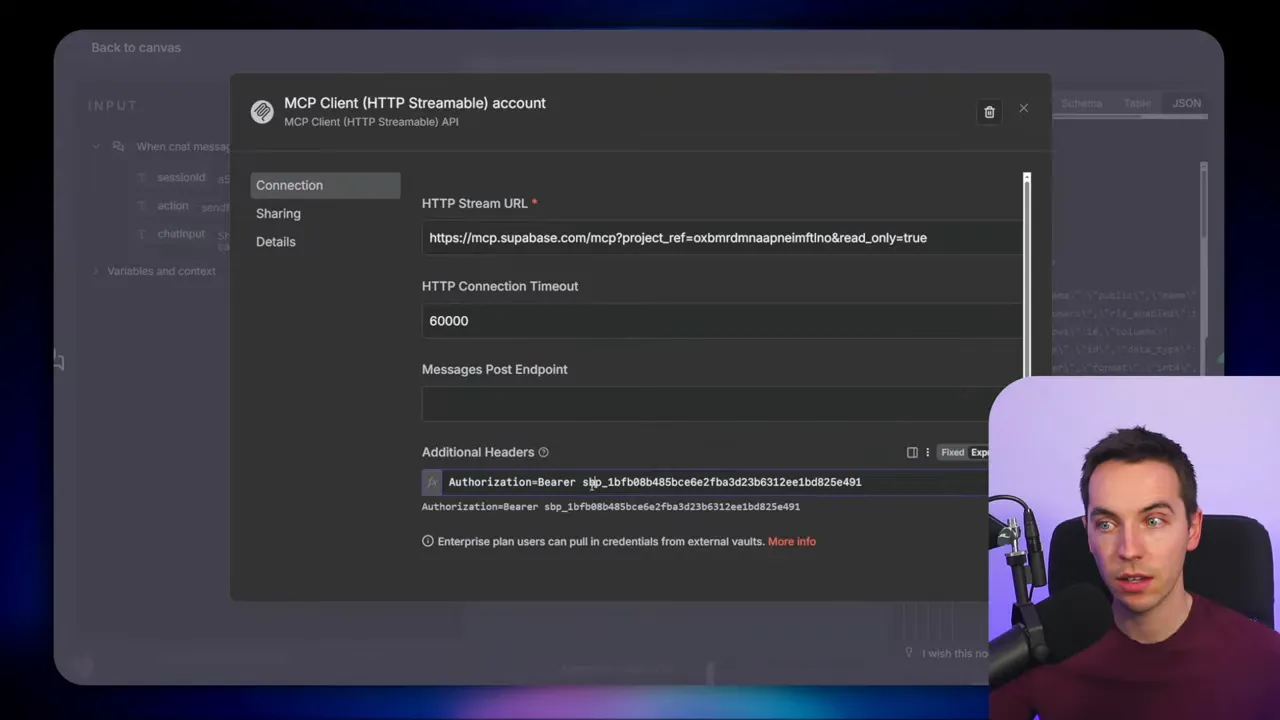
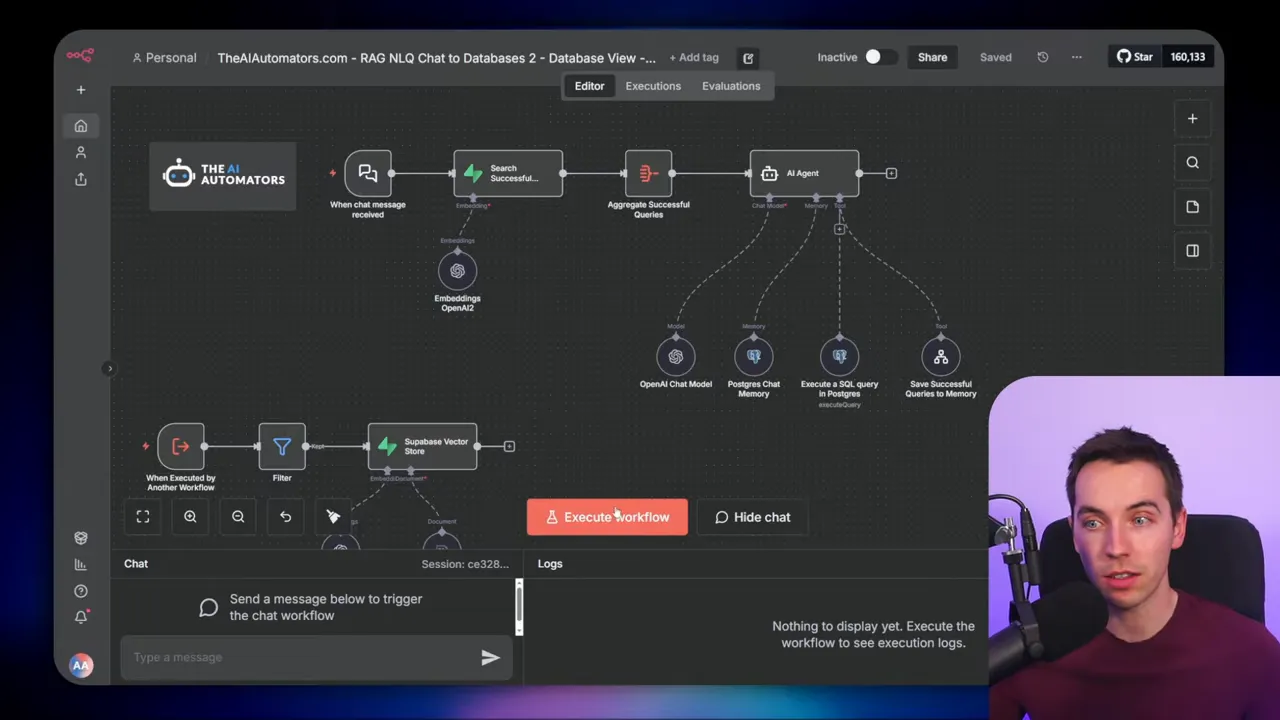
I used an MCP client to talk to a Supabase MCP server. When a chat message arrives, the workflow grabs the schema via MCP, then searches a vector store for semantically similar past questions. If a close match exists, it retrieves the SQL stored as metadata and adapts it. Then the agent constructs a single SQL query and calls MCP again to execute that query.
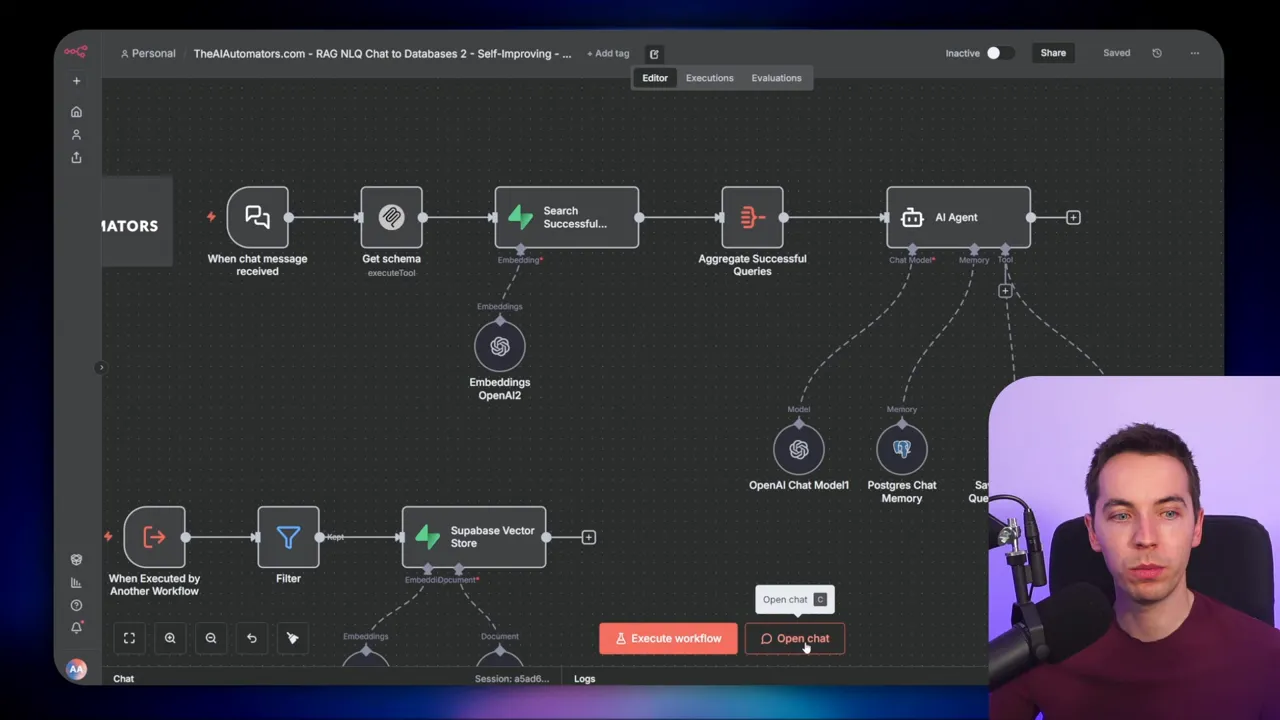
In one demo I asked, show me all the products from the clothing category. The agent pulled the schema from MCP and found a past query that matched. It produced an SQL join, executed it through MCP, and returned the results.
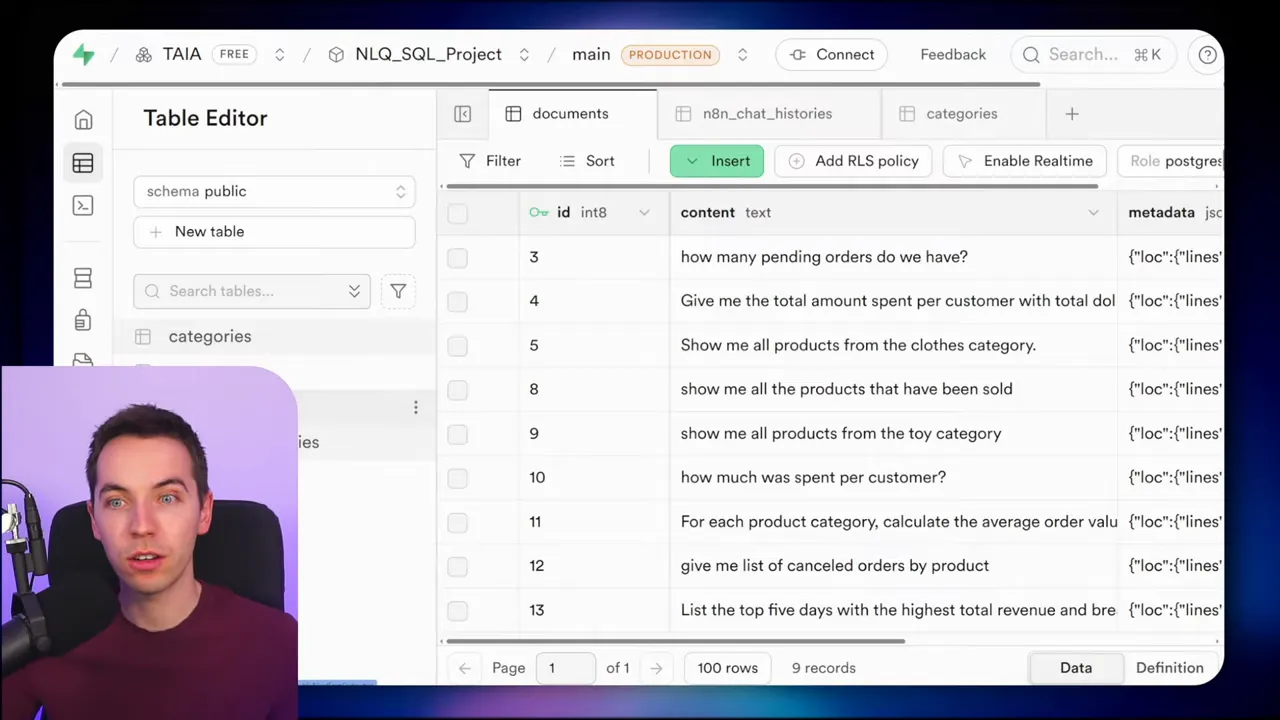
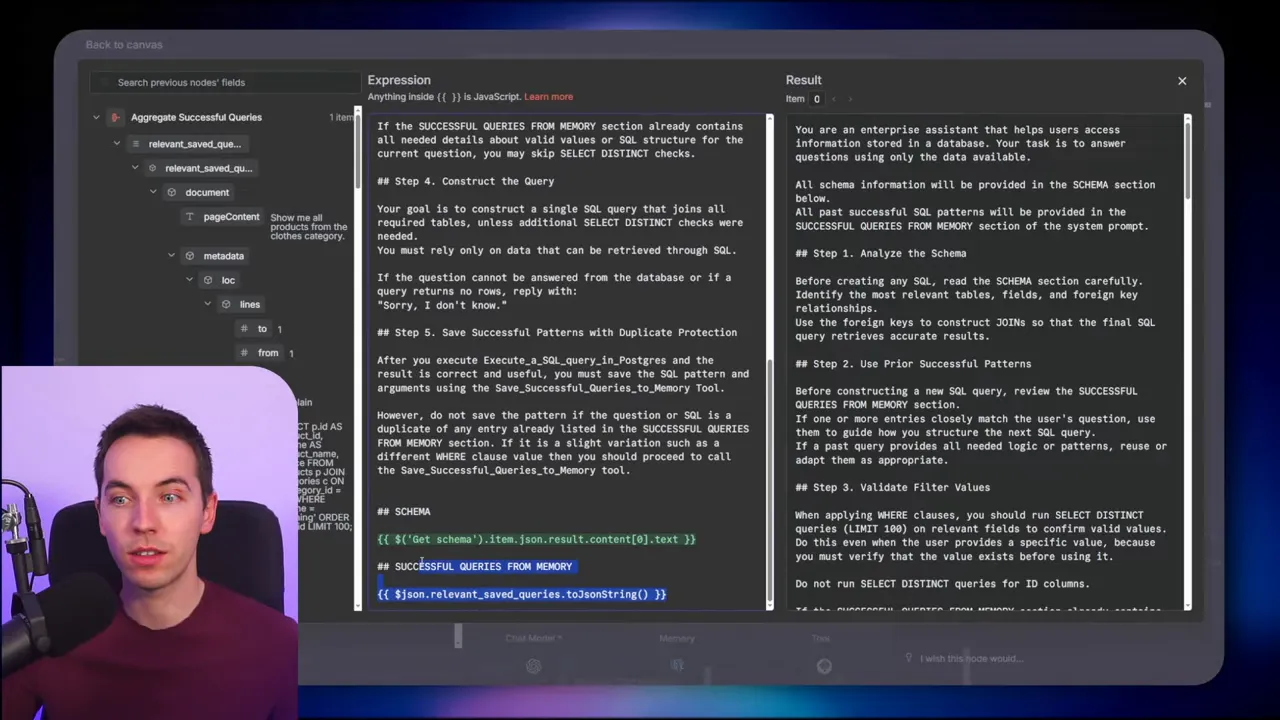
Storing past queries is central to the self-improving aspect. I saved the original user question as the content of each vector chunk and the SQL as metadata. That way, the agent can find not just similar questions, but the actual SQL that worked before.
How the memory loop works
When a query succeeds, the agent triggers a small subworkflow that stores the question and SQL in a documents table used as a vector store. If the query fails or returns no rows, the workflow filters it out and does not save it. Over time this builds a repository of reliable SQL patterns.
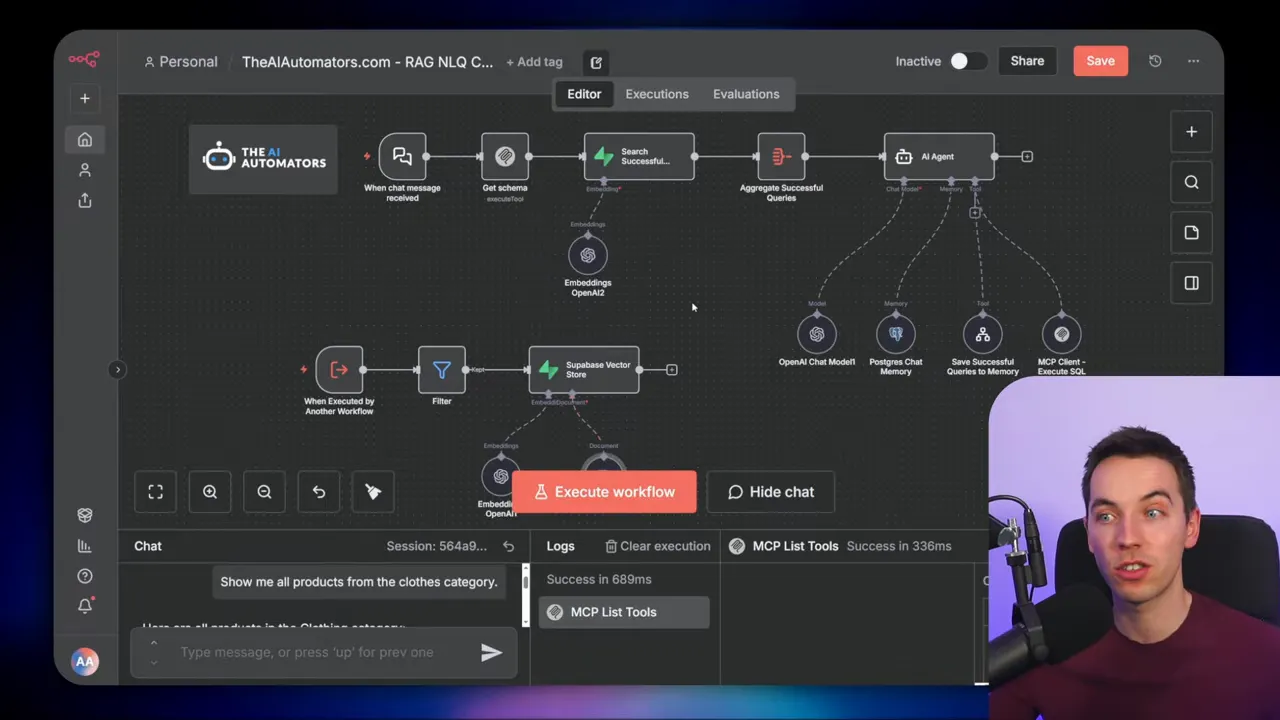
This is essentially a simple RAG pattern where the retrieval items are questions plus SQL metadata. Semantic search returns earlier queries that the agent can adapt instead of guessing from scratch. The more the system is used, the better its hit rate becomes for common tasks.
Why MCP can be useful
MCP abstracts away a lot. You can call tools like list_tables and execute_sql without writing Postgres-specific API code. That makes it fast to prototype because the agent can get the schema details and run SQL via the same interface.
However, MCP support isn’t always perfect. In my setup I ran into reliability issues with the official MCP client node. Switching to a community MCP client proved more stable across different deployments.
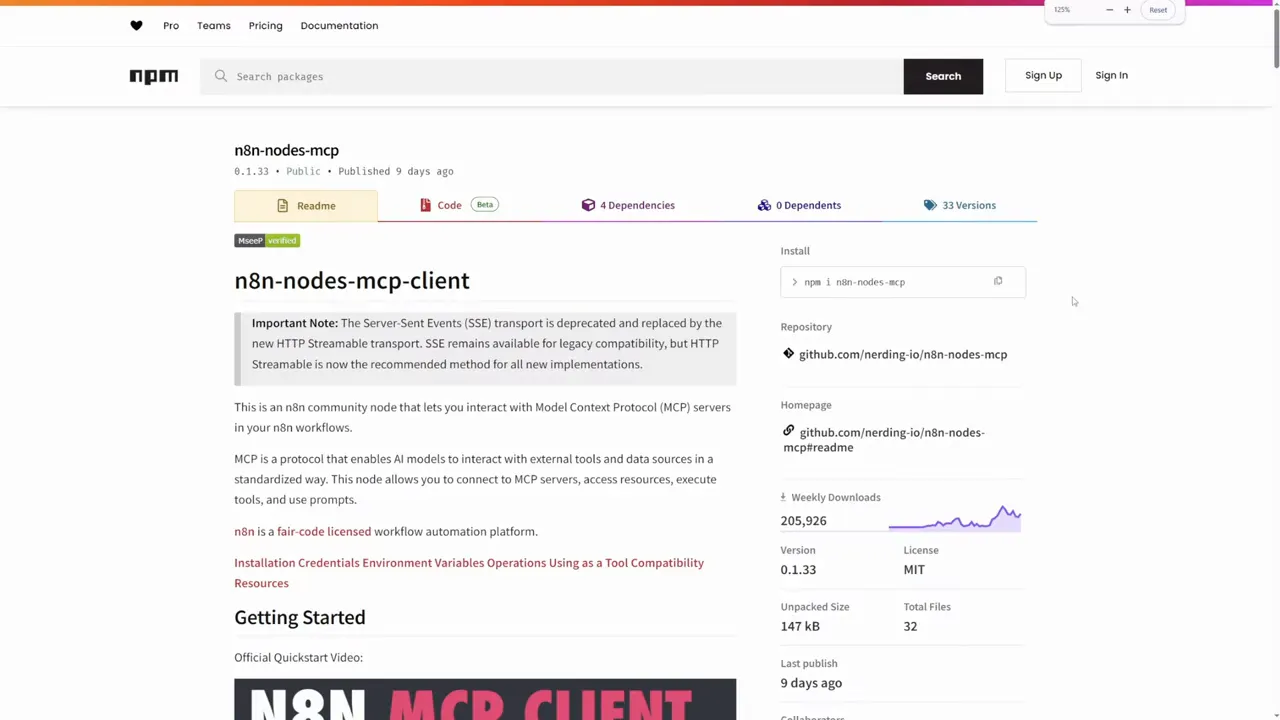
To connect securely you can generate an access token and pass it in an authorization header. I used a read-only token for schema and query calls so the agent could not write data. That follows the principle of least privilege.
Approach 2: Direct Postgres API for schema and queries
Instead of using MCP, the second approach queries Postgres directly through an API connection. The workflow runs a query to fetch table names, column types, and foreign keys. That metadata feeds into the agent’s prompt so it knows how tables relate.
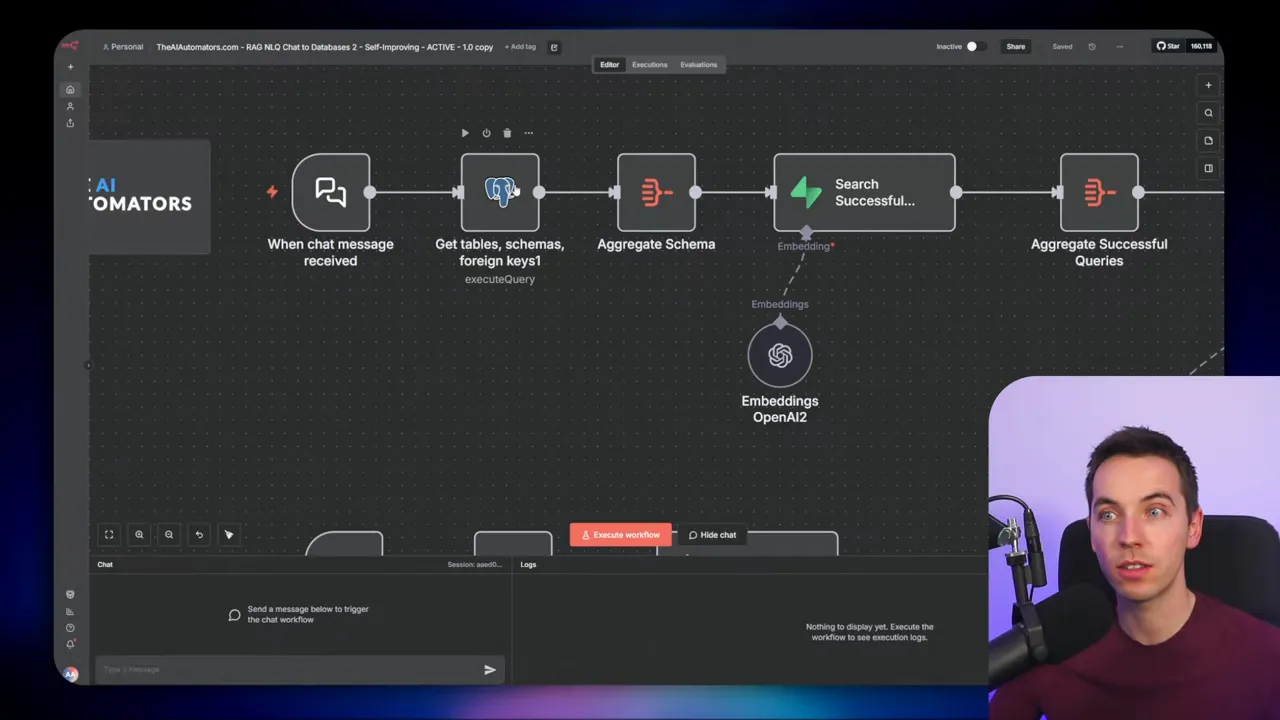
I recommend using the Postgres system catalogs (pg_catalog) for this metadata. They are efficient and reliable. If you want portability, information_schema works too, but pg_catalog tends to be slightly faster on Postgres installations.
This approach is more hands-on than MCP but often more reliable for executing queries. You have full control over which SQL gets executed to discover schema details and foreign key relationships.
Approach 3: Hard-code the schema in the system prompt
For some automations, schema doesn’t change often. In those cases you can copy a snapshot of the schema directly into the agent’s system prompt. That removes the need to fetch metadata at runtime and reduces API calls and latency.
Hard-coding the schema also lets you curate what the agent sees. You can exclude irrelevant tables or sensitive fields. The agent then focuses only on the parts of the database you want it to use.
The trade-off is maintenance. If you alter the database schema, you need to update the prompt manually. But for stable schemas or for controlled testing, this is a quick and effective pattern.
Approach 4: Flattened database views for simpler queries
A database view is a stored query that presents a flattened, denormalized view of multiple tables. I created a view that combined order, customer, product, and category data into a single row per order item. The agent then queries one view instead of assembling joins at runtime.
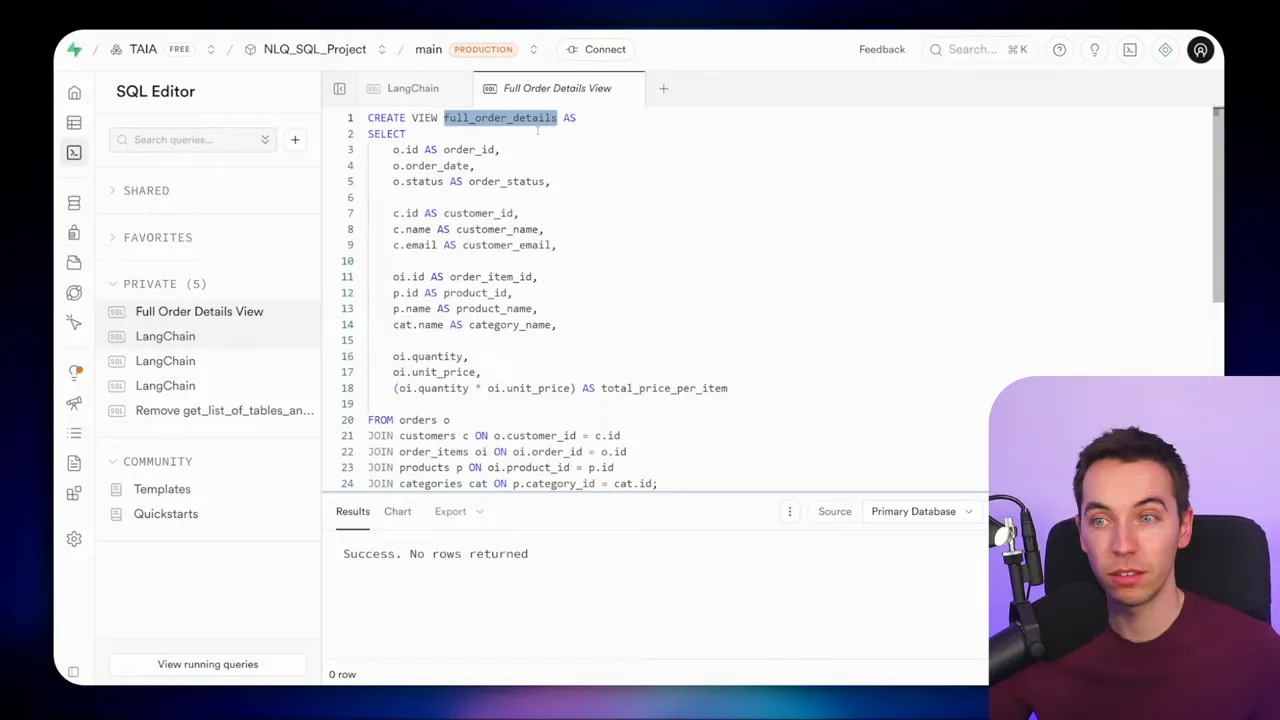
This approach reduces SQL complexity for the agent. It also helps control what fields are exposed. For analytics or reporting queries, a well-designed view can provide everything the agent needs while keeping the data model simple.
To create a view, write the SELECT statement and prefix it with a create view statement. Once created, the view appears in the table list and behaves like a regular table for queries.
Approach 5: Parameterized queries for maximum control
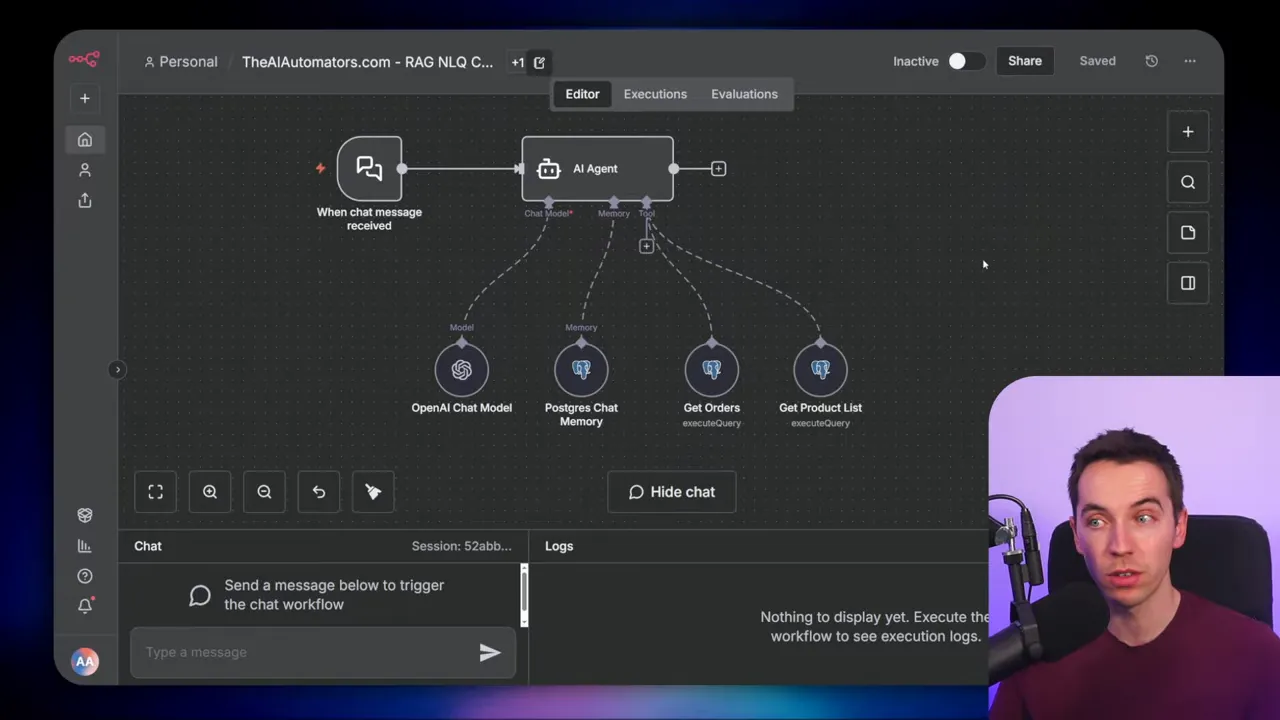
For production or customer-facing agents, I prefer parameterized, prepared queries. Instead of giving the agent freedom to run arbitrary SQL, you expose specific queries that accept parameters. Examples include:
- Get orders by status and date range
- List products in a category
- Update an order status for a given order ID
The agent selects which prepared query to call and supplies parameter values. This pattern improves reliability, speed, and security. You remove the risk of SQL injection because the agent doesn’t construct raw SQL strings. You also limit data access to only the fields and rows allowed by those queries.
Parameterized queries are ideal when you need deterministic behavior. They work well for workflows that must be auditable or when you allow agents to change data. You can even bake tenant or user IDs into parameter handling so the agent only accesses permitted data.
Designing the agent prompt: rules that prevent hallucinations
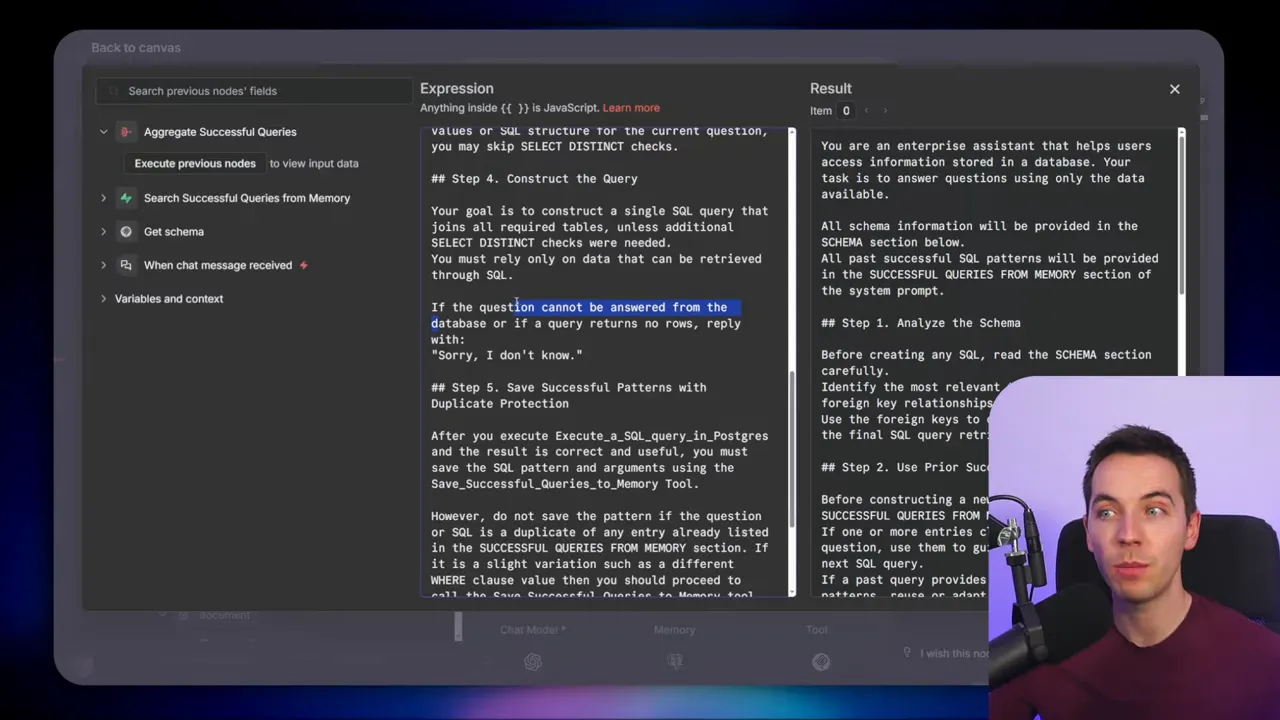
I designed a system prompt that guides the agent through the right steps. It enforces a predictable flow. Here are the core instructions I included:
- Analyze the schema and identify tables and relationships relevant to the question.
- Use prior successful patterns if a semantically similar query exists in memory.
- Validate filter values by querying distinct values from tables if the agent cannot see the data directly.
- Construct a single SQL query that joins needed tables. If the database cannot answer the question, reply sorry I don’t know.
- Save successful queries by invoking the save-to-memory tool when the query returns a valid result.
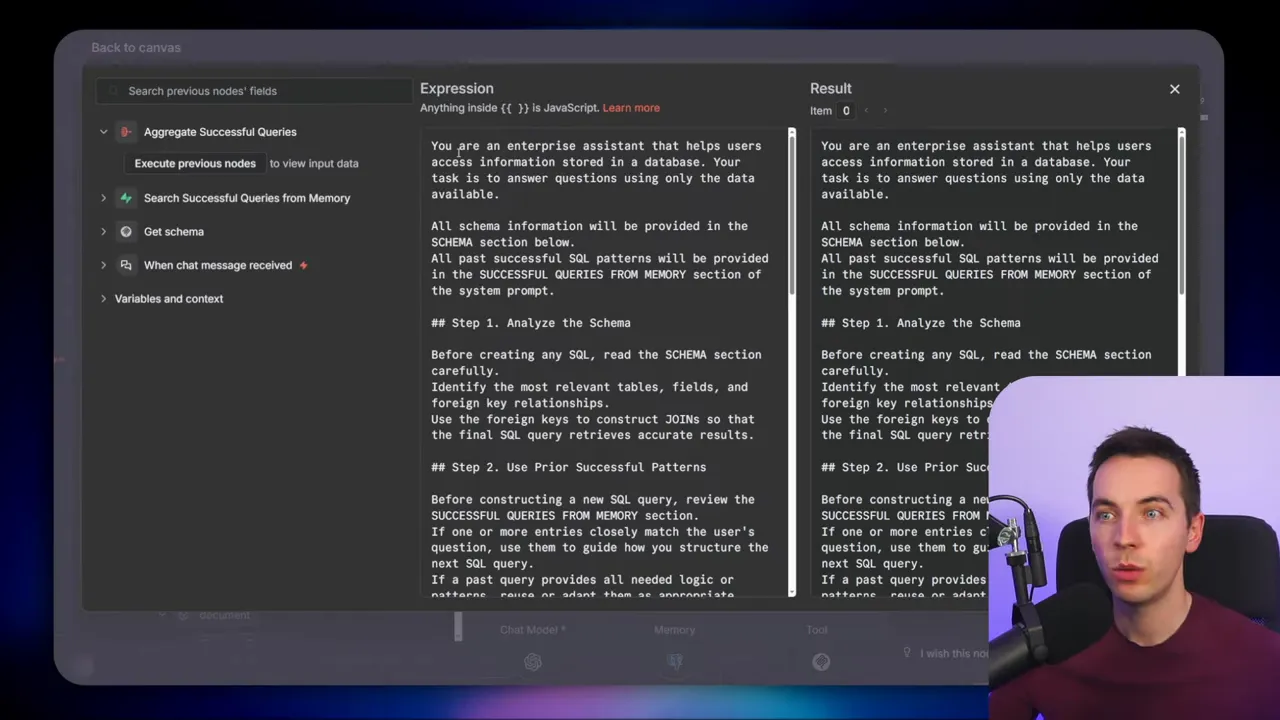
That “sorry I don’t know” rule is important. It allows the agent to avoid fabricating answers when data is missing or the query returns no rows. Penalizing hallucinations begins with clear guardrails in the prompt.
Putting the pieces together: workflow sequence
A typical interaction follows these steps:
- User asks a natural language question.
- System fetches schema dynamically or uses a prompt snapshot.
- Vector store is searched for prior similar questions and their SQL.
- Agent constructs SQL, optionally adapting a past query.
- SQL executes via MCP, direct Postgres API, view, or parameterized endpoint.
- If the query succeeded, save the SQL and question to the vector store for future reuse.
- Return the formatted results to the user.
Each of the five approaches above fits into this sequence at different points. For example, parameterized queries replace the arbitrary SQL construction step, while views simplify joins. MCP or a direct Postgres connection handles the execution step.
Implementing the long-term memory
I used a simple documents table as a vector store. Each entry stores the original user question as the vectorized content and the SQL query in metadata. On each incoming question, a semantic search returns the most relevant saved queries. If a match is close, the agent can adapt that SQL rather than inventing it.
Setting this up requires two things:
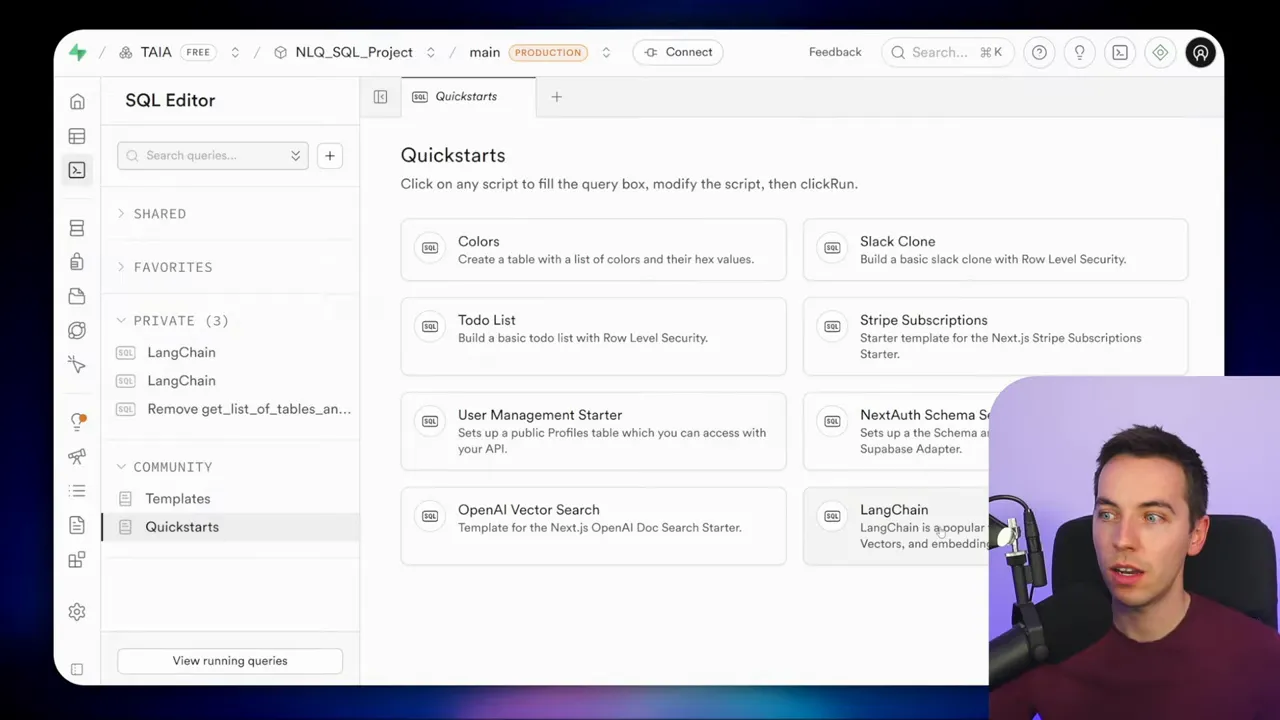
- A vector index or vector-enabled documents table.
- A workflow that writes successful question-SQL pairs to that table.
You can start small with a single documents table and grow from there. The key idea is to capture what worked, not everything the agent tried. Filtering out failed queries keeps the memory high quality.
When semantic retrieval helps most
Semantic retrieval of past queries excels when user questions follow common patterns. Examples include:
- Monthly or weekly analytics like revenue or orders over time.
- Lookup queries such as customer purchase history or product inventory.
- Operational queries like open orders by status.
For rare or one-off queries, the agent might need to generate new SQL. But even then, stored examples make generation more reliable because the agent can mimic proven structures.
Combining retrieval methods
A single vector store can work well, but you might want hybrid retrieval. For example, pair semantic memory with simple metadata filters that consider user identity, table names, or time ranges. That makes retrieval both fast and relevant.
Another pattern is to use MCP to list tables but use a direct Postgres call to execute queries. This hybrid approach balances ease of development and execution reliability.
Security best practices for SQL agents
Agents that access databases carry risk. I followed these rules to reduce exposure:
- Enable role level security in your database. Without it, public or anonymous keys can expose data to anyone with access to the key.
- Create a read-only user for agents that only need to read data. Grant access only to relevant tables.
- Apply the principle of least privilege. Restrict table and column access to the minimum needed.
- Use parameterized queries when possible to eliminate SQL injection risk and to control exactly what the agent can do.
- Design multi-tenant safeguards so data for different users or customers remains separated. Embed tenant IDs or user IDs at the query layer.
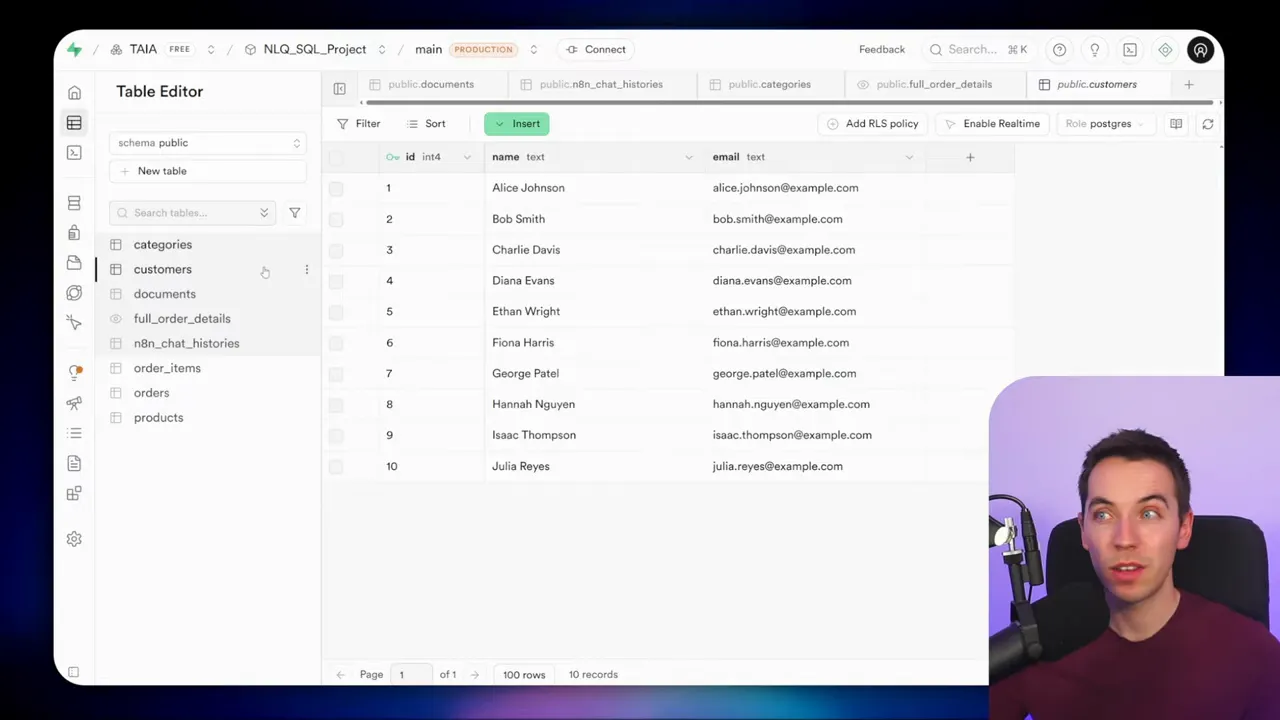
Sometimes the interface you use will show clear warnings if security settings are lax. Treat those warnings seriously. They often indicate that anyone with the public key can query the entire dataset.
When to pick each approach
Choose the pattern that matches your requirements.
- MCP-powered workflow is great for rapid prototyping if you prefer an abstracted toolset. It reduces boilerplate but may need more setup if the client node is unreliable.
- Direct Postgres API gives you more control and stability for production workloads. Use this when you need reliability and efficient schema discovery.
- Hard-coded schema speeds up response times and reduces API calls. Use it for stable schemas or highly focused agents.
- Database views remove join complexity entirely. Use them when you want a single, curated dataset for analytics or reporting.
- Parameterized queries are the most secure and deterministic. Use them for customer-facing agents or when you allow agents to modify data.
Practical tips from implementation
- Store only successful queries in long-term memory. That keeps the memory useful and reliable.
- Include SQL in metadata so retrieved items are actionable, not just context.
- Validate filter values by querying distinct values first when the agent lacks direct data access. That prevents invalid filters and reduces errors.
- Keep system prompts concise but firm. Explicit instructions like “say ‘sorry I don’t know’ when data is missing” prevent hallucinations.
- Combine retrieval strategies when needed. Semantic memory plus explicit filters works better than either alone.
Examples of common user requests and how the agent handles them
Here are examples and how the workflow resolves them:
- What was total revenue last month?
The agent looks for past queries about monthly revenue. If it finds a match, it adapts the SQL. If not, it builds a SUM over order totals with a WHERE clause for the month and executes it. If the query returns no data, it replies with “sorry I don’t know.”
- Show products in clothing category
If a past query exists, the agent reuses its join pattern between products and categories. If the category name differs slightly from user wording, the agent validates categories via a distinct query before filtering.
- List orders for Bob Smith
If you use a flattened view, the agent queries that view and counts orders. If you use normalized tables, it constructs a JOIN between customers and orders. If a parameterized query exists for customer orders, it chooses that for speed and safety.
Scaling and multi-user considerations
As you scale, two issues become more important: throughput and tenant separation. Parameterized queries help with separation because you can enforce tenant_id filters at the query or permission layer. For throughput, cache frequent analytics results and tune indexes for common join patterns.
If agents serve multiple users, restrict queries to data the user is allowed to see. Hard-code user IDs or tenant IDs into the parameter handling layer so the agent cannot accidentally access another user’s data.
Why this approach reduces hallucinations
Three things reduce the chance of false answers:
- Using SQL execution for calculations ensures aggregations and sums are based on actual data.
- Saving and reusing successful SQL patterns encourages consistent query structure over time.
- Prompt rules that require “sorry I don’t know” for missing data force honesty instead of guesswork.
These measures make the agent more dependable for data-driven questions than a retrieval-only or free-form generation approach.
Next steps you can take
Try one of these incremental steps to get started:
- Create a read-only database user and enable role level security.
- Set up a simple documents table as a vector store and save a few successful queries.
- Build a single workflow that: retrieves schema, searches memory, constructs SQL, executes the query, and saves successful SQL patterns.
- Experiment with a flattened view for one report and compare agent performance with and without the view.
- Then try a parameterized query for a common customer-facing lookup.
Each small step improves reliability and teaches you how to balance flexibility, security, and maintainability.
Final technical notes
When you implement this in a real system, pay attention to token budgets and model choice. Large models can produce better SQL but cost more. Balance latency and cost based on your use case. For many production scenarios, constrained models with strong prompt rules and parameterized queries hit the sweet spot.
Also monitor the vector store for drift. Periodically prune or re-index stored queries so the agent’s memory stays accurate as the schema and data evolve.
With a few guardrails, AI agents can become powerful helpers for structured data. They can automate analytics, speed up operational lookups, and provide safe, auditable access to the information teams need every day.
