
Why agents need a map of your data
I build AI agents all the time. They are great at language and reasoning. What they often lack is context about how pieces of data relate to each other. An agent can answer questions about a single record. It struggles when the answer depends on connections across orders, support tickets, payments, contracts, and product parts.
A knowledge graph fixes that gap. It stores entities and the relationships between them. Instead of forcing you to translate relationships into rigid tables and foreign keys, a graph stores connections as first-class objects. That makes it easier for an AI to follow relationships, infer links, and reveal hidden patterns.
What a knowledge graph looks like and why it matters
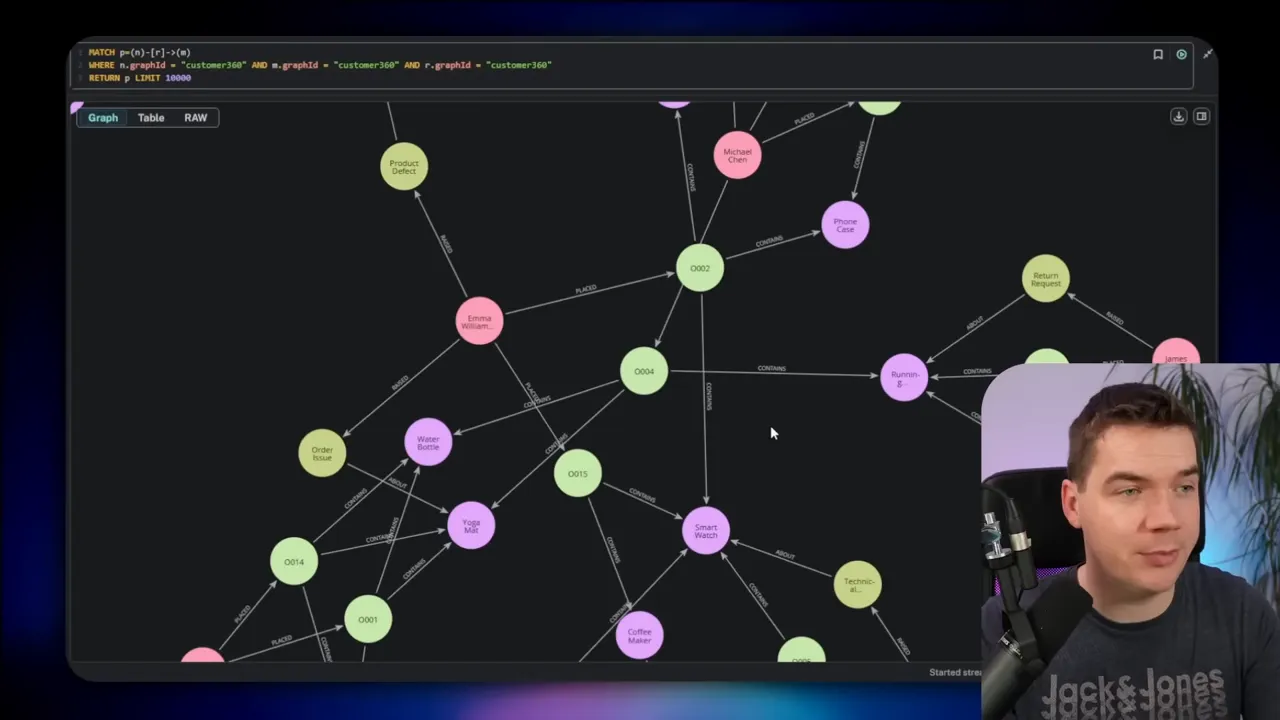
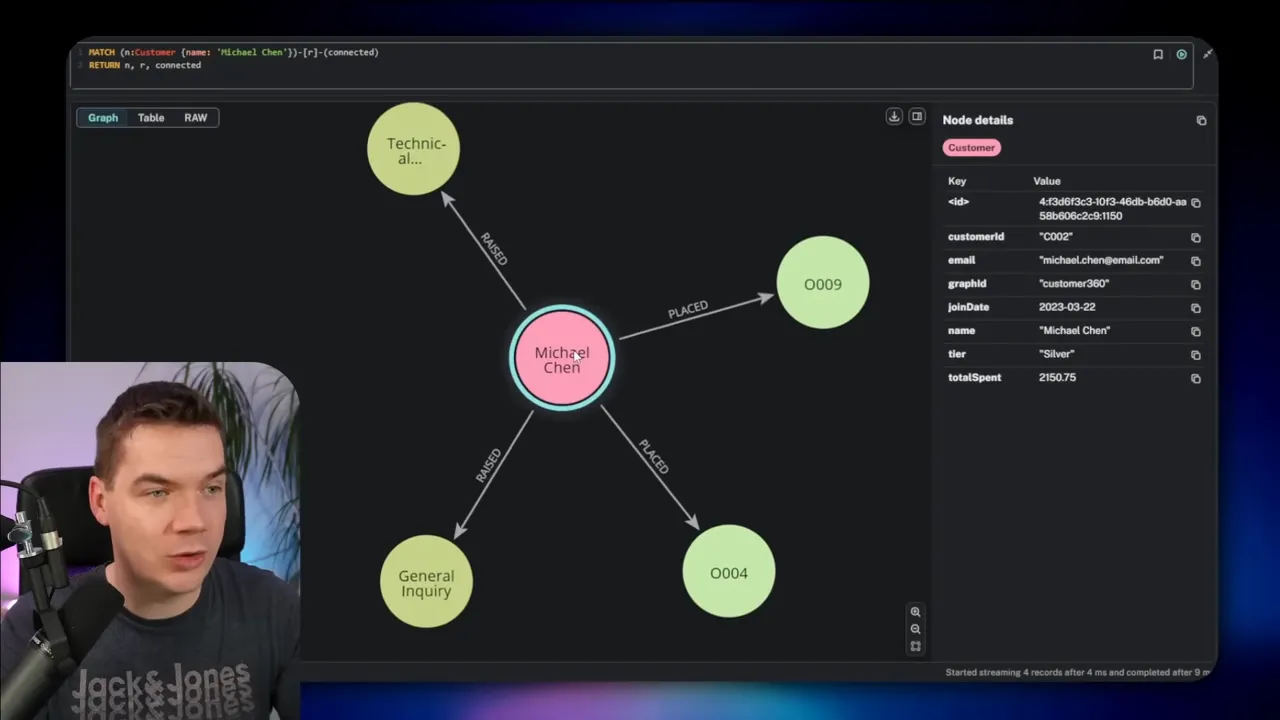
Think of a knowledge graph as a web of nodes and edges. Nodes represent things such as customers, orders, products, or clauses. Edges represent the relationships between those things, such as placed, contains, or references. Both nodes and edges can carry properties—an email address on a customer node, or a price on a contains edge.
This setup changes how you explore data. Rather than joining tables and writing complex SQL, you visually follow relationships. You can discover indirect links in a few clicks. You can model hierarchical documents and cross-references naturally. For many problems, a graph feels more like a mind map than a spreadsheet.
Meet the practical stack I use
Here’s the toolset I combine to make graph-powered agents work in production:
- Neo4j as the graph database.
- Claude Desktop paired with the Neo4j MCP server to let me chat to the graph.
- n8n for orchestration, ingestion, and creating the graph agents.
- Supabase as a vector store for hybrid search in document workflows.
- Mistral OCR for extracting structured text from complex documents.
That combination lets me build, enrich, and query knowledge graphs. It also gives agents practical access to graph schema and data without forcing me to teach every user Cypher.
Set up Neo4j quickly (self-hosted)
I often self-host Neo4j because I want direct control from n8n and other local services. One quick way to do that is using a managed DevOps platform that lets you deploy Neo4j in minutes. Once the instance is running, you’ll need one plugin to get the most flexibility: APOC. APOC unlocks dynamic procedures that make it easier to run flexible queries and import/export tasks.
# Add these APOC lines: – NEO4J_PLUGINS=[“apoc”] – NEO4J_apoc_export_file_enabled=true – NEO4J_apoc_import_file_enabled=true – NEO4J_apoc_import_file_use__neo4j__config=true – NEO4J_dbms_security_procedures_unrestricted=apoc.*
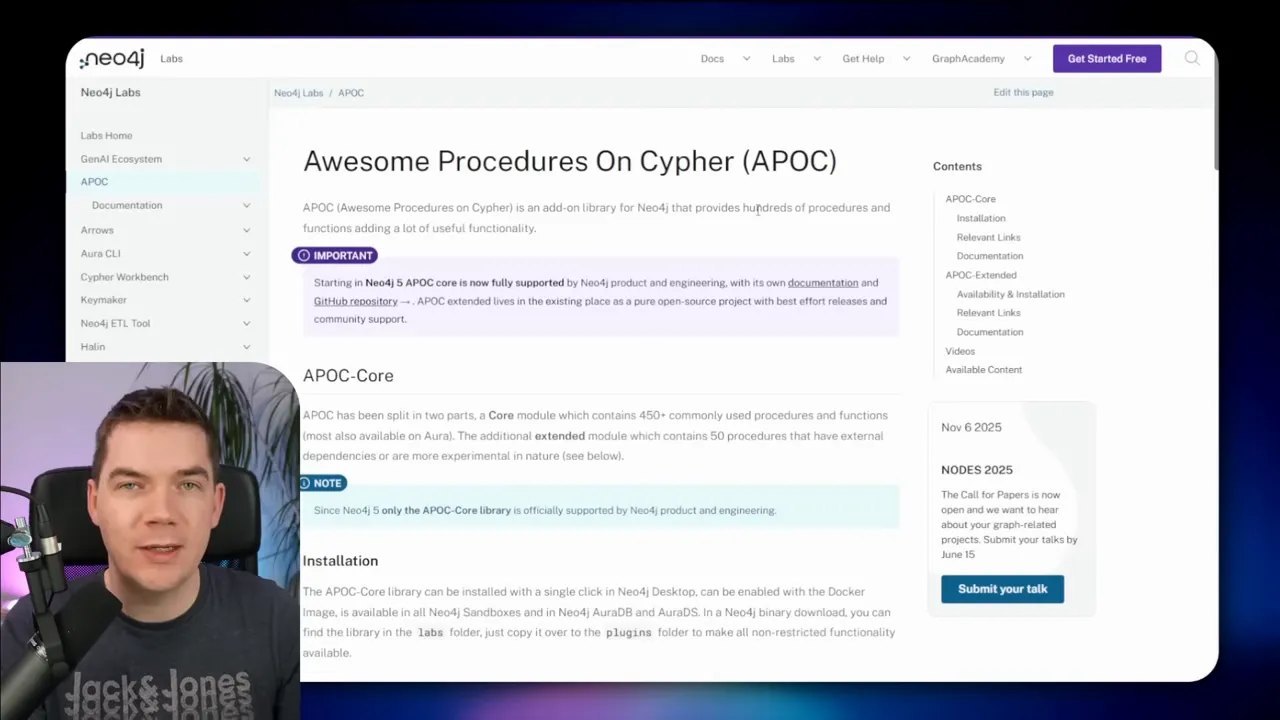
After pasting those environment lines and restarting the service, Neo4j starts with APOC available. That prepares the database for programmatic interactions. From here I connect to Neo4j’s browser UI to inspect labels and relationships while I build.
Talk to your graph with Claude Desktop and Neo4j MCP
Cypher is the language Neo4j uses to query graphs. It is powerful, but it adds friction for non-experts. I solved that by integrating an MCP server with Claude Desktop. That lets me ask high-level questions and have Claude translate them into Cypher. The agent then runs the query and returns structured results and natural language summaries.
To set this up I download the MCP server binary for my OS and add it to Claude Desktop’s config. I register my Neo4j instance, supply credentials, and then allow the MCP to connect. From then on I can say things such as “Give me all orders Michael Chen placed and any open support tickets,” and the agent will:
- Fetch the graph schema
- Construct the Cypher
- Execute the Cypher
- Return the nodes and relationships, plus a plain-language summary
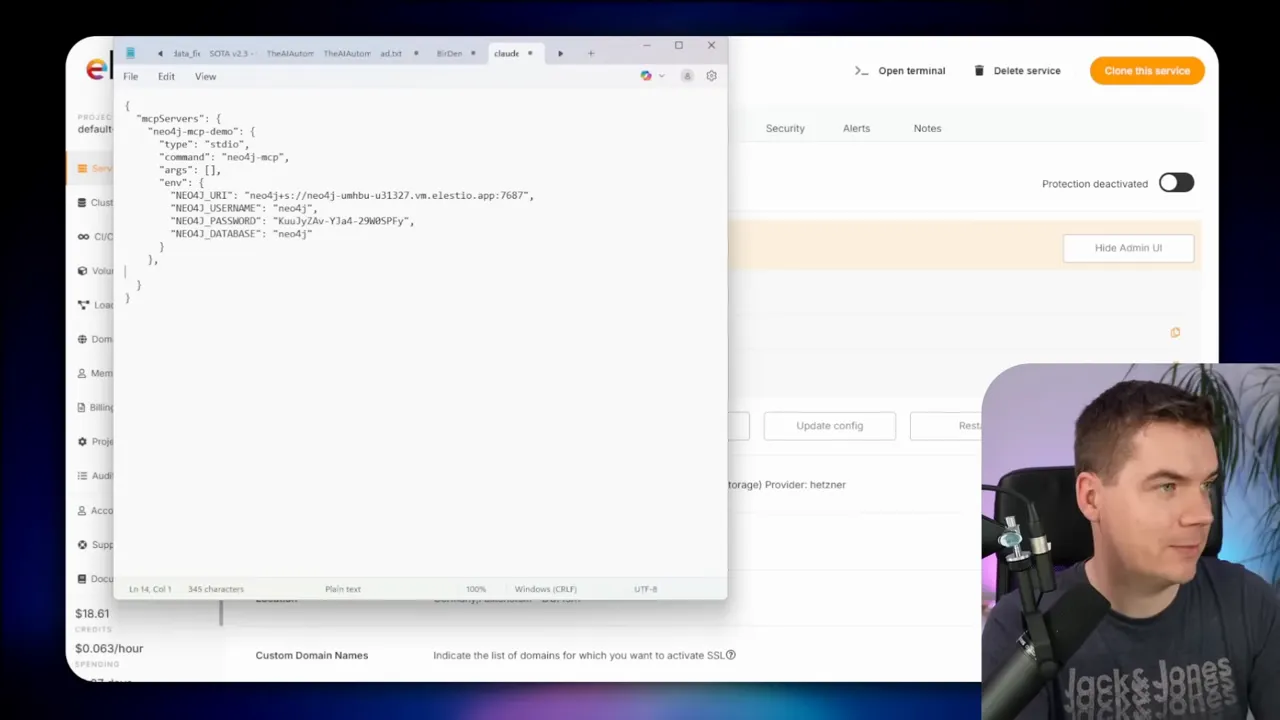
That capability removes the need to memorize Cypher for many common tasks. I still review queries before approving them when the agent has write access. It’s quick to inspect a generated Cypher statement and allow it to run.
Segment multiple data sets inside one database
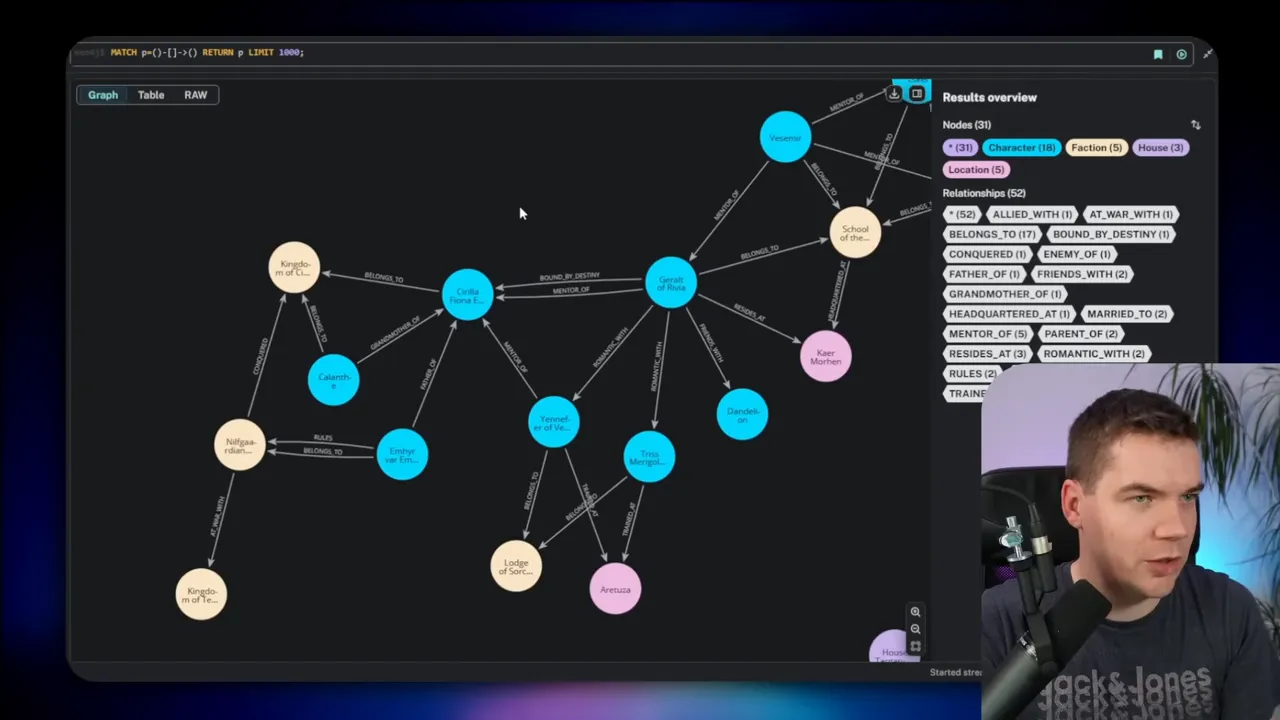
Neo4j typically gives you one database per installation. To host several independent datasets in a single database, I add a simple property on nodes and edges called graph ID. I tag every node and relationship with a graph ID such as Westeros or TheWitcher. That lets me keep separate subgraphs while still using one Neo4j instance.
I use Claude to create example datasets. For instance, I asked it to insert Game of Thrones entities and tag them with graph ID: Westeros. I then asked it to make another dataset for The Witcher. That produced two subgraphs I could query independently by filtering on graph ID.
Build a graph agent in n8n
I like n8n because it glues systems together. It also hosts agents that can call external tools. I created an agent in n8n that connects a chat trigger to an AI model and to Neo4j. In practice I add a chat trigger, then an AI node, and then a tool that executes Cypher against Neo4j. The agent can synthesize answers by combining graph queries and natural language generation.
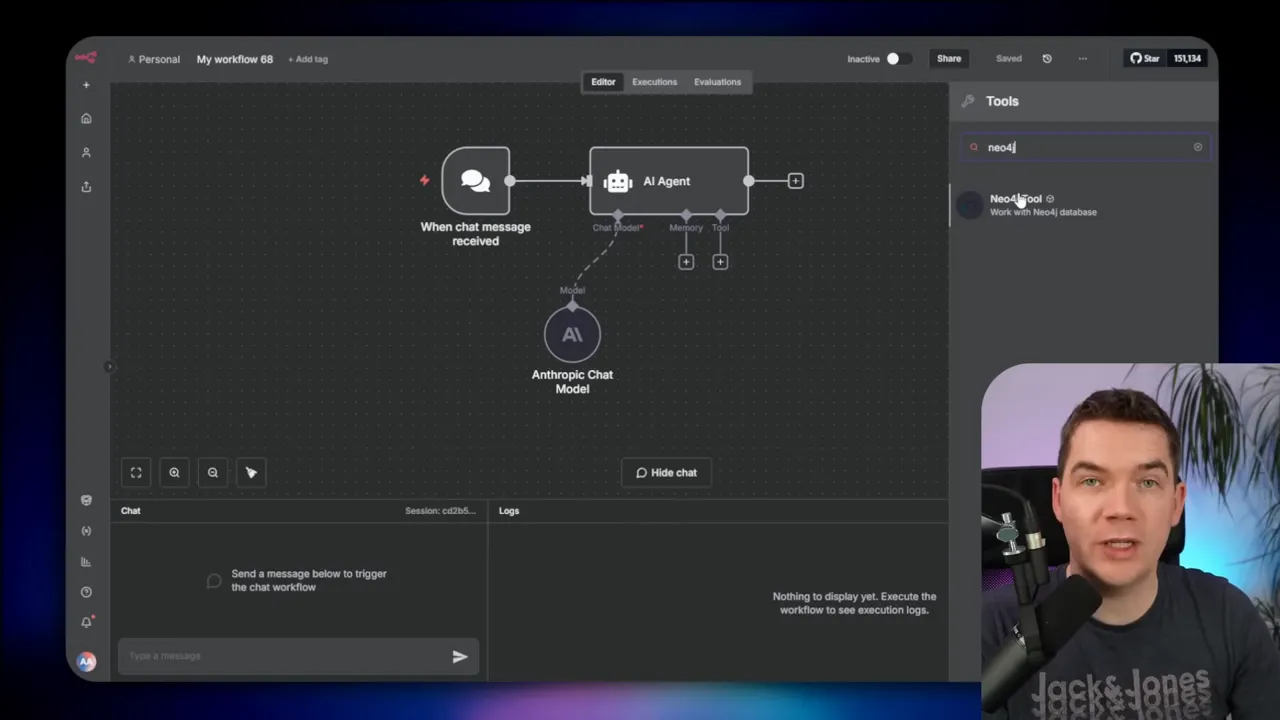
For Neo4j integration, you have options:
- Use the community Neo4j node in n8n (works on self-hosted instances).
- Call the Neo4j HTTP API directly (transaction commit endpoint).
- Invoke the MCP from n8n for more conversational workflows.
I often let the model generate Cypher for reads or diagnostics. That makes it comfortable for non-experts to ask complex questions. I never give the agent unrestricted write access unless I fully trust the request flow.
Prepared statements for safety
When an agent needs to run queries that include user input, I use prepared queries. Instead of letting the model build a full Cypher statement on the fly, I create a parameterized template and let the AI only fill specific variables such as graph ID or customer ID. That prevents accidental destructive commands.
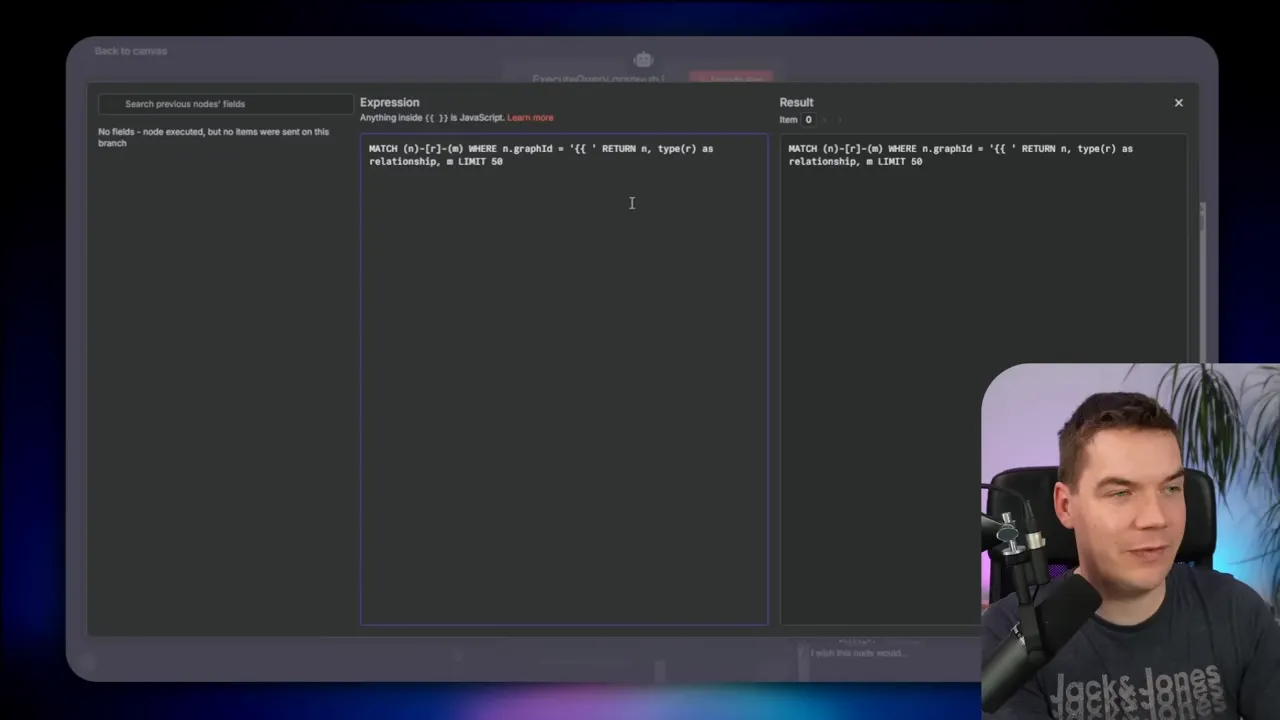
Another safe approach is to create a read-only Neo4j user. Use that account in n8n when you only want retrievals. If you need both read and limited write operations, scope the permissions carefully.
How I ingest data into a knowledge graph
Knowledge graphs live on data. They need continuous updates from your systems. I build ingestion flows in n8n that either do batch loads or stream incremental changes. A common pattern I use is:
- Extract data from source systems or a staging storage location.
- Transform source records into node and edge CSVs or JSON.
- Convert the files to Cypher using templates or code in n8n.
- Call Neo4j’s transaction commit API to create or update nodes.
- Create relationships with prepared Cypher templates by mapping IDs.
- Archive processed files so the flow only handles new items.
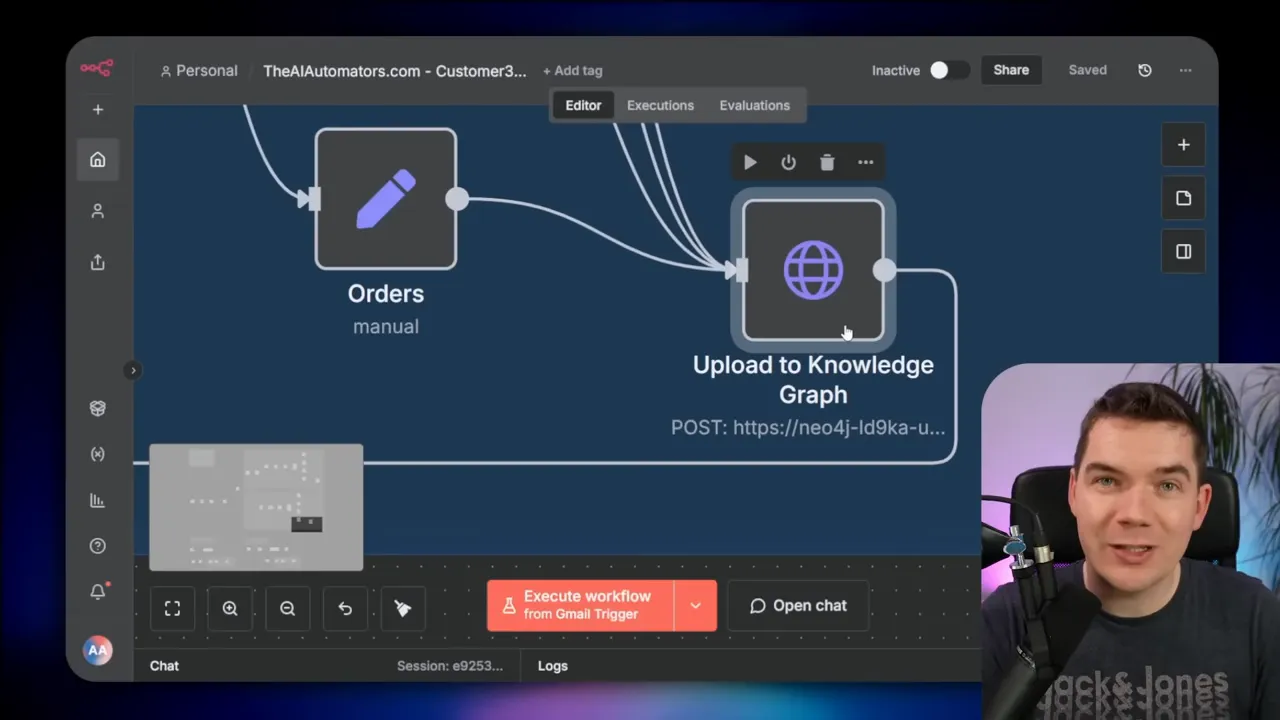
For a demo I had Claude generate CSV exports for customers, orders, products, and support tickets. I uploaded those CSVs to Google Drive. The n8n flow loops through any CSV files in a folder, downloads them, converts the rows to JSON, and then injects each item into a prepared Cypher statement. That statement is sent to Neo4j’s transaction commit endpoint.
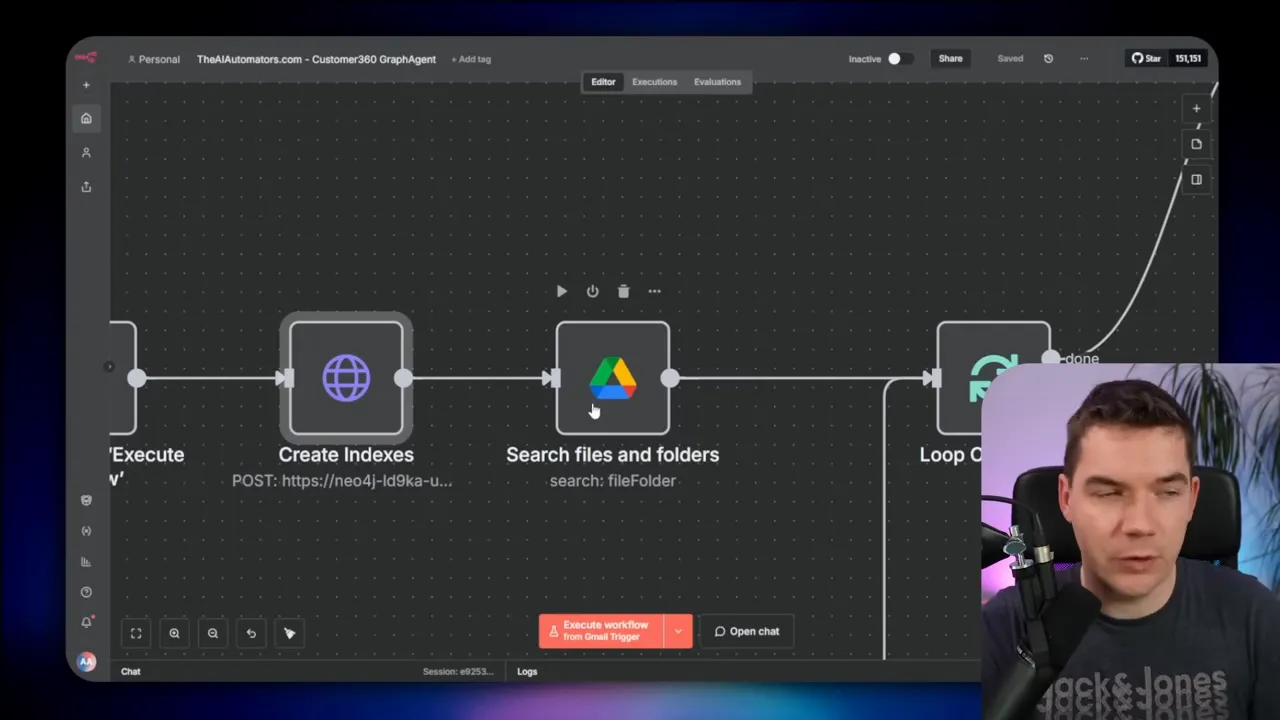
Using prepared Cypher templates ensures deterministic ingestion. It reduces the need for on-the-fly Cypher generation and lowers the chance of errors. Once the flow is scheduled, new CSVs or API extracts keep the graph fresh.
Use case 1: Customer 360 graph agent
I created a Customer 360 graph that unifies cross-system customer data. The graph includes customers, orders, products, and support tickets. Each node type holds relevant properties: order date, ticket priority, product SKU, and customer lifetime spend.
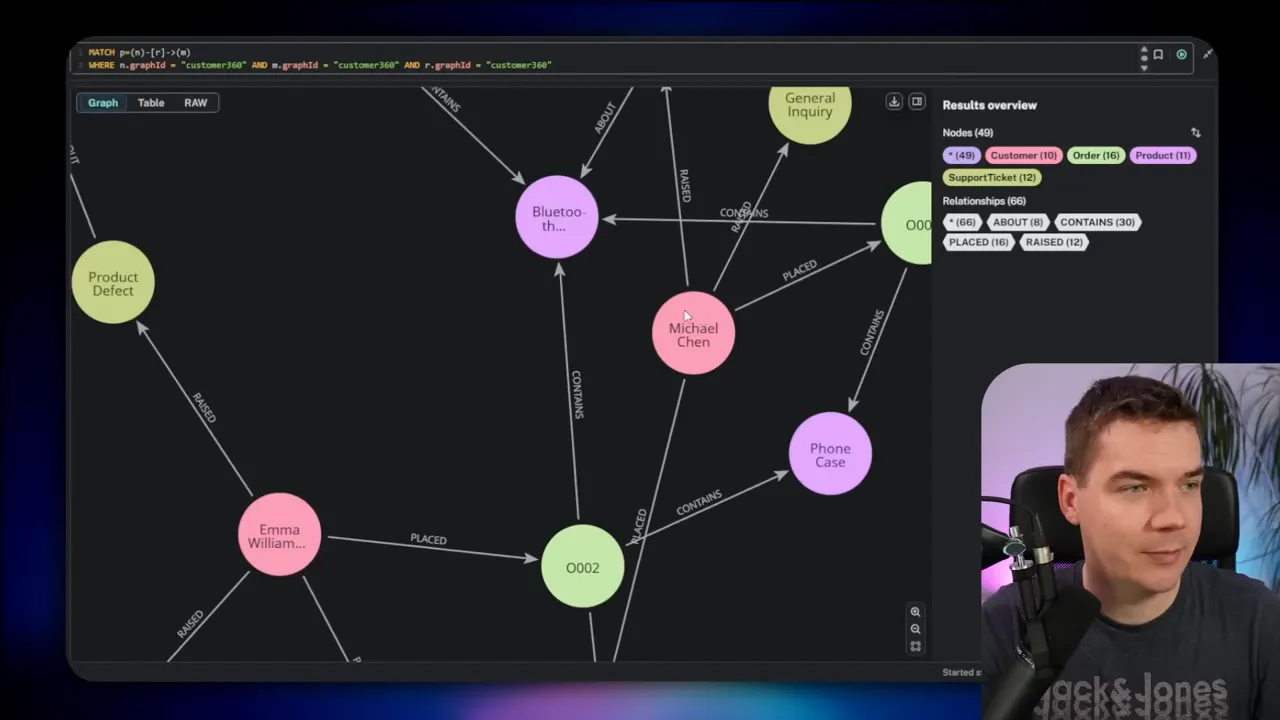
The edges represent real business actions and relationships:
- Customer placed Order
- Order contains Product
- Customer raised Support Ticket
- Ticket is about Product
I ingest this data from multiple places. In a production setup you would connect APIs from an e-commerce platform for orders, a helpdesk for tickets, a CRM for profiles, and the payment gateway for receipts. n8n orchestrates all those connections and writes a normalized view into Neo4j.
Once the data is in the graph, I expose the graph to an AI agent. The agent can:
- Return a full customer profile with orders and support history.
- Draft an email response that includes accurate order status.
- Spot hidden signals such as repeated defects on specific SKUs.
- Trace the supplier impact of a material shortage to customer lead times.
Having one canonical graph simplifies queries. The agent no longer needs to call several services and reconcile answers. It can traverse relationships in Neo4j and provide faster, more accurate outputs.
Use case 2: Document structure graph for legal documents
Legal documents and regulations often contain intricate cross-references. Clauses point to definitions, and sections cite other sections. Answering a question about one clause may require pulling together text from multiple disparate locations.
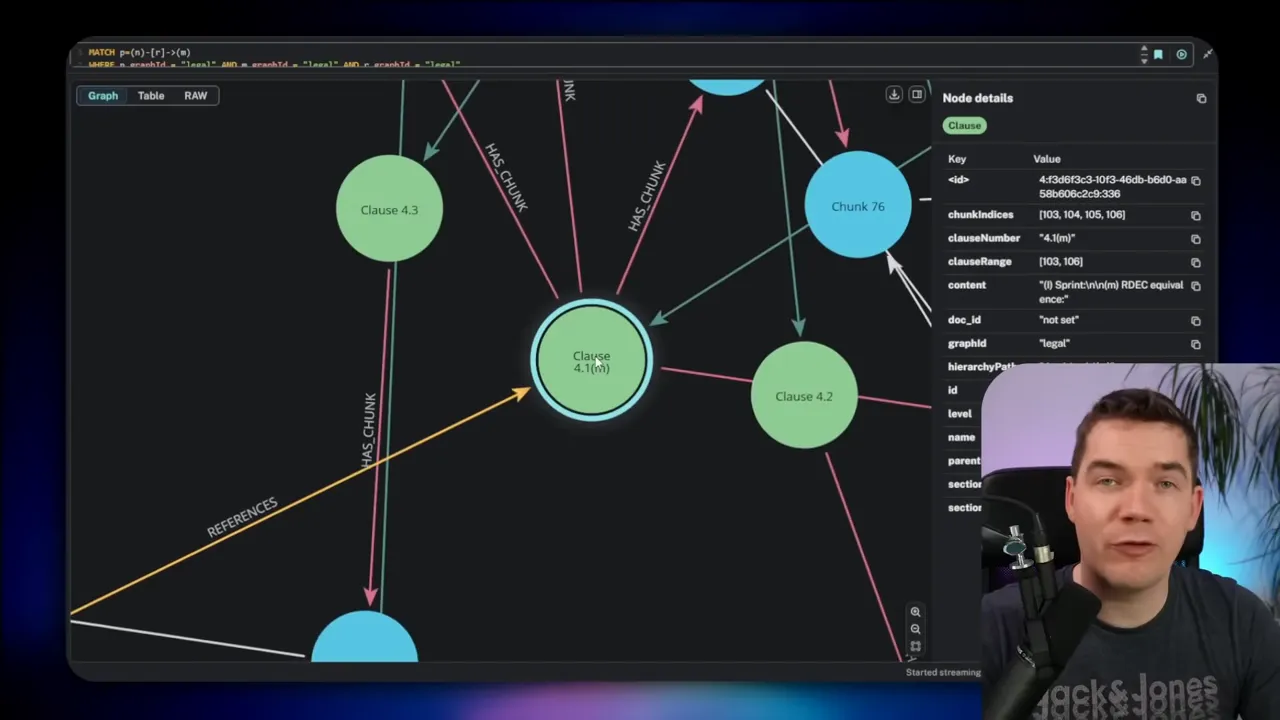
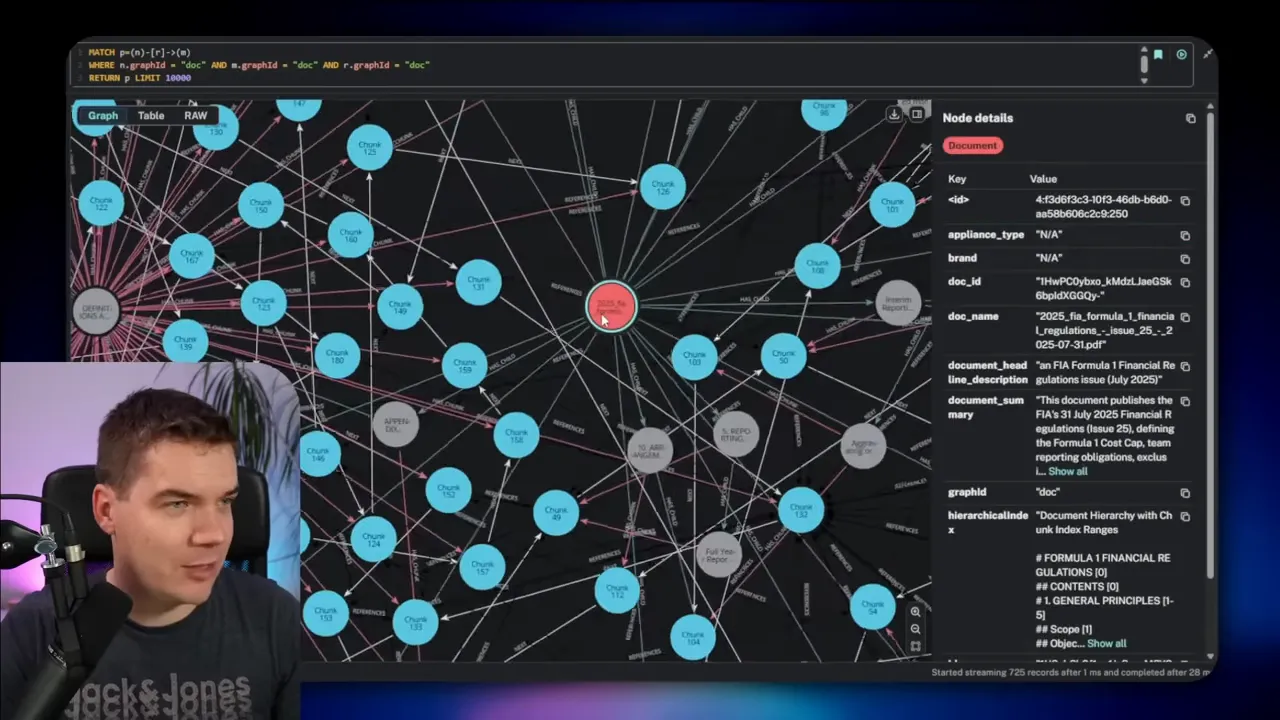
I built a document graph to represent that structure. The nodes include documents, sections, subsections, clauses, and text chunks. Edges capture relationships such as has child, next, and references. That lets an agent explore both hierarchy and explicit cross-references.
Two-stage approach: import then enrich
Import stage
I extract the document structure first. I use OCR and a smart chunker to create a hierarchical index of headings and content. The index captures nested levels such as articles, sections, and subclauses. I transform that hierarchy into graph nodes and edges. At this point the graph contains the document map and chunked text.
Enrichment stage
The import won’t catch all internal references because many legal documents put cross-references inside paragraph text rather than headers. To resolve those, I enrich the graph by:
- Loading all chunks and sections from Neo4j.
- Asking an LLM to extract search queries from each chunk (for example, identify “Article 8” as a possible reference).
- Running those queries against a hybrid vector/text search in Supabase.
- Asking the LLM to judge whether candidate hits are true cross-references.
- Writing confirmed references back to Neo4j as reference edges.
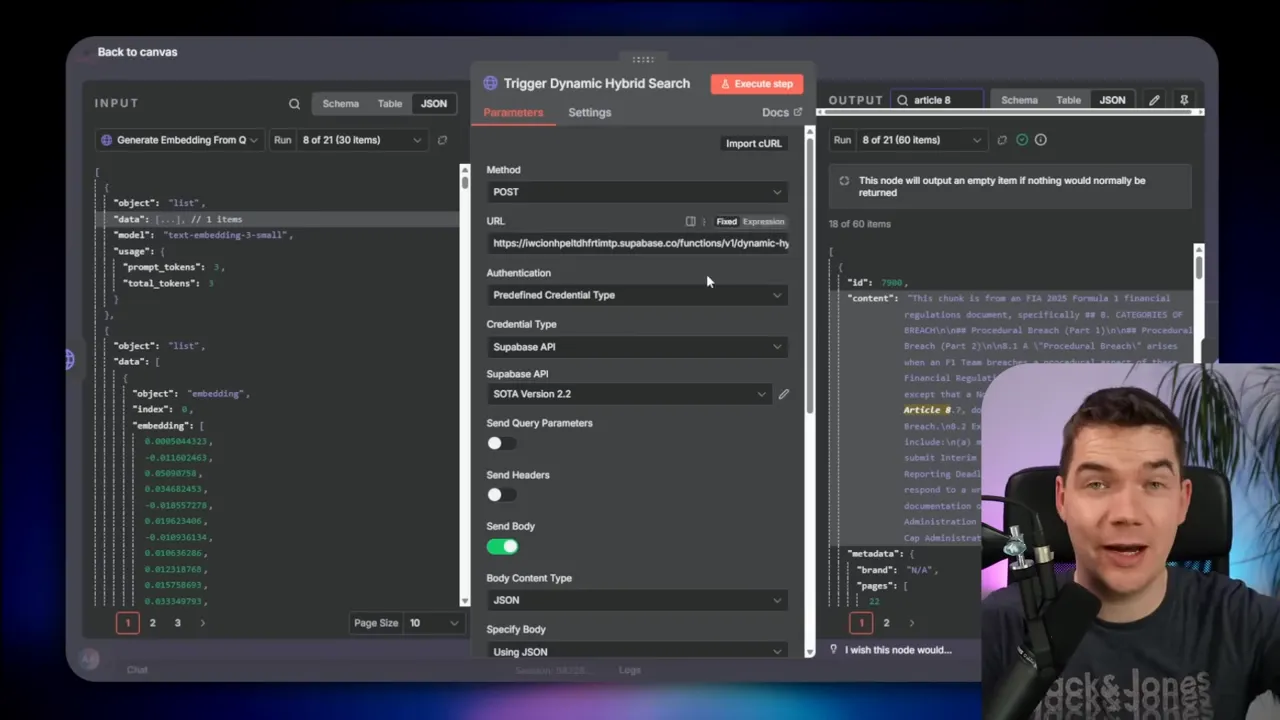
That enrichment step connects chunks that reference each other. Once in place, the graph lets the agent fetch a chunk and immediately pull related clauses or definition sections referenced within it.
An example of automated cross-reference discovery
I processed a clause that mentioned Article 8. The enrichment flow extracted “Article 8” as a search term, ran numerous hybrid searches, and found the actual Article 8 chunk. The system then added a reference edge from the original chunk to Article 8. This turned a buried mention into a first-class link in the graph.
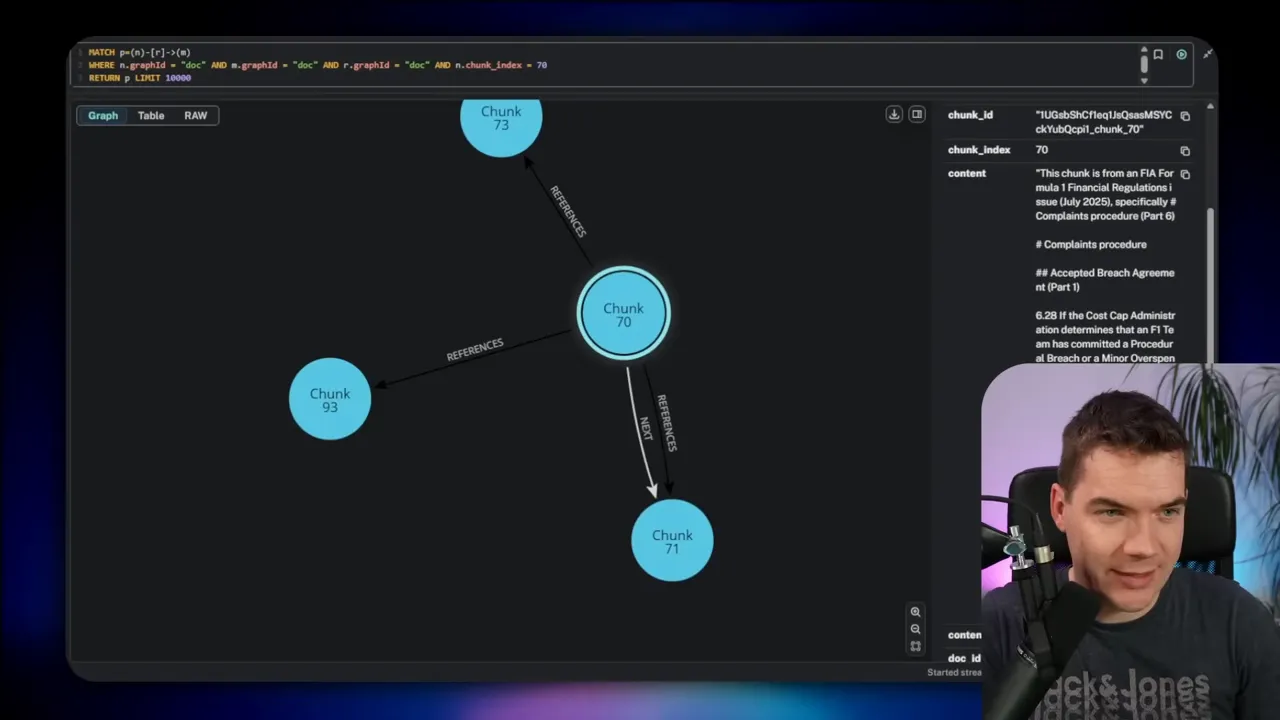
That change makes retrieval fast. Instead of performing expensive semantic reasoning at query time, the agent can prefetch connected chunks directly from Neo4j.
Costs and time for deep enrichment
Full enrichment can be resource intensive. For a 50-page document I recorded the following:
- About 1,100 hybrid search calls
- Roughly 400 LLM calls
- Approximately 16 minutes total runtime
Those numbers make the approach great for targeted, high-value documents. It may not be practical to run this depth of enrichment across thousands of documents on every update. For scale, I recommend the lighter context expansion approach that builds smart retrievals without exhaustive enrichment.
Retrieval patterns that make agents smarter
Once a document graph is enriched, you can use several retrieval patterns:
Neighbor and references retrieval
Start with a vector store to find a likely chunk for a question. Then query Neo4j for:
- Neighboring chunks (previous and next) to preserve context across paragraphs.
- Reference edges to pull in clauses explicitly cited by the chunk.
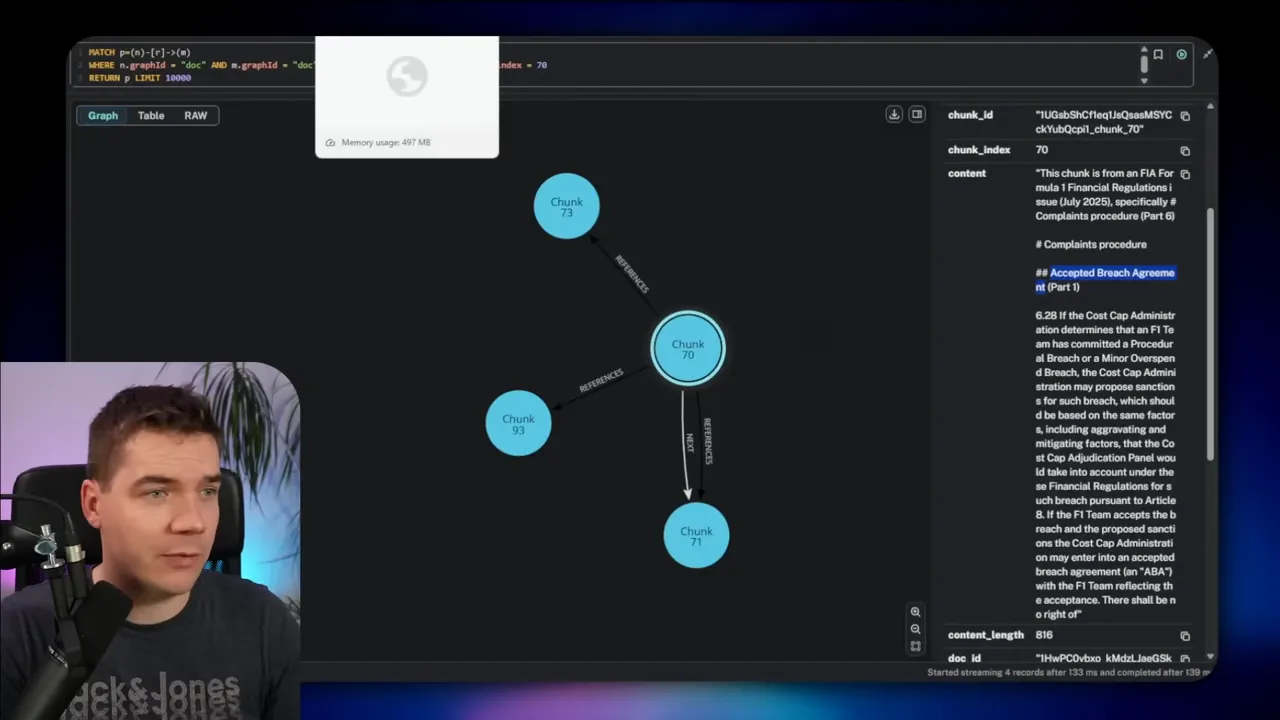
For example, I asked about the complaints procedure in a clause that referenced an overspend sanction. The agent retrieved chunk 70 from the vector store. It then loaded three neighbors before and after that chunk and any chunks referenced by it. With that expanded context, the LLM produced a precise answer.
Section and parent retrieval
Instead of following next relationships, you might pull everything in a section or a parent node. That helps when context lives at a broader scope, such as definitions at the end of a document. The agent can fetch the whole section of 20 chunks and use it to ground the response.
Smart graph traversal with on-the-fly Cypher
When you want maximum flexibility, the agent can generate Cypher dynamically. The flow looks like this:
- Vector search returns a start chunk index.
- The agent requests the graph schema to learn node and relationship types.
- It composes Cypher to traverse the graph in the best direction to answer the query.
- The graph returns related chunks. The agent uses them for final reasoning.
That approach gives the agent the power to choose whether to climb up the hierarchy, follow cross-references, or retrieve neighbors. It works well for high-accuracy use cases, but you should lock down write permissions and review generated Cypher if you allow write operations.
Practical tips I follow when building graph agents
- Use graph ID to separate datasets in a single database.
- Use APOC to enable dynamic procedures and easier imports.
- Prefer prepared queries for ingestion to reduce runtime errors.
- Provide the agent with the graph schema before allowing it to generate Cypher. That reduces failures.
- Limit privileges for agents that can execute Cypher. Use read-only accounts where possible.
- Archive processed files used in ingestion so flows only process new data.
- Balance enrichment cost and accuracy—use deep enrichment for high-value documents and lighter context expansion for scale.
- Cache frequently used queries or save Cypher snippets in the Neo4j browser for repeated inspection and debugging.
How I structure an n8n data loader
My typical n8n loader follows a clear pattern. It starts with a trigger—either a scheduler or a folder watch. It then loops over new items. For each item I:
- Download the CSV or JSON extract.
- Normalize fields into a consistent schema (IDs, timestamps, property names).
- Run a prepared Cypher template that MERGEs nodes by ID and sets properties.
- Create relationships using prepared statements that MATCH the source and target nodes by ID.
- Move processed files into an archive folder.
Using this design I keep the ingestion deterministic and auditable. I can replay an archived file if a restore is needed. It also makes the graph easier to test because each step is predictable.
When to choose a graph over direct connectors
Agents can query multiple systems directly. That works for simple queries. However, a knowledge graph brings three major benefits:
- Single source of truth for cross-system joins and reconciliation.
- Faster retrieval for multi-hop queries where many joins would be required across APIs.
- Rich insights through pattern discovery that is hard to see in flat tables.
If your use case needs repeated multi-system joins or deep relationship queries, a graph will usually pay for itself in time saved and improved accuracy.
Security and governance reminders
Graphs can grow sensitive quickly. They often contain customer PII, ticket content, and contract text. I apply these rules when I deploy an agent:
- Use read-only credentials for retrieval agents that don’t need to write.
- Review any generated Cypher statements the first few times an agent runs them.
- Limit the agent’s session scope and duration when you allow it to execute privileged operations.
- Keep an audit trail of data writes and enrichment operations in a separate log store.
- Index IDs and frequently queried properties in Neo4j to improve query performance.
What I automate next
After implementing a graph agent I focus on two things: keeping the graph fresh, and extending the graph with new relationships that reveal insights. Freshness often means building small, reliable connectors from each source system into n8n. Enrichment then becomes a second-stage process that runs periodically for high-value documents.
I also look for opportunities to reuse graph patterns. Once you model customers and orders once, you can reuse that model to connect invoices, warranty claims, and supplier parts. Each new source becomes a small, additive step rather than a wholesale reengineering task.
Final practical checklist
Before you deploy a graph agent, make sure you have:
- A running Neo4j instance with APOC enabled
- n8n flows for ingestion and retrieval
- A supervised process for LLM-driven enrichment
- Prepared Cypher templates for deterministic writes
- Appropriate read/write roles for agent accounts
- Monitoring and logs for enrichment runs and agent actions
With those pieces in place, an AI agent can do more than fetch single records. It can explore relationships, synthesize multi-source context, and provide answers grounded in an explicit graph of your data. That changes how AI helps teams make decisions and resolve customer requests.
